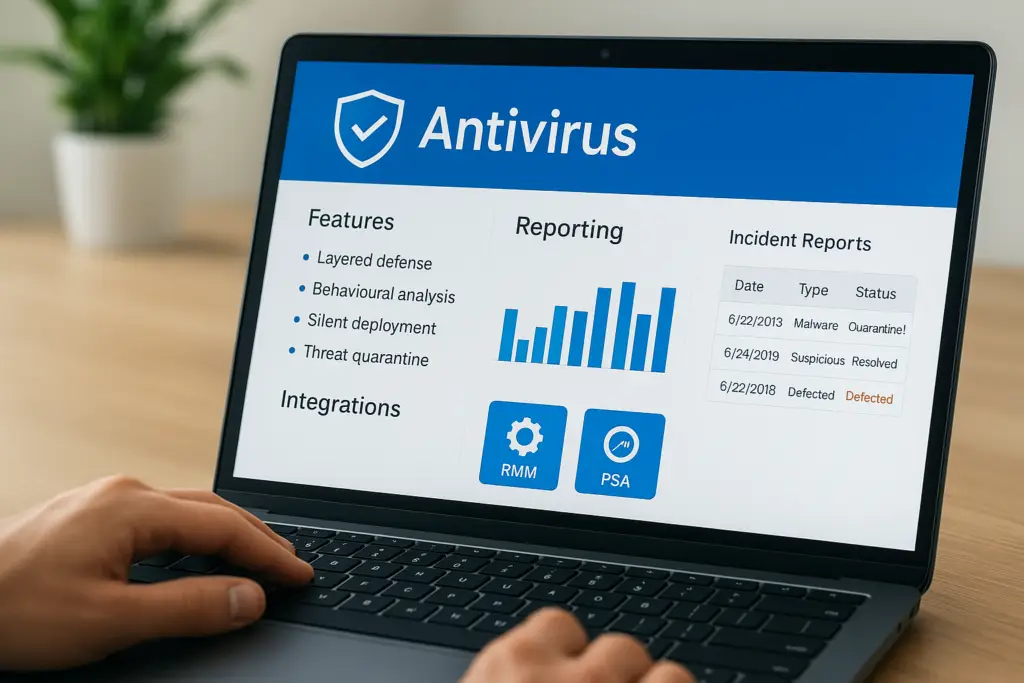
If you manage endpoints across multiple client sites, or even your own, you’ve probably come across Datto Antivirus while evaluating security tools. It’s a product that sits within the broader Datto ecosystem, and understanding what it actually does (and doesn’t do) matters before you commit to rolling it out. Endpoint protection is foundational, but not every antivirus solution fits every environment equally well.
At TrustedIA, we take a solution-agnostic approach to cybersecurity. With over 30 years in IT services and managed security, we assess tools like Datto AV based on how well they serve a specific business need, not because we’re tied to a particular vendor. That perspective shapes how we break down products for our clients, and it’s the same lens we’re applying here. Our work in endpoint detection, vulnerability assessments, and managed SOC services gives us a practical context for evaluating where a tool like this fits.
This article covers Datto Antivirus in detail: its core features, reporting capabilities, how it integrates with other platforms, and, critically, whether it’s the right fit for your organisation. We’ll give you the information you need to make that judgment yourself, without the sales spin.
Why Datto Antivirus matters for business endpoints
Business endpoints are one of the most targeted attack surfaces in any organisation. Laptops, desktops, and servers are all entry points for ransomware, phishing attacks, and credential theft. If your endpoints aren’t properly protected, a single compromised device can cascade into a full network breach before your team even detects it. That is the reality most businesses operate in, and it is why endpoint security decisions carry real weight. Choosing the wrong tool, or deploying one inconsistently, leaves you exposed in ways that are difficult to quantify until something goes wrong.
The endpoint threat landscape has changed
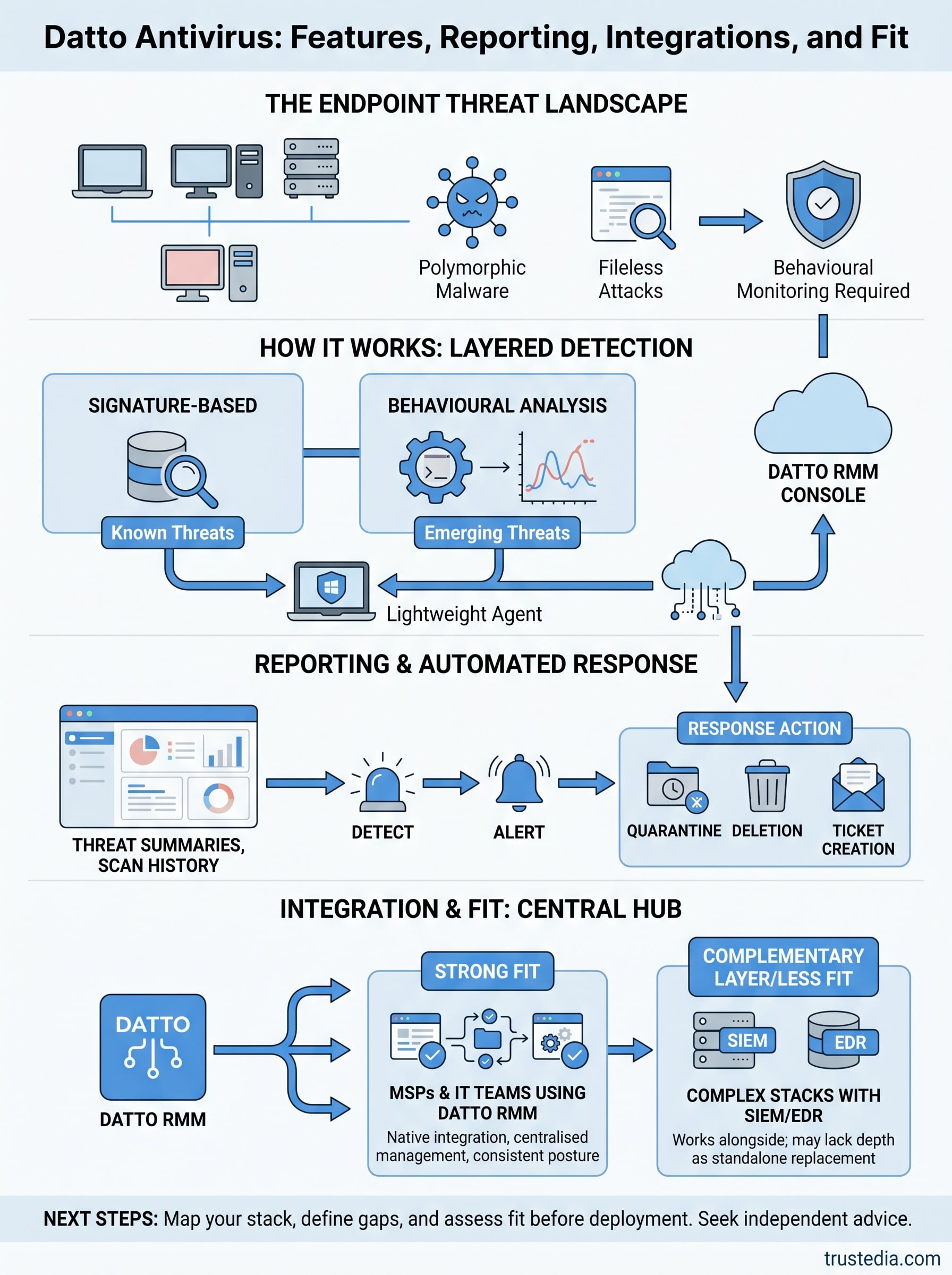
Traditional signature-based antivirus tools worked well when threats were predictable and slow-moving. Today, attackers use polymorphic malware and fileless attack techniques that bypass signature detection entirely. A tool that only checks known file hashes will miss a significant portion of modern threats. The shift toward remote and hybrid working has compounded this problem because endpoints no longer sit safely behind a corporate firewall for most of the working day.
Relying on legacy antivirus against modern threats is the equivalent of locking your front door but leaving every window open.
Managed service providers (MSPs) and internal IT teams need endpoint protection that actively monitors behaviour, not just files. Datto Antivirus is built with this operational context in mind, specifically targeting environments where centralised management and real-time visibility are non-negotiable requirements rather than optional extras.
Why centralised management changes the equation
If you manage more than a handful of endpoints, manual administration becomes a liability in its own right. Missed updates, inconsistent policy configurations, and delayed responses to alerts all increase your exposure over time. A centralised platform lets you enforce policies uniformly, push updates automatically, and respond to detections from a single console rather than logging into each device individually. That consistency is what separates a well-managed endpoint environment from one that only looks protected on paper.
Datto Antivirus integrates directly with Datto RMM (Remote Monitoring and Management), so endpoint security fits into the same workflow your team already uses for patching, monitoring, and remote support. You get consolidated visibility rather than toggling between separate dashboards, and that directly reduces the chance of a detection slipping through unnoticed during a busy period.
For businesses without a dedicated in-house security team, this kind of integration carries practical value that goes well beyond a feature checklist. Your IT team or MSP can maintain a consistent security posture across all managed devices without incurring significant operational overhead. That matters because consistency, not complexity, is what actually reduces risk at the endpoint level, day to day.
How Datto Antivirus works in practice
Datto Antivirus runs as a lightweight agent installed on each managed endpoint. Once deployed via Datto RMM, the agent runs continuously in the background, scanning files and monitoring system activity without requiring manual intervention on each device. This persistent monitoring means your team detects active threats in real time, rather than relying on scheduled scans that only catch problems at fixed intervals.
Detection methods the agent uses
The agent combines signature-based detection with behavioural analysis to cover both known and emerging threats. Signature detection quickly identifies catalogued malware with low overhead, while behavioural analysis monitors how processes behave on the system. If a process starts behaving like ransomware by rapidly encrypting files or contacting unusual network addresses, the agent flags and quarantines it, regardless of whether that specific file has been seen before.
Behavioural detection is what separates modern endpoint protection from tools that only recognise threats they have already encountered.
This layered approach means polymorphic malware and fileless attacks get caught at the behaviour stage even when they evade signature checks. That matters significantly in a managed environment where you cannot rely on every user to avoid suspicious links or downloads.
How the RMM integration works day to day
When the agent detects a threat, it reports back to the Datto RMM console automatically, triggering an alert that your team or MSP can act on immediately. The detection data includes the file path, threat classification, and action taken, so your team gets enough context to assess severity without digging through separate logs. Remediation actions such as quarantine or deletion can be applied directly from the console, keeping your response time short and reducing the chance of a threat spreading across additional endpoints before it is contained.

How to deploy and configure Datto Antivirus
Deploying Datto Antivirus through Datto RMM is straightforward, but getting the configuration right from the start saves you time and reduces coverage gaps. The deployment process is designed for MSPs and IT teams managing large device fleets, so most of the heavy lifting happens at the platform level rather than device-by-device.
Deploying the agent across your endpoints
Deployment starts in the Datto RMM console, where you create a component or policy to push the antivirus agent to your target devices. You can scope deployments by site, device type, or specific device groups, which means you control the rollout pace and can prioritise higher-risk endpoints first. Once the policy runs, the agent installs silently without requiring user interaction, reducing disruption to your teams and avoiding the delays that come with manual installation.
Deploying to your highest-risk endpoints first gives you measurable coverage gains before you complete a full rollout.
After installation, each device reports back to the console, confirming the agent is active and the initial scan is complete. You can verify coverage across your entire estate from a single view, making it easy to identify any devices that missed the deployment.
Configuring policies to match your environment
Configuration centres on scan schedules, exclusion lists, and response actions. You set these at the policy level so changes apply consistently across all devices in scope rather than requiring you to adjust each endpoint individually. Exclusion lists matter for business-critical applications that might trigger false positives, such as database tools or bespoke software, and getting these right early prevents unnecessary quarantine events that interrupt operations. Response actions define what the agent does automatically on detection, whether that means quarantine, deletion, or alert-only, giving you control over how aggressively the tool responds before a human reviews the finding.
Reporting, alerting, and response workflows
Visibility is only useful if the data reaches the right person at the right time. Datto Antivirus feeds detection events and scan results directly into the Datto RMM reporting layer, providing a consistent record of endpoint security activity without requiring a separate reporting tool. That single-pane view is what lets your team stay on top of threats across multiple sites without juggling multiple consoles.
What the reporting dashboard shows you
The reporting dashboard surfaces threat detection summaries, scan history, and agent status for every device in your managed estate. You can filter by site, device group, or time period, making it straightforward to spot patterns such as a recurring detection on a specific device or a site consistently running outdated definitions. Each detection entry includes the threat name, file path, classification, and action taken, so your team has enough context to assess severity without pulling separate logs.

Clear detection records reduce the time your team spends investigating alerts and shorten the window between detection and containment.
Having this data in one place also supports compliance reporting, particularly if your organisation needs to demonstrate active endpoint monitoring for frameworks such as Cyber Essentials or ISO 27001.
How alert workflows reduce response time
Alerts trigger automatically when the agent detects and acts on a threat. You configure alert thresholds and notification routing at the policy level, so the right person receives the right alert without every detection landing in a shared inbox. High-severity detections can route directly to your on-call engineer or SOC team, while lower-priority events queue for scheduled review.
Response actions such as quarantine, deletion, or process termination are available directly from the alert interface, cutting the steps between receiving a notification and neutralising a threat. That speed matters when a detection at one endpoint could spread laterally if left unaddressed, even for a short period.
Integrations and fit in your security stack
Datto Antivirus is built to work within the Datto ecosystem first, and that shapes both its strengths and its limitations as a security stack component. If your team already uses Datto RMM, the integration is native and requires no additional configuration work. Threat data, device status, and scan results flow directly into the same platform you use for patching and remote management, which cuts the number of tools your team needs to monitor on any given day.
How it connects with your existing tools
The primary integration point is Datto RMM, but detection events can also feed into PSA tools such as Autotask or ConnectWise Manage through the existing RMM ticketing integration. That means a high-severity detection can automatically generate a support ticket routed to the right engineer without manual triage. For MSPs running structured workflows, this automation removes a step that would otherwise introduce delay and increase your risk window.
Automating ticket creation from detections keeps your response time consistent regardless of how busy your team is when an alert fires.
Where Datto AV fits best and where it does not
Datto Antivirus fits strongest in MSP-managed environments where Datto RMM is already the primary management platform. If your stack is built around a different RMM, the integration advantages disappear, leaving you with a standalone antivirus product that lacks the contextual data that the native pairing provides. For organisations running a broader security stack that includes a dedicated SIEM or EDR platform, Datto AV may not offer sufficient detection depth on its own.
In those environments, it works better as a complementary layer sitting alongside your primary detection tool rather than replacing it. Knowing that distinction before you deploy saves you from discovering the gap after a detection slips through.
Next steps
Datto Antivirus works well when it slots into an environment already built around Datto RMM. The native integration, centralised management, and automated alerting provide MSPs and IT teams with a practical way to maintain consistent endpoint protection across large device fleets without incurring significant operational overhead. Where it falls short is in environments that run a different RMM or require deeper detection capabilities from a dedicated EDR platform.
Before you commit to deploying it, map out your existing stack and be honest about the gaps. If Datto AV fills a genuine need without duplicating something you already have, it is worth the rollout effort. If you are unsure whether it is the right layer for your environment, getting an independent assessment saves you from discovering a coverage gap after an incident rather than before.
If you want expert guidance on building an endpoint security strategy that actually fits your business, speak to the TrustedIA team before you make that call.