You have been told to write an incident response plan, and now you are staring at a blank document wondering what actually belongs in it. Searching for an example of incident response plan usually means you want to see a real structure, not another checklist of vague principles. That’s what this article gives you: a breakdown of what a working plan looks like when a ransomware attack or data breach actually hits.
A good cyber security incident response plan example shows roles, decision points, and communication steps in the order they happen, not just theory. We’ll walk through each stage, from detection through containment to recovery, using the kind of scenario our CyberSOS team handles regularly for businesses and insurers after a real breach.
Below, we break down a sample plan section by section, explain why each part matters, and point you towards where you can find a proper incident response plan template to adapt for your own organisation. By the end, you’ll know exactly what a credible plan contains and how to build one that holds up under pressure, not just on paper.
Why a real example matters more than a blank template
Most incident response templates you download online read like a form. Fill in the company name, list the security team, tick a box for "notify stakeholders," and you’re done. Blank templates give you structure without substance. They tell you a plan should cover detection, containment, and recovery, but they don’t show you what those stages actually look like when a server starts encrypting files at 2am. That’s the gap a real example of incident response plan fills: it shows the decisions, the sequence, and the pressure points that a generic checklist glosses over.
Generic checklists skip the decisions that actually matter
A checklist tells you to "assess the scope of the breach." It doesn’t tell you who makes that call when the CISO is on annual leave and the on-call engineer has never dealt with ransomware before. Real-world examples show you the actual chain: who gets the first call, what questions they ask, and at what point the decision to isolate a network segment gets escalated to a director. Without that detail, teams freeze during the first hour of an incident, the hour that usually decides how much damage spreads.
A plan that only lists what to do, without showing who decides and when, isn’t a plan. It’s a wish list.
What a worked example actually teaches you
Working through a sample incident response plan line by line teaches you things a blank form never will. You see how a communications team drafts a holding statement before all the facts are confirmed. You see how legal counsel gets looped in before, not after, a ransom note is discussed. You also see the specific evidence preservation steps a digital forensics team follows before anyone touches a compromised machine. These are lessons pulled from actual incidents, not abstract best practice.
The gap shows up during a real incident, not before
Nobody discovers their incident response plan is inadequate until they’re actually using it. Organisations that rehearsed against a real example, rather than a fill-in-the-blank document, respond faster because they’ve already argued through the awkward questions: who talks to the press, who talks to the regulator, and who decides whether to pay a ransom. Businesses without that grounding tend to spend the first critical hours debating roles instead of containing the threat, and that delay is exactly what attackers count on.
Here’s a quick look at what separates the two approaches in practice:
| Element | Blank template | Real-world example |
|---|---|---|
| Roles | Named generically | Assigned with a named backup and clear escalation path |
| Decision points | Listed as a task | Shown with who decides, and by when |
| Communication | "Notify stakeholders" | Draft statements, order of contact, sign-off authority |
| Timeline | Absent | Hour-by-hour actions across the first 24 hours |
Seeing these side by side is usually enough to convince most teams that a form alone won’t hold up once an attacker is actually inside the network.
How to adapt an incident response plan example to your business
Copying a sample plan word for word is almost as risky as having no plan at all. Every business has different systems, suppliers, and regulatory obligations, so an incident response plan cyber security example built for a 200-person logistics firm won’t fit a 15-person accountancy practice without changes. Treat any example as a skeleton, not a finished document. Your job is to swap in your own assets, your own people, and your own tolerance for downtime.
Map the example against your actual systems
Start by listing what you’d actually lose if a given system went down: email, your accounting platform, client databases, production servers. Then walk through the sample plan and ask whether each stage still makes sense for your setup. A containment step written for a business running everything on-premise won’t translate cleanly to a company running mostly on cloud services like Microsoft 365, where isolating a device works differently. This is also where you’ll spot ISO 27001 gaps worth closing before an incident forces the issue, especially if you’re weighing up ISO 27001 certification as a small business.
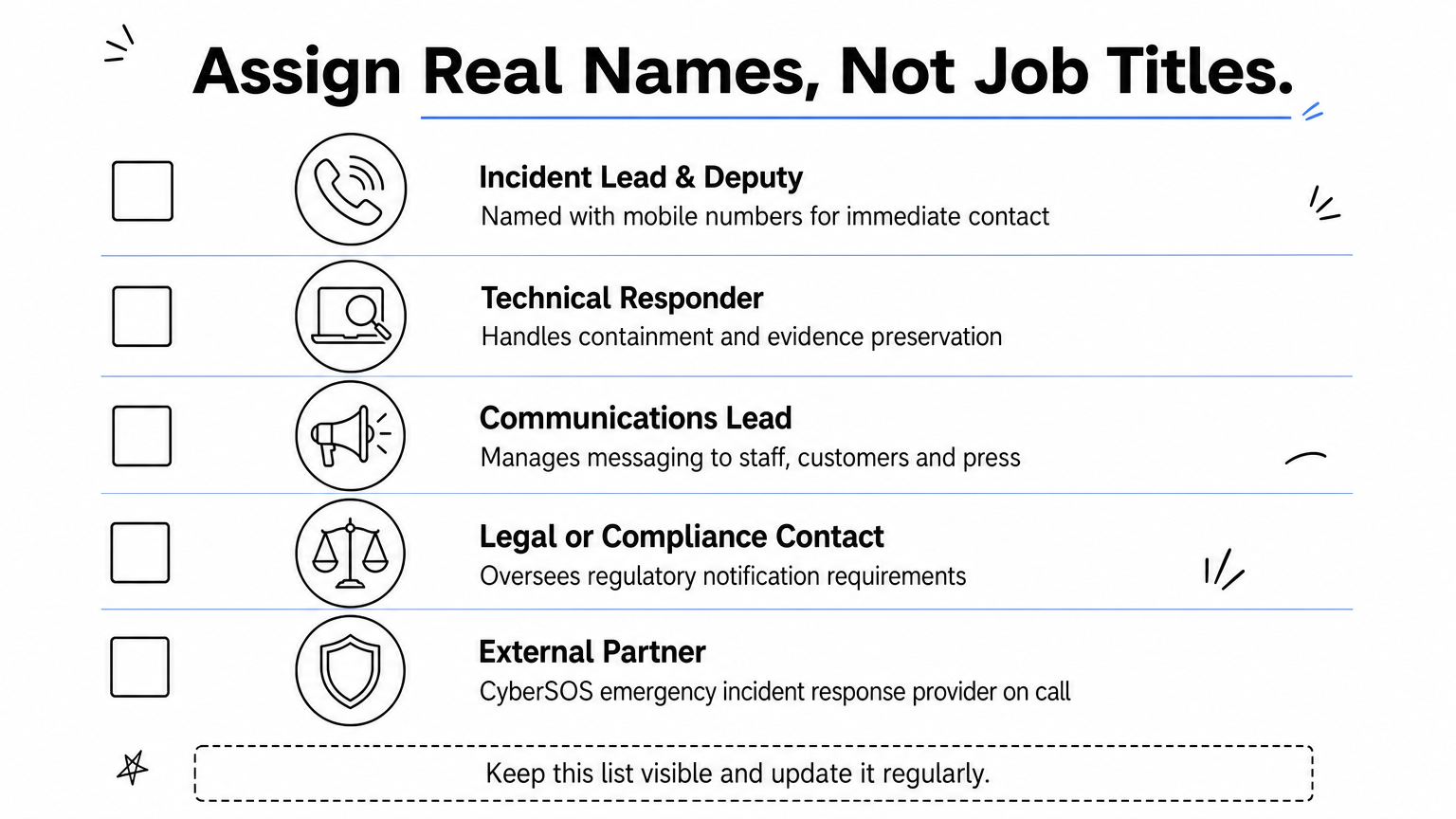
Assign real names, not job titles
A plan that says "IT Manager notifies the board" is useless if nobody’s confirmed who that is this quarter, or what happens when they’re unreachable. Go through the example and replace every generic role with a named person and a named backup, using a clear breakdown of response team roles as your guide.
- Incident lead and deputy, with mobile numbers
- Technical responder for containment and evidence preservation
- Communications lead for staff, customers, and press
- Legal or compliance contact for regulatory notification
- External partner details, including your CyberSOS emergency incident response provider
A plan with no names attached to it is just a document waiting for someone to argue over ownership mid-crisis.
Adjust the thresholds, not just the wording
Examples usually pick a dramatic scenario, a full ransomware lockout, to illustrate the stages clearly. Your business also needs thresholds for smaller incidents: a phishing email that got a reply, a single compromised laptop, a suspicious login from overseas. Define what triggers a full incident response versus a routine ticket, because treating every alert as a five-alarm event burns out your team fast.
Finally, test the adapted version. Run a tabletop exercise using a scenario close to what your business would actually face, walking through a step-by-step response checklist, then note where the plan breaks down. Those gaps are exactly what you fix before a real attacker finds them for you.
Breaking down a real cyber security incident response plan example

Picture a mid-sized accountancy firm that logs into its systems on a Monday morning to find client files encrypted and a ransom note sitting on the shared drive. This is the scenario our CyberSOS team sees most often, and walking through how to plan for, contain and recover from ransomware shows exactly what separates a working document from a form nobody reads. The detection phase starts the moment an employee reports slow file access or a locked folder, not when someone finally admits it’s ransomware.
Detection and triage in the first hour
The incident lead gets the first call and immediately asks three questions: which systems are affected, is the spread continuing, and has any data left the network. Answering those determines whether this becomes a full incident or a contained IT issue. Triage decisions made here, isolate the affected server, disconnect shared drives, disable remote access, shape everything that follows.
The first hour of a real incident is spent asking the right questions, not writing a report nobody will read until it’s over.
Containment, eradication, and the recovery sequence
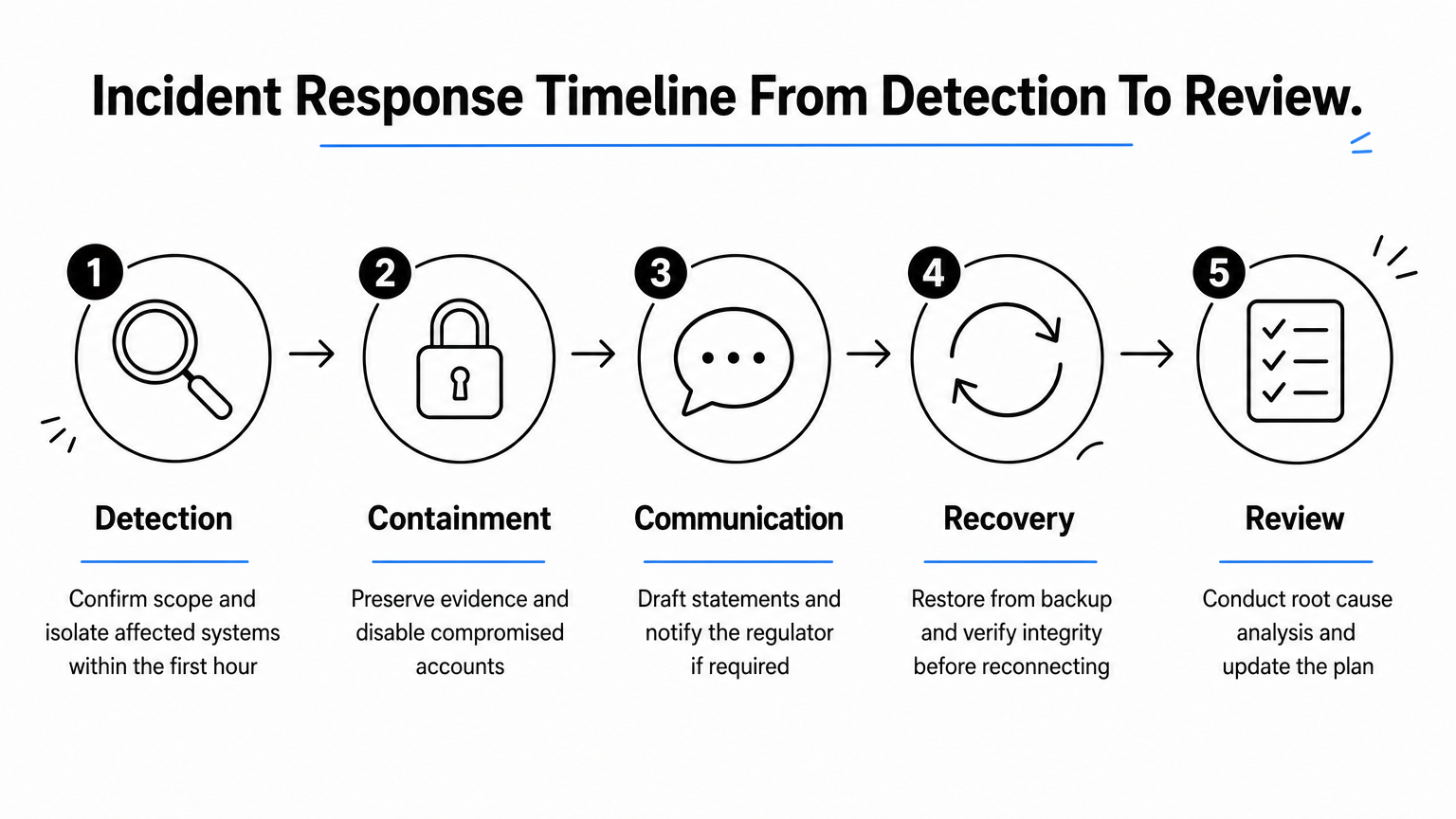
Once the scope is confirmed, the technical responder isolates affected machines while preserving forensic evidence for later analysis, a step generic templates almost always skip. Legal counsel and the communications lead join the call before any public statement goes out, because a rushed announcement can create more liability than the breach itself, which is why a communications plan written before the crisis pays for itself. Recovery then follows a strict order: restore from clean backups, verify no dormant malware remains, and only then reconnect systems to the live network.
| Stage | Time from detection | Key action |
|---|---|---|
| Detection | 0–1 hour | Confirm scope, isolate affected systems |
| Containment | 1–4 hours | Preserve evidence, disable compromised accounts |
| Communication | 2–6 hours | Draft internal and client statements, notify regulator if required |
| Recovery | 6–48 hours | Restore from backup, verify integrity, resume operations |
| Review | Within 2 weeks | Root cause analysis, update the plan |
Every row in that table reflects a decision someone had to make under pressure, which is exactly why a worked example matters more than a blank checklist. Notice too that the review stage isn’t optional. A plan that doesn’t get updated after every real incident stays a static document instead of a living one, and that’s usually where the next breach finds its opening.
Where to find reliable templates, including free PDF downloads
Searching for a cyber incident response plan template pdf turns up thousands of results, most of them recycled from the same three or four sources. Stick to organisations with a track record in cyber security guidance rather than marketing blogs dressed up as resources. The UK’s National Cyber Security Centre (NCSC) publishes incident management guidance that’s genuinely built for British businesses, including regulatory considerations specific to the UK. The US National Institute of Standards and Technology (NIST) offers a more technical framework in its Computer Security Incident Handling Guide, useful if your business operates internationally or needs a stricter compliance reference.
Free, credible starting points
Before downloading the first PDF you find, check that it actually maps to the stages we’ve covered above, which mirror the phases of the NIST response lifecycle: detection, containment, communication, recovery, and review. A template missing any of these is incomplete, no matter how polished it looks.

- NCSC Incident Management guidance for UK-specific planning
- NIST SP 800-61 for a detailed technical framework
- ISO/IEC 27001 requirements if you need your plan to support formal certification
- Your cyber insurer’s own incident response requirements, which sometimes mandate specific reporting timelines
A downloaded template is only as good as the decisions and names you add to it afterwards.
Why a downloaded PDF still needs expert review
Downloading a free template gets you the skeleton, not a finished plan. Government and standards bodies write for a general audience, so their examples rarely account for your specific suppliers, your backup setup, or your regulatory obligations if you handle client financial data or health records. Reviewing a draft against these documents is exactly the kind of gap analysis our Smarter Cyber Assurance audits are built for, and it’s far cheaper to catch a missing escalation path during a review than during a live breach. Combining a credible free template with a professional review, and pairing it with a tested CyberSOS response arrangement, gives you a plan that’s both properly structured and actually usable when it matters.
Putting your plan into practice
A good example of incident response plan only earns its value once you’ve pulled it apart, renamed the roles, and tested it against a scenario that actually matches your business. The worked breakdown above shows you what separates a document nobody reads from a plan that holds up at 2am when a server starts encrypting files. Detection, containment, communication, recovery, review, each stage needs named owners and clear thresholds, not vague instructions borrowed from a generic PDF.
Start with a free template, adapt it properly, then get it reviewed before you need it. Waiting until an attacker forces the question is the one mistake you can’t undo afterwards. If you want that review done properly, or need a tested response arrangement already in place, talk to TrustedIA’s incident response team about building a plan that actually works under pressure, not just on paper.