
Your firewall stops working the moment someone logs in with stolen credentials. That’s the problem traditional security models never solved: once a user or device gets past the perimeter, they’re trusted by default. The what is zero trust security model question comes up so often because businesses are realising that old approach no longer holds up against modern attacks, especially with remote work and cloud services expanding the attack surface. If you’re trying to understand this properly, you need more than a marketing definition; you need to see the core principles at work.
Zero trust flips the old logic on its head: never trust, always verify. Every user, device and application must prove itself continuously, regardless of whether it sits inside or outside your network. This isn’t a single product you buy, it’s a security framework built on identity verification, least-privilege access and constant monitoring.
In this article, we’ll break down exactly how zero trust works in practice, the principles that underpin it, and why it matters for business continuity in 2026. We’ll also look at what implementing it actually involves for an organisation like yours.
Why the zero trust model matters for your business
Most breaches don’t start with a dramatic hack. They start with a stolen password, a phished employee, or a supplier’s laptop that had already been compromised. Once that attacker is inside your network, a traditional perimeter model treats them as trusted, and they can move sideways through your systems without triggering a single alarm. Zero trust security shuts that door because it doesn’t grant blanket trust to anything inside the network boundary. Every request, every session, every device gets checked, which means a stolen credential alone isn’t enough to reach your crown jewels.
A zero trust approach means one stolen password can no longer unlock your entire network.
The cost of getting this wrong
The financial argument is hard to ignore. IBM’s Cost of a Data Breach research has repeatedly shown that breaches involving compromised credentials and lateral movement take longer to detect and cost more to resolve than those caught early. Businesses without segmentation or continuous verification often don’t notice an intruder for weeks, sometimes months, giving attackers plenty of time to exfiltrate data or plant ransomware. Regulatory pressure adds another layer: UK organisations handling personal data face obligations under UK GDPR, and the National Cyber Security Centre has been pushing zero trust principles as part of its guidance for good reason.
Remote work and cloud services changed the risk profile
Work used to happen behind a firewall, in an office, on a company-owned machine. Now your staff log in from home routers, coffee shop Wi-Fi, and personal phones, connecting to SaaS platforms that live entirely outside your infrastructure. Perimeter-based thinking simply doesn’t map onto this reality anymore. Zero trust matters because it protects data and applications wherever they sit, rather than assuming safety based on network location.
What this means for continuity and compliance
Beyond stopping attacks, zero trust supports business continuity directly. If an incident does occur, tight access controls and segmentation limit the blast radius, so you’re recovering one compromised account rather than rebuilding your entire environment. This also feeds into compliance work, particularly for businesses pursuing ISO 27001 certification, where access control and continuous risk assessment are core requirements rather than nice-to-haves.
- Reduces the impact of stolen or phished credentials
- Limits lateral movement if an attacker gets in
- Supports GDPR and ISO 27001 access control requirements
- Protects remote and cloud-based work without relying on network location
- Shortens detection and containment time during incidents
Getting this right isn’t optional anymore for businesses that hold customer data, process payments, or rely on third-party suppliers. It’s the difference between a contained incident and a headline-making breach.
How zero trust security works in practice
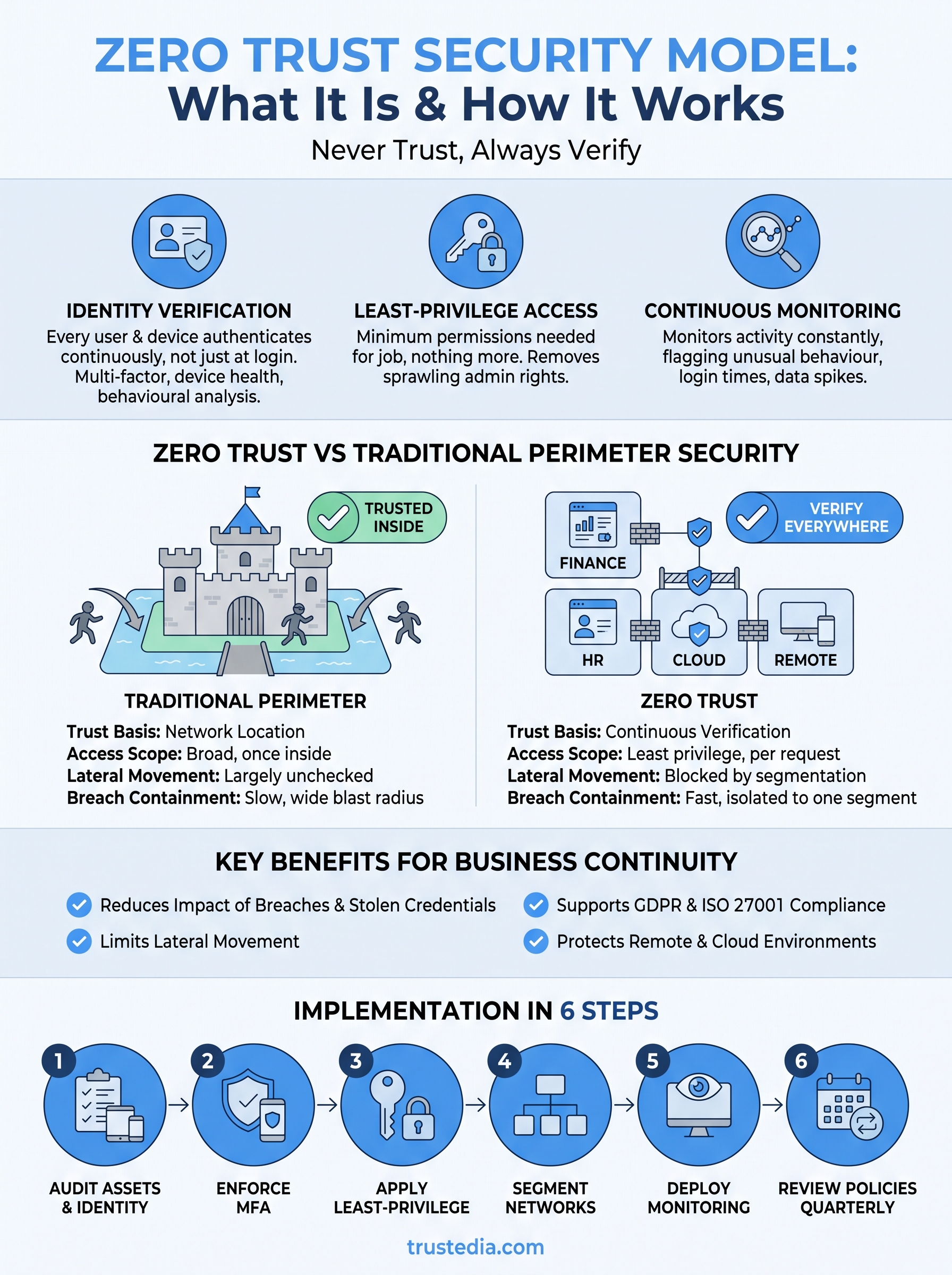
Zero trust operates on a handful of technical mechanisms that work together rather than any single tool. Identity verification sits at the centre: every user and device authenticates continuously, not just at login. Multi-factor authentication, device health checks, and behavioural analysis all feed into a decision about whether to grant access, and that decision gets reassessed every time context changes, such as a new location or an unusual file request.

Micro-segmentation limits the damage
Instead of one flat network where anything inside can reach anything else, zero trust breaks your infrastructure into small, isolated segments. A compromised laptop in finance shouldn’t be able to touch your HR database or production servers. This network segmentation means an attacker who gets a foothold is boxed into a tiny corner, unable to move laterally without triggering additional verification at every boundary.
Segmentation turns one breach into a contained incident, not a company-wide disaster.
Least-privilege access as the default
Users and applications only get the minimum permissions needed to do their job, nothing more. A marketing contractor doesn’t need access to payroll systems, and a finance app doesn’t need write access to your entire file server. This principle removes the sprawling admin rights that make old-style networks so easy to exploit once an attacker is inside.
Continuous monitoring closes the gap
Rather than trusting a session once it’s authenticated, zero trust architectures monitor activity constantly, flagging anything that looks unusual, whether that’s an odd login time, a spike in data downloads, or access from an unfamiliar device.
- Verify identity and device health before granting any access
- Segment networks so lateral movement is blocked by default
- Apply least-privilege permissions to every user and application
- Monitor sessions continuously, not just at the point of login
- Reassess trust dynamically as context changes
Together, these mechanisms mean trust is never assumed, it’s earned repeatedly, every single time.
How to implement zero trust in your organisation
Adopting the zero trust security model isn’t a weekend project. It’s a phased shift in how you think about access, identity and monitoring across every system you run. Most organisations start small, on one high-risk system, and expand outward once they’ve proven the approach works without disrupting staff.
Start with an asset and identity audit
Before you configure anything, you need a clear map of what you’re protecting. List every device, application, and user account, then work out who genuinely needs access to what. This access audit usually exposes years of accumulated admin rights that nobody remembers granting, and trimming those is often the single biggest security win available to you.
Roll out access controls in phases
Don’t flip a switch overnight. Introduce multi-factor authentication first, then move to least-privilege permissions, then segment your network. Trying to do all three at once tends to break workflows and frustrate staff, which leads to workarounds that undermine the whole point.
Zero trust succeeds when it’s rolled out in stages, not forced through all at once.
Bring in expertise where you lack it
Few internal IT teams have the bandwidth to design segmentation, tune monitoring, and manage identity policies simultaneously. This is where a managed partner earns its keep, running vulnerability assessments, penetration testing, and continuous monitoring so your team isn’t stretched thin.
A practical implementation checklist looks like this:
- Audit every user, device, and application currently in use
- Enforce multi-factor authentication across all accounts
- Apply least-privilege access and remove unused admin rights
- Segment your network into isolated zones
- Deploy continuous monitoring and endpoint detection
- Review and adjust access policies quarterly
Getting the sequencing right matters more than getting every control perfect on day one.
Zero trust vs traditional perimeter security
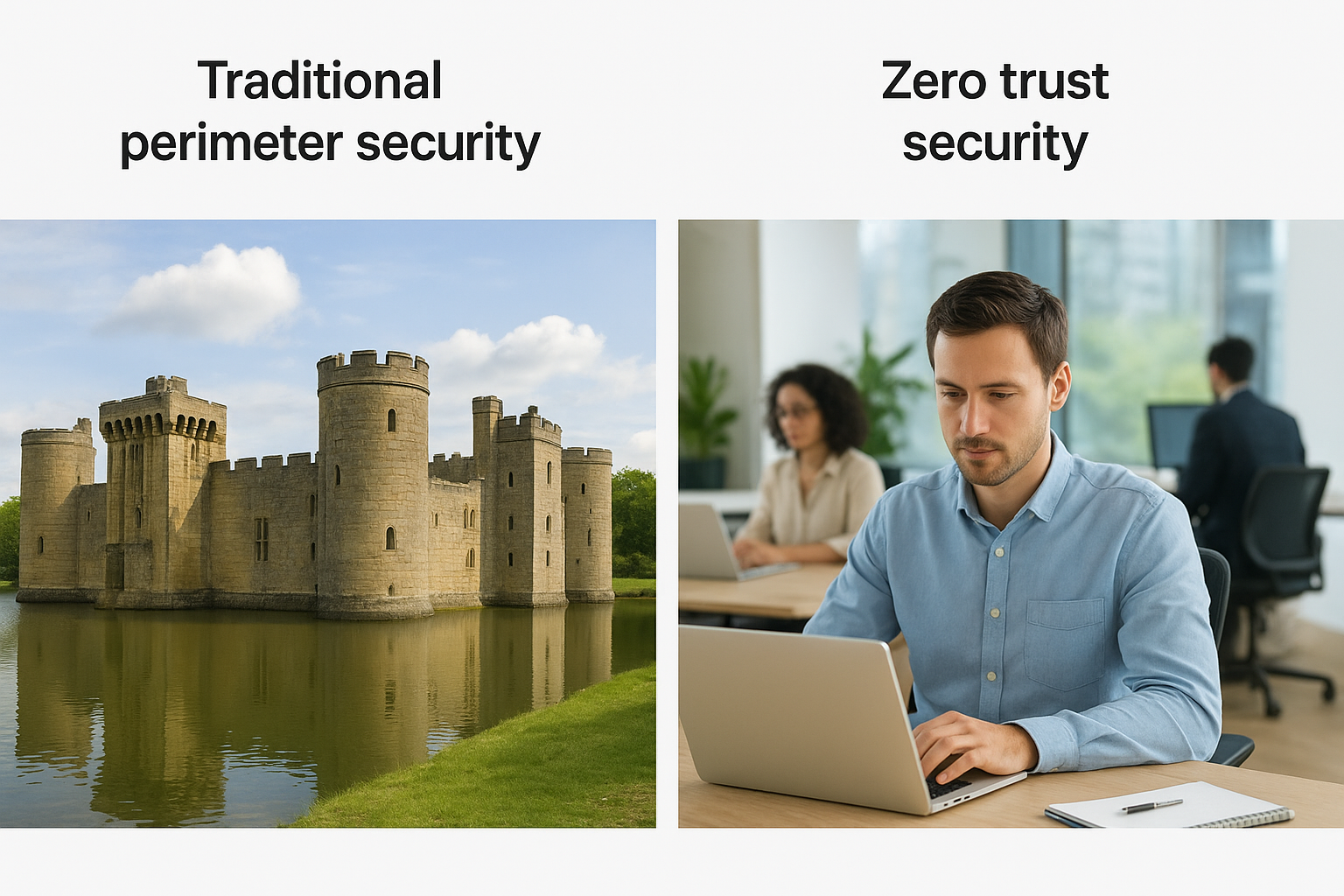
Traditional perimeter security works like a castle with a moat: build strong walls, watch the gate, and trust everyone once they’re inside. The what is zero trust security model question exists precisely because that castle-and-moat thinking fails the moment an attacker gets past the gate, whether through phishing, a stolen laptop, or a compromised VPN credential. Perimeter defences assume the inside is safe. Zero trust assumes nothing is safe until proven otherwise, every single time.
Where the two models actually differ
Comparing them side by side makes the practical gap obvious:
| Aspect | Traditional perimeter | Zero trust |
|---|---|---|
| Trust basis | Network location | Continuous verification |
| Access scope | Broad, once inside | Least privilege, per request |
| Lateral movement | Largely unchecked | Blocked by segmentation |
| Remote/cloud fit | Poor, built for offices | Strong, location-independent |
| Breach containment | Slow, wide blast radius | Fast, isolated to one segment |
Perimeter security asks "are you inside the walls?" Zero trust asks "can you prove you belong here, right now?"
Why the shift matters now
Remote staff, SaaS platforms, and third-party contractors have made the perimeter almost meaningless as a security boundary. Organisations still relying purely on firewalls and VPNs often discover, too late, that a single compromised account grants an attacker free rein across finance, HR, and production systems alike. Migrating towards zero trust security doesn’t mean ripping out your existing firewall investment; it means layering identity checks, segmentation, and monitoring on top so that location stops being the deciding factor in who gets trusted, and verification takes its place instead.
Common zero trust use cases and examples
Zero trust isn’t theoretical. It shows up in specific, everyday scenarios that most businesses already recognise, even if they haven’t named the approach behind them. Seeing it applied makes the concept far easier to grasp than any abstract definition.
Securing a remote workforce
Staff logging in from home, airports, and client sites need the same scrutiny as someone sitting at a desk in your office. A remote access setup built on zero trust checks device health, location, and behaviour before granting access to email, files, or line-of-business apps, rather than trusting anyone who connects through the company VPN.
Protecting third-party and supplier access
Contractors, suppliers, and freelance staff often need limited access for a short window. Zero trust grants exactly that access, and nothing more, then revokes it automatically once the contract ends. This closes a gap that traditional models leave wide open, where forgotten supplier accounts linger for years.
Defending cloud and SaaS environments
Most businesses now run payroll, CRM, and file storage through cloud platforms sitting entirely outside their own network. Zero trust security verifies every request to these services individually, regardless of where the user connects from, which matters enormously once data no longer sits behind a single firewall.
Zero trust protects data wherever it lives, not just where your network boundary happens to end.
Containing ransomware and insider threats
Segmentation stops ransomware from spreading past its entry point, and continuous monitoring flags an employee account behaving oddly, such as downloading unusually large volumes of files. Both scenarios rely on the same principle: trust nothing by default, verify constantly, and limit what any single account can reach.
The bottom line on zero trust security
Zero trust isn’t a buzzword or a product you install once and forget about. It’s a working answer to a simple problem: stolen credentials and compromised devices will always slip past a firewall eventually. Verifying every user, segmenting every network, and monitoring every session continuously closes the gap that traditional perimeter security leaves wide open. If you’ve read this far wondering what is zero trust security model actually means for your business, the answer is straightforward: fewer blind spots, faster containment, and access controls that hold up whether staff work from head office or a kitchen table.
Getting there without disrupting your team takes planning, phased rollout, and often a bit of outside expertise to get the sequencing right. That’s exactly where a managed partner earns its keep, running the audits, monitoring, and access reviews so your business isn’t stretched thin. If you’re ready to move beyond theory, talk to TrustedIA about building a zero trust approach that fits your organisation.