A ransomware attack, a server failure, a flooded data centre. Any one of these can stop your systems dead, and every hour offline costs you money, customers, and reputation. If you’re searching for how to build an information technology business continuity plan, you already know the risk is real and you want a practical answer, not a theory lecture.
An IT business continuity plan is the documented strategy that keeps your technology operations running, or gets them running again fast, when disruption hits. It covers your critical systems, your recovery priorities, your backup arrangements, and the people responsible for each step. Done properly, a business continuity plan for IT systems turns a potential multi-day outage into a manageable, hours-long interruption.
In this article, we’ll break down exactly what belongs in an IT continuity plan, how business continuity differs from disaster recovery planning, and the steps to build one that actually works when tested. We draw on over 30 years of hands-on cyber security and disaster recovery work with businesses across the UK, so you get a plan grounded in real incidents, not generic templates.
Why your business needs an IT business continuity plan
The true cost of downtime
Downtime never stops the clock on your costs. Every minute your systems are unavailable, staff sit idle, orders stall, and customers start looking elsewhere. The longer an outage runs, the more it compounds, turning a technical hiccup into a financial crisis that can outlast the original incident by weeks, which is why continuity planning matters so much for UK SMEs.

| Duration of outage | Typical business impact |
|---|---|
| Under 1 hour | Minor disruption; most customers don’t notice |
| 1 to 4 hours | Lost sales, idle staff, first customer complaints |
| 4 to 24 hours | Missed deadlines, contractual penalties, reputational damage |
| Over 24 hours | Customer churn, regulatory scrutiny, possible business closure |
A well-built information technology business continuity plan is the difference between an outage that costs you an afternoon and one that costs you the business.
Cyber threats aren’t slowing down
Ransomware, phishing, and supply chain attacks hit UK businesses of every size, and attackers don’t care whether you’re a five-person firm or a national retailer. The National Cyber Security Centre reports that ransomware remains one of the most damaging threats facing UK organisations, and recovery without a plan often takes far longer than businesses expect. Small and mid-sized firms are frequently targeted precisely because attackers assume they lack the incident response capability to bounce back quickly. Without a documented plan for restoring systems, you’re negotiating recovery on the fly, during the worst possible moment to be improvising.
Compliance, contracts, and insurance now demand it
Getting cyber insurance, winning public sector contracts, or achieving ISO 27001 certification increasingly means proving you have continuity arrangements in place, not just claiming you do. Insurers ask pointed questions about backup frequency, recovery time objectives, and tested failover procedures before they’ll pay out on a claim, and a gap in your documentation can void cover entirely. Organisations pursuing ISO 27001 will find business continuity woven directly into the standard’s control requirements, so a solid plan does double duty: it protects operations and supports certification. Businesses that treat this as a compliance checkbox rather than a genuine capability tend to discover the gap only when it’s too late to fix, which is exactly the scenario our CyberSOS round-the-clock containment and recovery service is built to prevent.
Your reputation depends on how you respond
Customers and partners judge you not just on whether an incident happens, but on how fast and how visibly you recover from it. Word travels quickly when a business goes dark for days with no communication and no clear recovery timeline. Firms with a rehearsed continuity plan can issue confident updates, restore services on a known schedule, and demonstrate control, while firms without one look chaotic exactly when clients are watching closest. Reputational damage from a poorly handled outage often outlasts the technical fix by months, making the plan as much a trust exercise as a technical one.
Key components of an IT business continuity plan
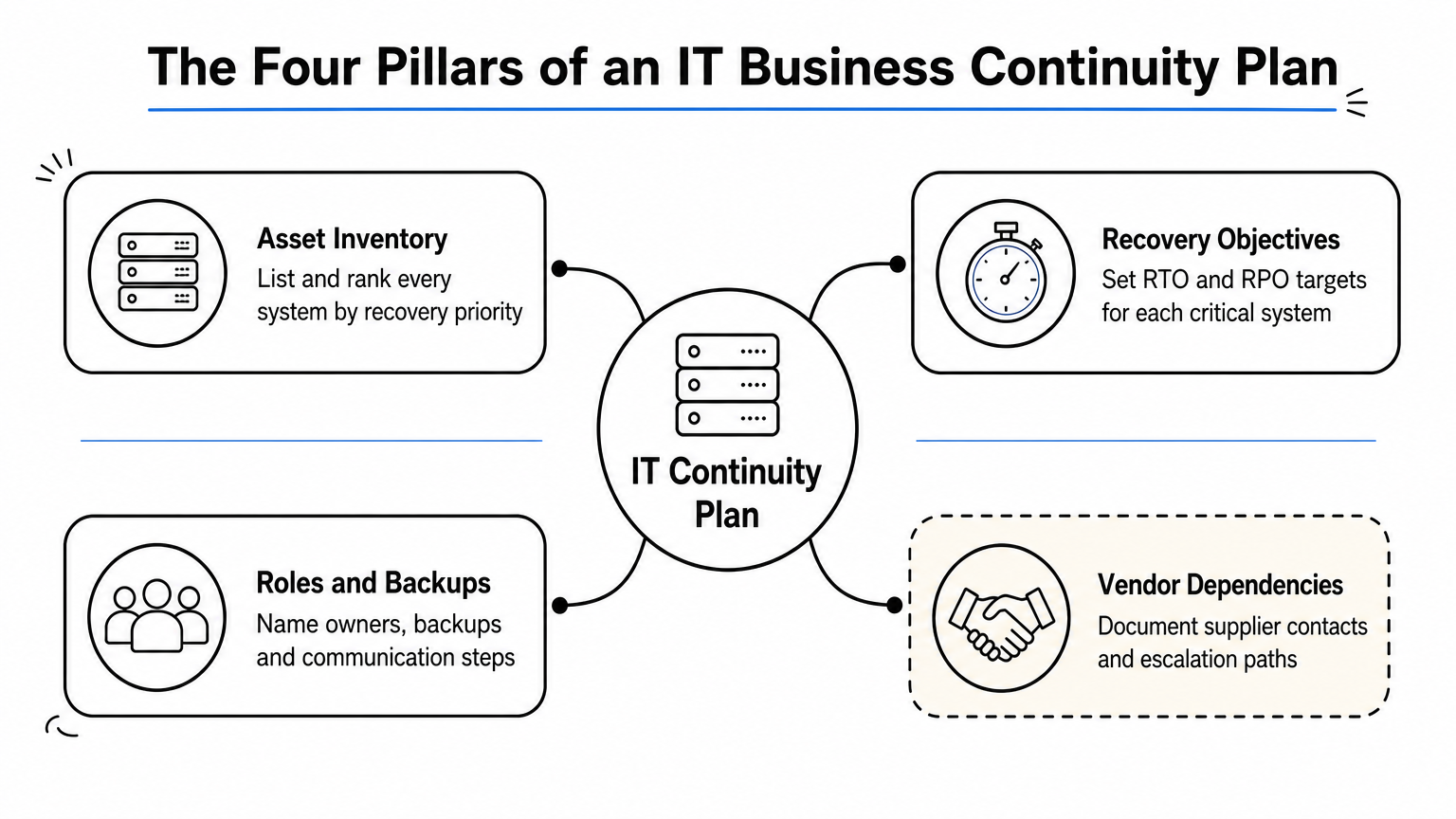
A genuine information technology business continuity plan is more than a document sitting in a shared drive. It’s a working set of instructions that names systems, sets timings, and assigns people, so nobody has to guess during a crisis. Below are the elements every plan needs, the same ones any IT business continuity plan template should cover, regardless of your industry or size.
Asset inventory and recovery priorities
Before you can protect anything, you need a full asset inventory: every server, application, database, and cloud service your business depends on. Not all systems matter equally, so rank them by how quickly you’d need each one back and how much damage its absence causes.
- Critical systems (payment processing, core databases): restore within hours
- Important systems (email, internal file shares): restore within a day
- Lower priority systems (archived reporting tools): restore within a week or more
Recovery objectives, backups, and roles
Central to any plan are two figures: your Recovery Time Objective (RTO) and Recovery Point Objective (RPO), meaning how long you can tolerate a system being down and how much data loss you can accept, measured in the time since your last backup. Every critical system needs both figures documented, tested, and matched to a real backup schedule, not an assumed one.
Without a tested RTO and RPO for every critical system, your continuity plan is a guess dressed up as a strategy.
Backup arrangements themselves need detail: where copies live, how often they run, and how quickly they can be restored under pressure. Communication protocols matter just as much as technical steps, since staff, customers, and suppliers all need clear, timely updates during an incident. Roles and responsibilities should name actual people, not job titles alone, with backup contacts listed in case the primary person is unavailable or unreachable.
Third-party and vendor dependencies
Going beyond your own infrastructure, your plan must account for third-party dependencies: cloud providers, software vendors, and outsourced IT support. If your continuity depends on a supplier’s uptime, you need their contact details, service level agreements, and escalation paths documented alongside your own procedures. Vendors go quiet during widescale incidents too, so build in alternative contacts wherever you can. A plan that only covers your internal systems and ignores the vendors underneath them will fail exactly when you need it most.
How to build an IT business continuity plan step by step

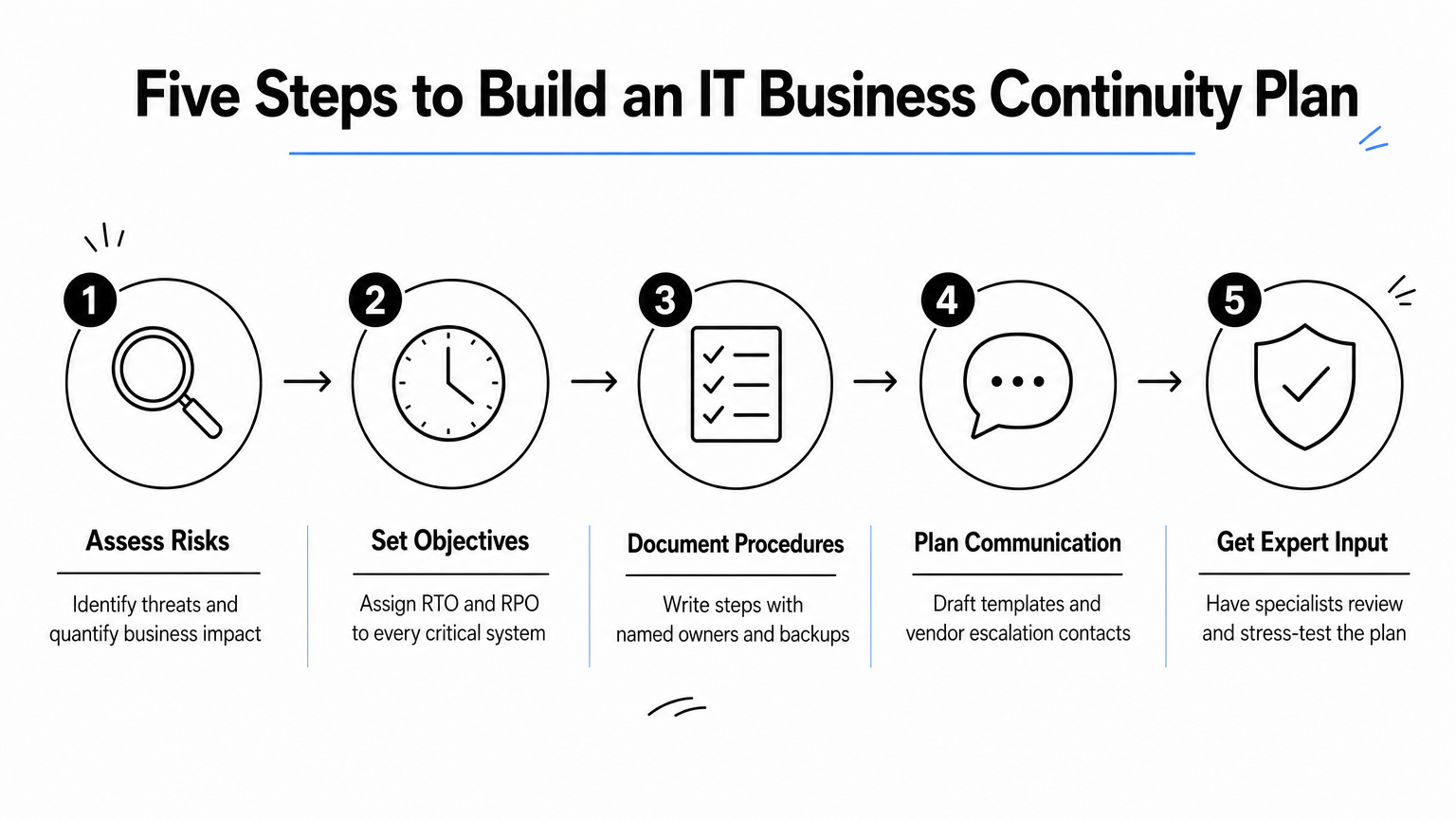
Building a business continuity plan from scratch feels daunting, but the process breaks down into a manageable sequence. Get the order right and each stage informs the next, so you’re not backtracking halfway through.
Step 1: Assess risks and business impact
Start by identifying what could realistically disrupt your systems, from ransomware to hardware failure to a burst pipe above your server room. Pair every risk with a business impact analysis that quantifies what happens if each system stays down for an hour, a day, or a week. This assessment gives you the evidence to justify budget and priorities later, rather than guessing at what matters most.
Step 2: Set recovery objectives
Once risks are mapped, assign an RTO and RPO to every critical system, based on the impact analysis, not on what sounds achievable. Objectives should reflect what the business genuinely needs, even if that means investing in faster backup infrastructure to hit them.
The plan only works if your recovery objectives are set by business impact, not by wishful thinking.
Step 3: Document procedures and assign owners
Write down the exact steps for restoring each system, in order, with named owners and backup contacts for every task. Skip vague instructions like "IT will handle it", because during a real incident nobody has time to work out who "IT" means.
Step 4: Build in communication and vendor plans
Draft incident communications templates for staff, customers, and suppliers in advance, so nobody is writing an incident update from scratch under pressure. Layer in vendor escalation contacts and service level agreements alongside your internal steps.
Step 5: Get expert input where it counts
Getting a second opinion from specialists who’ve handled real incidents catches gaps that internal teams often miss, particularly around vendor dependencies and realistic recovery timings. Our managed security services team builds and stress-tests continuity plans daily, and that pattern recognition is hard to replicate from a template alone.
Following this sequence gives you a business continuity plan for IT systems that reflects your actual risk profile, not a generic checklist borrowed from another industry.
Testing and maintaining your plan over time
A plan that never gets tested is a plan you’re hoping works, and hope isn’t a recovery strategy. Systems change, staff move on, and vendors update their infrastructure constantly, so an information technology business continuity plan written eighteen months ago rarely reflects reality today. Testing exposes the gaps a document review never will, from backups that silently stopped running to contact numbers that no longer connect.
Run realistic tests, not paper exercises
Getting real value from how to test a business continuity plan means going beyond a tabletop discussion where everyone agrees the plan looks fine on paper. Rotate through different formats so you’re stress-testing different parts of the plan each time:
- Tabletop walkthroughs: talk through a scenario step by step, checking that owners know their role
- Failover drills: actually switch to backup systems and time how long recovery takes
- Full simulations: run an unannounced test that mimics a real incident, including communication protocols
A continuity plan that hasn’t been tested against a real scenario is a draft, not a defence.
Holding at least one meaningful test per year, with smaller checks quarterly, catches drift before it becomes a crisis. Our independent audit team runs these exercises alongside clients, since an outside perspective spots weaknesses that internal reviewers tend to overlook.
Update the plan as your business changes
Maintaining relevance means treating the plan as a living document, not a one-off project you file away after certification. New software, new suppliers, staff turnover, and office moves all demand an update, and waiting for the annual review cycle leaves you exposed in the meantime. Set clear triggers for revisiting the plan:
- Onboarding a new critical system or vendor
- Losing or replacing a named recovery owner
- Any test that reveals a missed step or wrong contact
- Significant growth in data volume or user numbers
Revisiting the plan after every real incident matters just as much as scheduled reviews. Each recovery, however small, teaches you something a simulation can’t, so build a short lessons-learned session into your standard incident response process and feed the findings straight back into the document.
Building lasting IT resilience
Getting your information technology business continuity plan right isn’t a one-off project you tick off and forget. It’s a discipline: know your critical systems, set honest recovery objectives, document who does what, and test the whole thing until it holds up under real pressure. Businesses that treat continuity this way recover in hours, not weeks, and they keep customer trust intact when things go wrong.
Neglecting any one piece, the risk assessment, the vendor contacts, the annual test, leaves a gap that surfaces at the worst possible moment. Build the plan properly once, then keep it current as your systems, staff, and suppliers change around you.
If you want that groundwork laid by people who’ve handled real incidents rather than theoretical ones, talk to TrustedIA about our business continuity and disaster recovery services and get a plan tested against genuine threats, not guesswork.