A ransomware attack, a flooded server room, a cloud outage at 2am: none of these wait for you to finish writing a plan. If you’re searching for a business continuity plan it template, you’re probably staring down an audit deadline, a client requirement, or the aftermath of a near-miss that showed you had nothing written down. Either way, you need something usable now, not a theory lecture.
This guide gives you exactly that. Rather than handing you a generic form to fill in blindly, we break down what a proper IT business continuity plan actually needs to contain: recovery time objectives, backup and failover procedures, communication chains, and roles for when systems go dark. You’ll see how each section works and why insurers, auditors, and ISO 27001 assessors expect to see it.
We’ve built cyber recovery plans for businesses across sectors through our CyberSOS incident response work, so this isn’t guesswork. Below, you’ll find a practical business continuity management plan template structure you can adapt to your own IT environment, plus guidance on what separates a plan that actually works during an incident from one that just sits in a drawer.
What is an IT business continuity plan template?
An IT business continuity plan template is a structured document that maps out how your organisation keeps critical systems, data and operations running when technology fails, whether that’s a cyber attack, a hardware failure, a power cut or a supplier going dark. Unlike a generic business continuity plan template aimed at office relocations or supply chain disruption, the IT-specific version focuses on servers, networks, applications, cloud services and the data that flows through them. It gives you a starting skeleton so you’re not staring at a blank page when a client, insurer or an auditor checking what ISO 27001 covers asks to see your plan.
What a solid template must cover
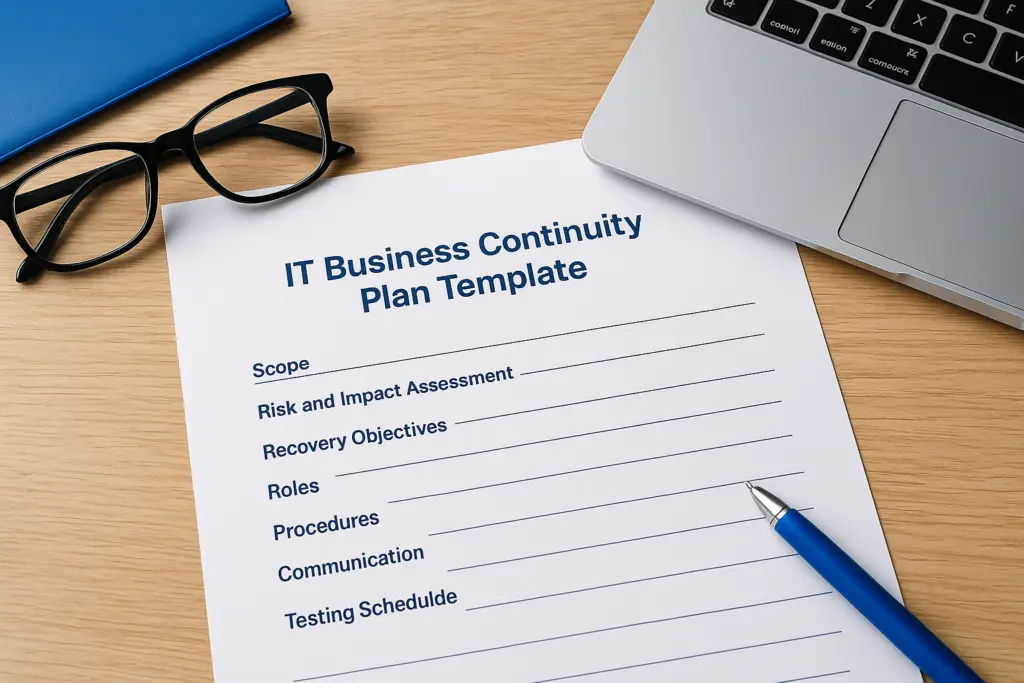
Grabbing any of the many business continuity plan samples off the internet won’t cut it if it’s missing the sections that actually matter for IT recovery. A workable template for business continuity plan work needs to include at minimum:
| Section | What it should contain |
|---|---|
| Scope and objectives | Which systems, sites and services the plan covers |
| Risk and impact assessment | Threats to IT assets and the business impact of downtime |
| Recovery objectives | RTO and RPO figures for each critical system |
| Roles and responsibilities | Named owners for decisions, comms and technical recovery |
| Recovery procedures | Step-by-step failover, restore and rebuild instructions |
| Communication plan | Contact lists for staff, customers, suppliers and regulators |
| Testing and maintenance schedule | How often the plan gets exercised and updated |
A template only earns its place in your plan once every named person in it knows what they’re meant to do.
Without that testing schedule in particular, plans quietly go stale. Systems change, staff leave, and a document written two years ago stops matching the infrastructure it’s meant to protect.
BCP vs disaster recovery plan: not the same document
Confusion between a business continuity management plan template and a disaster recovery plan trips up a lot of businesses, including ones that have been through an ISO 27001 audit before. A disaster recovery plan is narrower: it’s the technical playbook for restoring IT systems after disruption or data loss, covering specific systems, servers and data after an outage. Your business continuity plan sits above it. It covers how the whole organisation keeps functioning, including manual workarounds, staff communication, supplier management and customer-facing decisions, while IT works through its recovery steps in the background. Auditors and insurers increasingly expect to see both documents, cross-referenced, not one standing in for the other.
Why a filled-in template isn’t a finished plan
Completing a business continuity strategy template is the easy part. Making it reflect your actual environment, with real system owners, current contact details and recovery steps that have been tried at least once, is what separates a document that works from one that just satisfies a checkbox. We’ve seen businesses hand auditors a beautifully formatted plan that named an IT manager who’d left the company eight months earlier. The template was fine. Nobody had touched it since.
Given that gap, treat the template as a framework, not the finished article. The four steps that follow walk through how to create a business continuity plan from a blank template, starting with the risk assessment that everything else in the plan depends on. Get that part wrong and your recovery objectives, your contact lists and your testing schedule will all be built on shaky assumptions about what actually matters most to your business.
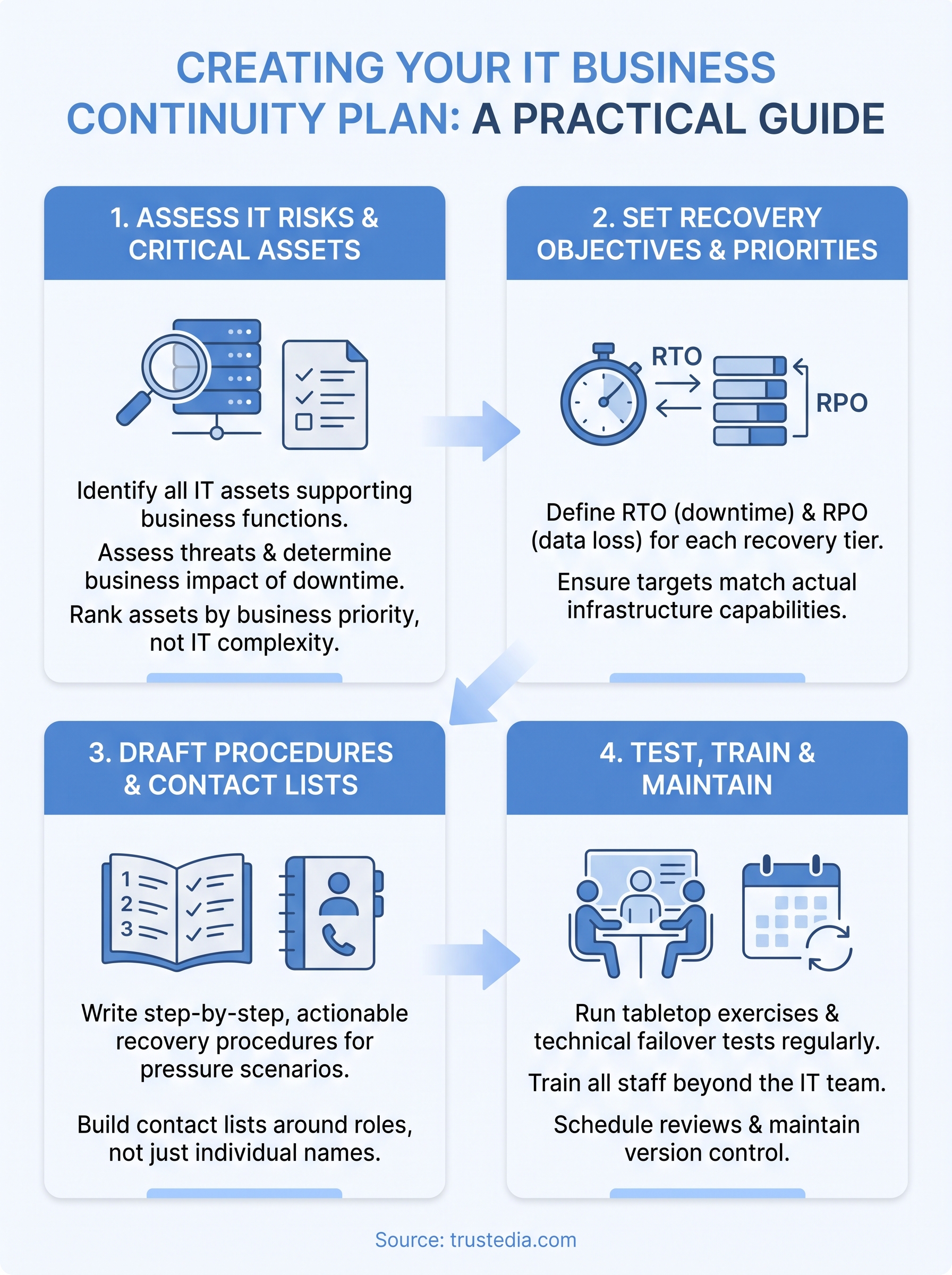
Step 1. Assess your IT risks and critical assets
Before you write a single recovery procedure, you need a clear picture of what you’re actually protecting and what could take it down. This is where most business continuity management plan examples fall apart: businesses jump straight to writing failover steps for systems nobody’s confirmed are actually critical, while genuinely important assets, like the file server holding contracts nobody thought to mention, get missed entirely.
Start by listing every IT asset that supports a business function: servers, cloud platforms, line-of-business applications, network infrastructure, and the third-party services you depend on but don’t control. Against each one, note who owns it, what happens if it’s unavailable, and how long the business can realistically tolerate that gap.
You can’t protect what you haven’t listed, and you can’t prioritise what you haven’t measured.
Build your asset and threat register
A simple register works better than an elaborate one nobody maintains. Capture the following for each system:
- Asset name and owner: who’s accountable if it fails
- Business function supported: what stops working without it
- Threat scenarios: ransomware, hardware failure, cloud provider outage, power loss, supplier failure
- Current safeguards: backups, redundancy, monitoring already in place
- Impact if unavailable for 1 hour, 1 day, 1 week: financial, reputational, regulatory
Running a proper vulnerability assessment of your IT systems alongside this exercise gives you evidence rather than guesswork, since it flags weaknesses in your infrastructure before an attacker or an outage does.
Rank assets by business impact, not IT complexity
IT teams often rank systems by how hard they are to rebuild, which isn’t the same as how much the business needs them back quickly. A legacy internal tool might be a nightmare to restore but cost the business almost nothing if it’s down for two days. Your customer-facing order system, by contrast, might be simple to rebuild but bleed revenue every hour it’s offline.
Involve people outside IT in this ranking. Finance, operations and customer service teams see impact differently than the people who administer the servers, and their input often reshuffles what you thought was the priority list. Once you’ve got that ranking, everything downstream, your recovery time objectives, your testing schedule, your budget for redundancy, follows logically from it rather than from a guess.
This assessment work overlaps significantly with what a cyber audit of your business should already be uncovering, so if you’ve had one done recently, pull those findings straight into your register rather than starting from scratch.
Step 2. Set recovery objectives and priorities
Once your asset register tells you what matters, you need numbers attached to it, not vague statements like "restore quickly". Every critical system needs a recovery time objective (RTO), the maximum acceptable downtime, and a recovery point objective (RPO), the maximum data loss you can tolerate measured in time. These two figures drive every technical decision that follows, from backup frequency to whether you need a hot standby server or can live with a next-day restore.
If you can’t put a number on how long a system can stay down, you haven’t finished the risk assessment yet.
Set RTO and RPO by tier, not by system
Rather than negotiating a bespoke figure for every application, group systems into recovery tiers. This keeps your business continuity plan IT template manageable and gives IT and the business a shared language when they argue over priorities.
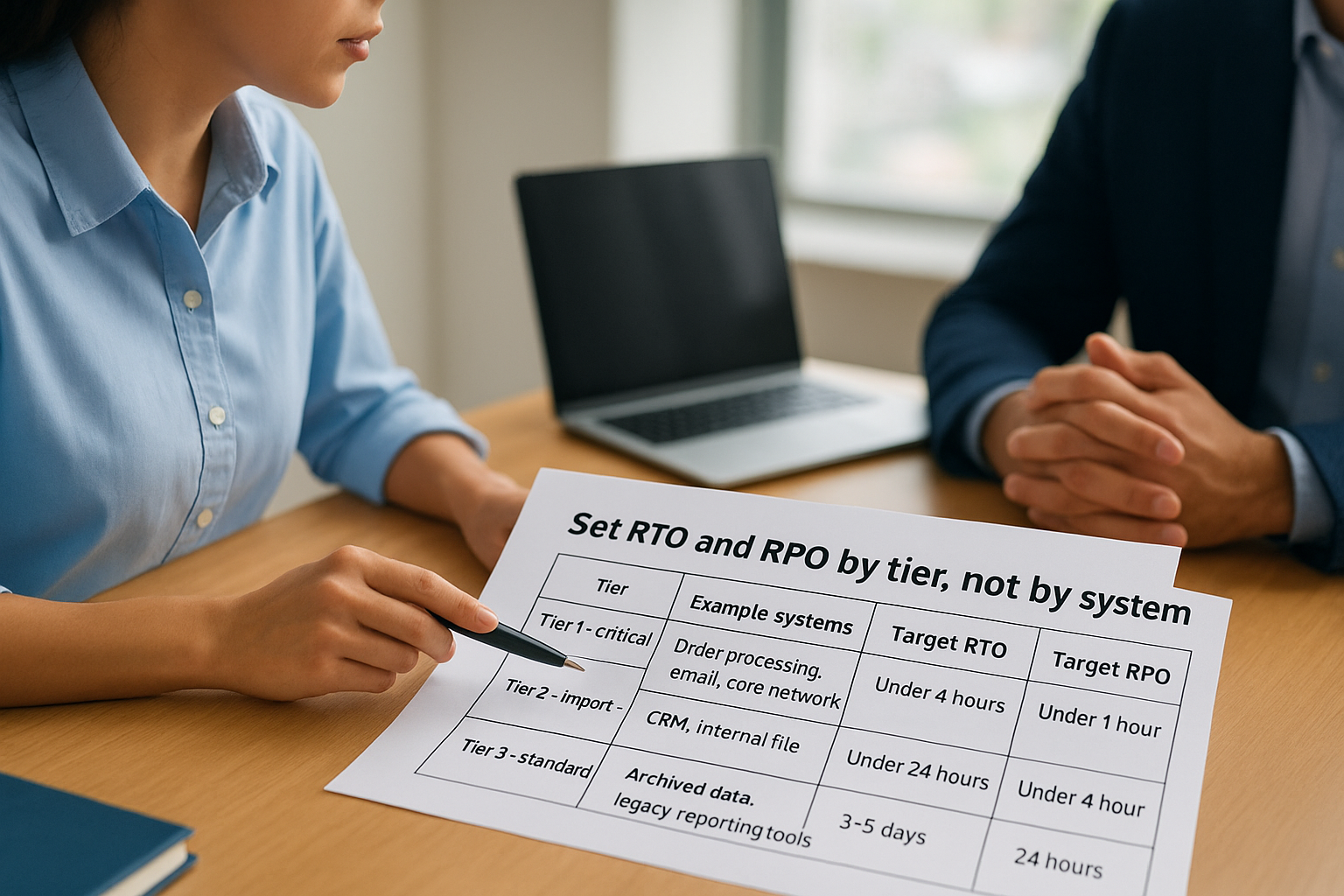
| Tier | Example systems | Target RTO | Target RPO |
|---|---|---|---|
| Tier 1 – critical | Order processing, email, core network | Under 4 hours | Under 1 hour |
| Tier 2 – important | CRM, internal file shares | Under 24 hours | Under 4 hours |
| Tier 3 – standard | Archived data, legacy reporting tools | 3-5 days | 24 hours |
Treat these figures as commitments, not aspirations. If your backup schedule only runs nightly, your RPO can’t honestly say one hour, no matter what the document claims, which is why some businesses move to an image-based backup and instant recovery platform.
Match objectives to what you can actually deliver
Setting an aggressive RTO for a system you have no failover capability for just sets the plan up to fail during a real incident. Match each target against your current infrastructure, backup solution and staffing, and flag the gaps honestly. If Tier 1 systems genuinely need a four-hour recovery but you’re relying on manual tape restores, that’s a budget conversation, not a documentation problem.
Testing against these numbers matters more than writing them down. A penetration test or simulated failover exercise will tell you whether a four-hour RTO is realistic or wishful thinking, well before an attacker or an outage forces the answer on you. Once objectives are agreed and grounded in reality, you can move on to writing the procedures and contact lists that actually deliver them under pressure.
Step 3. Draft your BCP sections and contact lists
With your objectives set, it’s time to put the actual plan on paper. This is where a template for business continuity plan work earns its keep, because it stops you from writing prose when what your team needs during an incident is a checklist they can follow without thinking. Structure each section around a specific system or scenario, not a general narrative, and write it for the person who’ll be reading it at 3am under pressure, not for an auditor reading it calmly at a desk.
Write recovery procedures your team can follow under pressure
Procedures need to be step-by-step, numbered, and specific enough that someone unfamiliar with the system could follow them. Vague instructions like "restore from backup" are useless when the person on call doesn’t know which backup, which server, or which order to bring services back online. For each Tier 1 and Tier 2 system, include:
- The exact steps to failover or restore, in order
- Who’s authorised to trigger the procedure
- Dependencies that must be checked first (network, authentication, third-party services)
- A rollback step if the recovery attempt fails
A recovery procedure that only makes sense to the person who wrote it isn’t a plan, it’s a memory aid.
Build contact lists that survive staff turnover
Contact lists fail more BCPs than bad procedures do, mainly because they’re built once and never touched again. Named individuals leave, mobile numbers change, and suppliers get replaced, so structure your list around roles first and names second. A simple format works better than anything elaborate:

ROLE: Incident Commander
PRIMARY: [Name] - [Mobile] - [Email]
BACKUP: [Name] - [Mobile] - [Email]

ROLE: Cloud Provider Support
SUPPLIER: [Name] - [Account No.] - [Support Line]

ROLE: Cyber Insurer / Broker
CONTACT: [Name] - [Phone] - [Policy No.]
Roles stay constant even when people move on, which means the document doesn’t go stale the moment someone hands in their notice. Include internal staff, suppliers, your ISP, cloud providers, and your insurer or broker in your communications plan for an incident, since delays in reaching any one of them can add hours to a recovery that should have taken minutes. If you’re managing incident response through a service like CyberSOS, keep that contact pinned at the top of the list, not buried on page twelve where nobody thinks to look during an actual crisis.
Step 4. Test, train and maintain your plan
A plan that’s never been tested is a guess dressed up as a document. Every business continuity plan it template you fill in needs to earn its keep through testing a business continuity plan properly, not just sign-off from a manager who never opens it again. Testing exposes the gaps that look fine on paper: the failover script that references a decommissioned server, the contact number that rings out, the recovery step that assumes access nobody currently has.
Run tabletop exercises before real failures test you
Tabletop exercises cost little and reveal a lot. Gather the people named in your plan, walk through a realistic scenario such as a ransomware outbreak or a cloud outage, and talk through each step out loud. Watch for hesitation: if someone pauses to ask who calls the insurer first, that’s a gap in the plan, not a gap in their memory.
A plan survives contact with a real incident only if it’s already survived contact with a fake one.
Beyond tabletops, run at least one technical failover test a year for your Tier 1 systems, restoring from backup to confirm your recovery time objective is genuinely achievable rather than aspirational.
Train staff beyond the IT team
Continuity failures rarely stay inside IT. Reception staff need to know how to field customer calls during an outage, and finance teams need to know which supplier payments can wait until systems are back. Build short, role-specific training sessions rather than one long briefing nobody retains, and repeat them at least annually so new starters aren’t left guessing when an incident actually hits.
Schedule reviews and version control
Give your plan an owner, a review date, and a version history, not a file that sits untouched until the next audit rolls round. Trigger a review whenever you change core infrastructure, switch suppliers, or lose a named contact, not just on a fixed calendar date. Keep a simple log at the front of the document:
| Version | Date | Changed by | Summary |
|---|---|---|---|
| 1.0 | Jan 2025 | IT Manager | Initial draft |
| 1.1 | Jun 2025 | IT Manager | Updated cloud contacts |
| 1.2 | Feb 2026 | IT Manager | Revised RTOs after failover test |
Outdated plans are worse than an honest gap, because they hand out false confidence right up until the moment they fail you.
Turning your template into a working plan
A good business continuity plan it template is only ever a starting point. What actually protects your business is the work behind it: an honest risk assessment, recovery objectives you can genuinely hit, procedures written for someone under pressure, and a testing schedule you actually keep. Skip any of those steps and you’re left with a document that reads well but folds the moment a real incident hits.
Most businesses don’t lack the will to build this properly, they lack the time and the in-house expertise to test it thoroughly. That’s exactly where a second pair of experienced eyes pays for itself, especially when insurers or auditors expect proof that your plan has been exercised, not just written. If you’d rather have specialists stress-test your recovery plan and stand ready when something does go wrong, talk to TrustedIA about 24/7 cyber incident response before you need it, not after.