A clear disaster recovery definition starts with a simple truth: every business depends on its IT systems, and those systems can fail. Hardware breaks, ransomware encrypts files, data centres flood. What matters is whether your organisation can get back on its feet, and how quickly. That’s exactly what disaster recovery (DR) addresses.
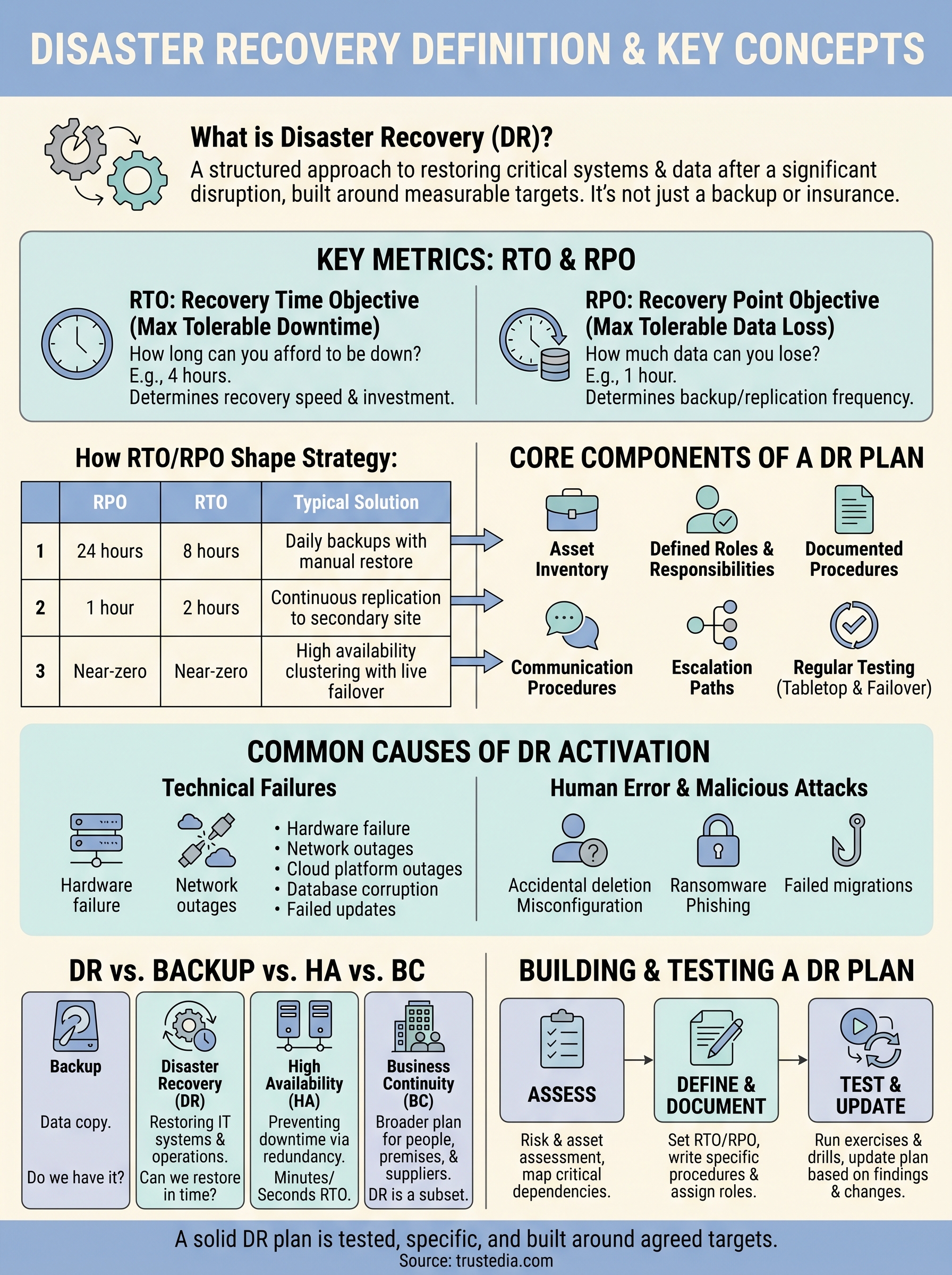
DR isn’t just a backup strategy or an insurance policy you file away and forget. It’s a structured approach to restoring critical systems and data after a disruption, built around measurable targets like Recovery Time Objective (RTO) and Recovery Point Objective (RPO). These two metrics shape every decision in a solid DR plan, yet many businesses either misunderstand them or haven’t defined them at all.
At TrustedIA, disaster recovery sits at the core of the managed security services we deliver to UK businesses, from planning and testing through to full incident response via our CyberSOS service. This article breaks down what disaster recovery actually means, how RTO and RPO work in practice, and what a reliable DR plan looks like from the ground up.
What disaster recovery means in practice
When most people hear "disaster recovery," they picture a backup drive sitting in a server room. The reality is far more involved. A proper disaster recovery definition covers people, processes, and technology working together to restore operations after a significant disruption. It’s not a single product you purchase or a folder you create on a shared drive. DR is a documented, tested framework that tells your team exactly what to do, in what order, the moment something goes wrong.
The goal isn’t just to recover data. It’s to recover the right data, in the right state, within a timeframe your business can actually tolerate. That distinction matters more than most organisations realise until they’re in the middle of an incident, trying to piece together what happened and who owns each recovery task.
Recovery without a plan is just guesswork under pressure.
The core components of a DR plan
Every effective DR plan is built on a few consistent elements, regardless of your sector or size. First, you need a clear inventory of critical assets, which includes servers, applications, databases, and any cloud services your operations depend on. Second, you need defined roles and responsibilities so each member of your team knows exactly what they’re accountable for when a disruption happens. Third, you need documented recovery procedures that are specific enough to follow under stress, not high-level principles that leave people guessing.
Beyond documentation, a solid plan includes:
- RTO and RPO targets for each critical system (covered in detail later in this article)
- Communication procedures for internal teams, customers, and third-party suppliers
- Defined escalation paths when initial recovery steps don’t resolve the issue
- Regular testing schedules to validate that the plan actually works in practice
How DR works in a real incident
Putting your plan into action is where preparation separates organisations that recover quickly from those that don’t. A well-structured DR plan removes the need for on-the-spot decision making about priorities. Your team knows which systems to restore first based on the criticality ranking you’ve already agreed on, and they work through the recovery steps in sequence rather than reacting to whatever feels most urgent in the moment.
Your DR plan also determines how you communicate during an outage. Customers and stakeholders need timely, accurate updates. Suppliers may need to suspend or reroute activity. Internally, your teams need a single source of truth so that multiple people aren’t attempting conflicting recovery actions at the same time. All of that coordination depends on having a plan in place before the incident occurs.
This is where many businesses discover the gap between having a DR document and actually being prepared. A plan that hasn’t been tested is an assumption, not a recovery strategy. Regular testing, whether through tabletop exercises or live failover drills, converts your DR plan from a static document into a practical capability your organisation can rely on when it matters most.
What counts as a disaster and common causes
In the context of a disaster recovery definition, a "disaster" isn’t limited to floods, fires, or dramatic headlines. Any incident that disrupts your critical IT systems or prevents your business from operating normally qualifies. That could be a hardware failure in a single server, a ransomware attack that locks your team out of every file, or a power outage that takes down your entire data centre. The scale matters less than the actual impact on your ability to function and serve your customers.
If it stops your business from operating normally, it’s a disaster worth planning for.
Technical failures and infrastructure issues
Hardware failures remain one of the most common triggers for DR activation. Servers fail, storage arrays degrade, and network equipment stops responding without warning. These events rarely announce themselves in advance, which is exactly why your recovery procedures need to be documented and tested before a failure occurs rather than written during one.
Beyond physical hardware, software faults and corrupted databases can be equally disruptive. A failed update, a misconfigured application, or a corrupted database can take critical systems offline just as effectively as a physical fault. Cloud infrastructure carries similar risk. Platform outages from major providers can affect entire regions, meaning organisations that rely solely on a single cloud environment still carry meaningful exposure. Common technical causes to account for in your DR planning include:
- Server and storage hardware failures
- Network outages and connectivity disruptions
- Failed software updates or patches
- Database corruption or accidental deletion
- Cloud platform or data centre outages
Human error and malicious attacks
Human error accounts for a significant share of data loss and system outages across businesses of all sizes. Accidental file deletion, incorrect configuration changes, and failed migrations are routine causes that a well-structured DR plan needs to address alongside more headline-grabbing threats.
Malicious attacks, particularly ransomware and phishing, have become a leading cause of DR activations across UK businesses. Ransomware encrypts your files and demands payment, often while simultaneously exfiltrating sensitive data. Phishing campaigns trick employees into handing over credentials that attackers then use to move laterally through your network. Both attack types can cause extensive damage within hours, making a tested recovery capability essential rather than optional.
Key metrics: RTO and RPO explained
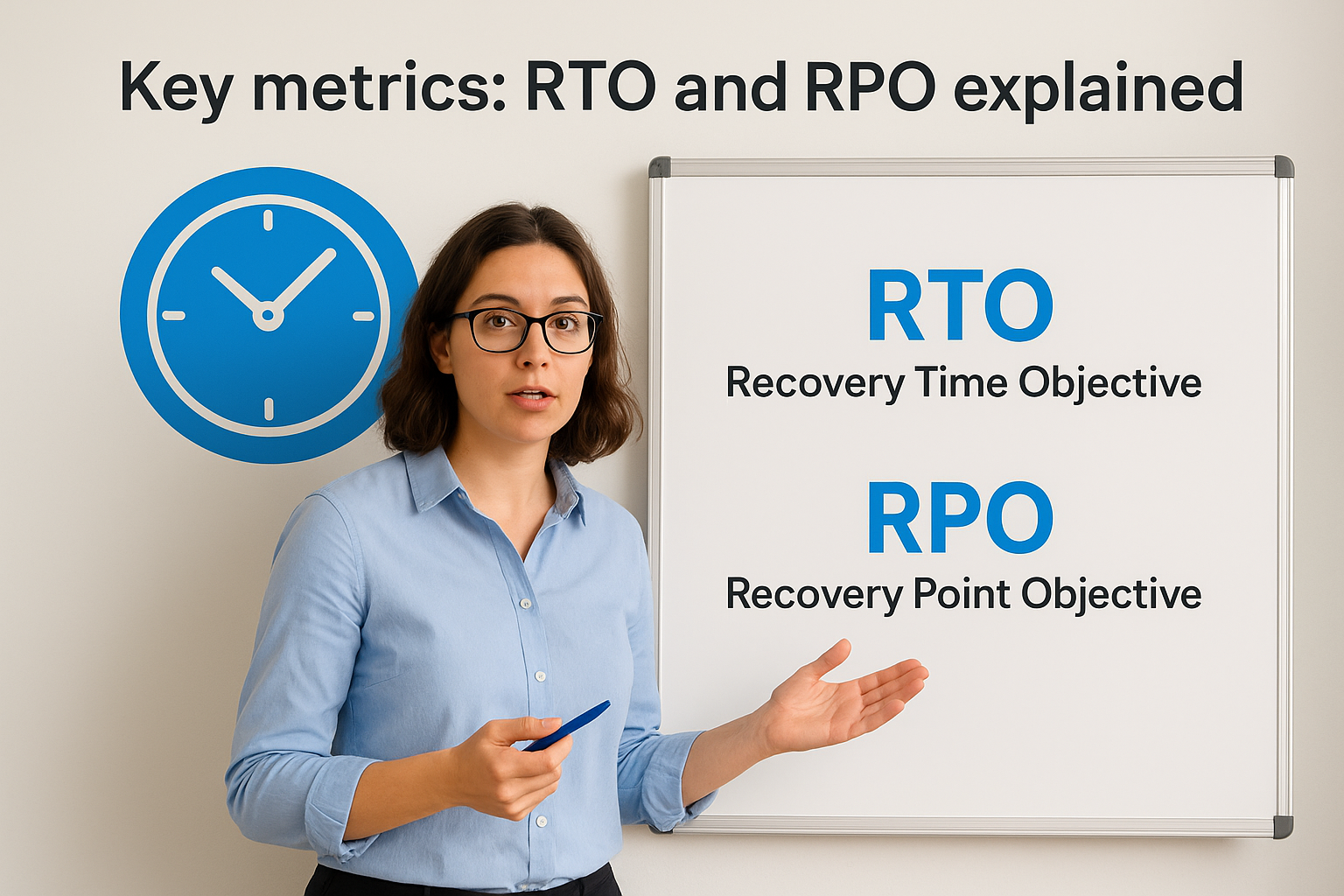
Any practical disaster recovery definition must include RTO and RPO. These two metrics form the foundation of every DR plan, and without them, your recovery targets are vague aspirations rather than measurable commitments. Understanding what each one means, and how they interact, helps you make informed decisions about the technology and processes your DR strategy actually requires.
Recovery Time Objective (RTO)
RTO is the maximum amount of time your business can tolerate a system or service being offline after a disruption. It answers one question: how long can you afford to be down? If your e-commerce platform has an RTO of four hours, that means your DR plan must be capable of restoring that system within four hours of an incident occurring, or the business impact becomes unacceptable.
Setting a realistic RTO requires honest input from across your business, not just your IT team. Business owners and department heads understand the revenue, operational, and reputational consequences of downtime far better than a technical specification can capture. A lower RTO demands faster recovery capability, and that typically means greater investment in infrastructure, redundancy, and testing.
Recovery Point Objective (RPO)
RPO defines how much data your business can afford to lose, measured in time. If your RPO is one hour, you need to ensure that your systems capture and replicate data frequently enough that the maximum data loss in a worst-case scenario is no more than one hour’s worth. A 24-hour RPO means you’re prepared to accept losing up to a full day of transactions or records, which is appropriate for some systems and completely unacceptable for others.
Your RPO directly determines how often you need to back up or replicate data, so setting it too loosely creates real risk.
How RTO and RPO shape your DR strategy
The combination of your RTO and RPO targets determines which recovery technologies and approaches are right for your organisation. A table helps illustrate how different requirements map to different solutions:
| RPO | RTO | Typical solution |
|---|---|---|
| 24 hours | 8 hours | Daily backups with manual restore |
| 1 hour | 2 hours | Continuous replication to secondary site |
| Near-zero | Near-zero | High availability clustering with live failover |
Mapping your targets to this kind of framework makes it far easier to justify investment decisions and design a DR plan that actually fits your business.
Disaster recovery vs backup, high availability and BC
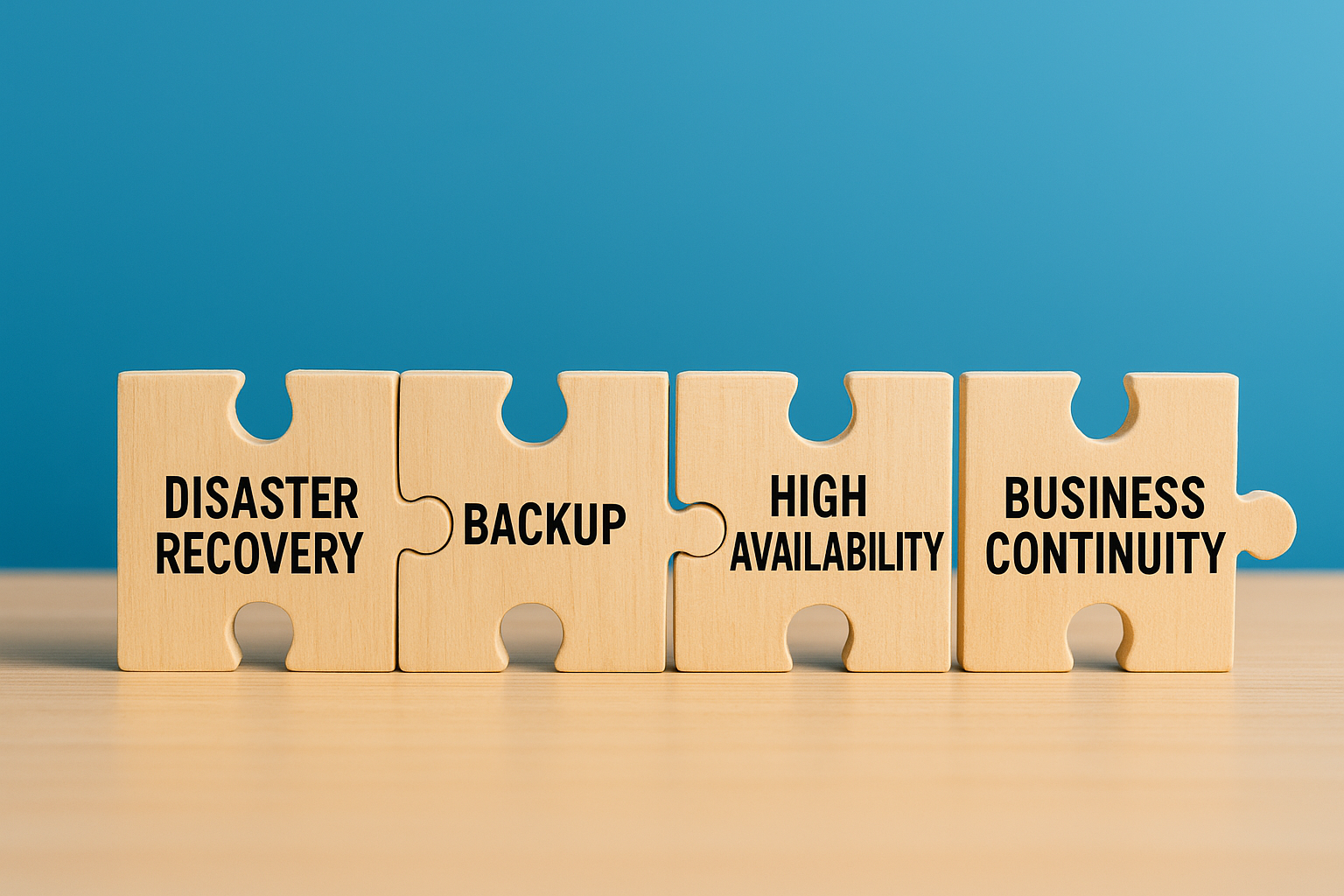
These four terms appear regularly in the same conversations, and people frequently treat them as interchangeable. They aren’t. Each one addresses a different problem, operates at a different scope, and demands its own investment. Understanding how they relate helps you build a complete protection strategy rather than assuming one approach covers the rest. Any accurate disaster recovery definition makes room for these distinctions.
Backup is not the same as recovery
Backup refers to copying and storing your data so a previous version exists if something goes wrong. It’s a necessary component of any DR strategy, but on its own, it only solves part of the problem. Restoring a backup takes time, and unless you’ve tested that process under realistic conditions, you have no reliable estimate of how long it will take or whether the restored data will actually be usable. Backup answers "do we have a copy?" while disaster recovery answers "can we restore operations within a defined timeframe?"
Having a backup and having a recovery capability are two very different things.
High availability keeps systems running
High availability (HA) focuses on preventing downtime rather than recovering from it. HA architectures use redundant components, failover clustering, or load balancing to ensure that if one element fails, another takes over automatically with minimal or no interruption. Your RTO for an HA system is measured in seconds or minutes rather than hours. Disaster recovery, by contrast, handles scenarios where your HA setup itself has failed or where the scope of disruption is wider than redundancy can absorb.
Business continuity is the bigger picture
Business continuity (BC) is the broadest of the four concepts. It covers everything your organisation needs to keep functioning during and after a major disruption, including people, premises, suppliers, communications, and IT systems. Disaster recovery is a critical subset of business continuity, specifically the IT-focused component. Your BC plan may address what happens when staff cannot reach the office or when a key supplier goes offline, whereas your DR plan focuses on restoring the technical infrastructure those people and suppliers depend on. The two must align, but neither replaces the other.
How to build and test a DR plan
Building a DR plan starts with understanding what you’re protecting and why. This is the point where a disaster recovery definition moves from theory into practice. Before you write a single procedure, you need a clear picture of your critical assets, the threats they face, and the recovery targets your business has agreed to. Without that foundation, your plan will have gaps before it’s even finished, and those gaps tend to surface at the worst possible moment.
Start with a risk and asset assessment
Your first step is mapping every IT asset your operations depend on, including servers, databases, cloud services, and communication tools. Rank them by criticality, meaning the impact their loss would have on your ability to serve customers or meet legal obligations. Then identify the most realistic threats to those assets, drawing on the common causes covered earlier in this article, from ransomware to hardware failure to human error. This assessment gives you a prioritised starting point rather than a generic document that tries to cover everything equally.
A risk assessment without honest input from department heads will miss the business impact that matters most.
Define your targets and document recovery steps
Once you have your asset inventory and risk profile, set RTO and RPO targets for each critical system. Use those targets to determine which recovery technologies you need, then write step-by-step procedures for restoring each system. Procedures need to be specific enough that a team member under pressure can follow them without needing to make judgement calls on the spot. Assign named owners to each recovery task so accountability is clear from the start, and document escalation paths for scenarios where the primary owner is unavailable.
Test regularly and keep the plan current
A plan written 18 months ago and never tested is not a recovery capability. Tabletop exercises walk your team through a simulated incident without disrupting live systems, helping you identify gaps in procedures and communication flows. Failover drills go further by testing whether systems actually recover within your agreed RTO. Run both types at least annually and after any significant change to your infrastructure or team structure. Update your plan each time you find a gap, and review it whenever you onboard a new critical system or supplier.
Where to go from here
A solid disaster recovery definition is straightforward at its core: a structured, tested process for restoring critical IT systems after disruption, built around agreed RTO and RPO targets. What separates businesses that recover quickly from those that struggle comes down to preparation, specificity, and testing. Understanding the concept is a start, but a working DR plan requires honest assessment of your assets, clear targets, and procedures your team can actually follow under pressure.
If your organisation doesn’t have a tested DR plan in place, or you’re unsure whether your current approach covers the threats you actually face, getting expert input early saves significant cost and disruption later. TrustedIA’s managed security and disaster recovery services support UK businesses from initial planning through to full incident response. Reach out to start building a recovery capability your business can genuinely rely on when it matters most.