Every business holds data that someone else wants. Customer records, financial information, intellectual property, employee details, it all has value, and criminals know it. Knowing how to protect business data isn’t optional anymore; it’s a core responsibility. Yet many organisations still rely on outdated practices or assume a basic antivirus solution is enough to keep threats at bay.
The reality is that data breaches hit businesses of all sizes, and the consequences go well beyond a fine. Lost revenue, damaged trust, operational downtime, and regulatory scrutiny can follow a single incident. The good news is that most breaches are preventable. A handful of practical, well-executed measures can dramatically reduce your exposure to the threats that matter most.
At TrustedIA, we’ve spent over 30 years helping organisations build and maintain strong cyber security postures, from ISO 27001 implementation to incident response and managed security services. We’ve seen what works, what doesn’t, and where businesses most commonly leave gaps. This article draws on that hands-on experience to give you 15 actionable steps you can start applying now. Whether you’re an IT manager tightening controls or a business owner getting to grips with cyber risk for the first time, these methods will help you protect what matters without unnecessary complexity.
1. Use TrustedIA managed security services
If you’re trying to work out how to protect business data without a dedicated security team, you’re carrying a significant amount of risk on your own. Most businesses don’t have the in-house expertise to monitor threats, respond to incidents, and maintain a strong security posture all at once. TrustedIA’s managed security services are designed to close that gap without requiring you to build an internal function from scratch.
What to do
Engage TrustedIA to take on the day-to-day management of your cyber security environment. This covers monitoring, detection, and response through a dedicated Security Operations Centre (SOC), along with services such as Endpoint Detection and Response, Dark Web Surveillance, Vulnerability Assessments, and Phishing Simulations. Rather than piecing together separate tools and hoping they work together, you get a coordinated set of capabilities under one managed arrangement.
The most dangerous security gaps aren’t the ones you know about; they’re the ones nobody is watching.
Why it works
Managed security services work because continuous monitoring catches threats that point-in-time tools miss. Attackers don’t operate on a nine-to-five schedule, and neither does TrustedIA’s SOC. Beyond detection, TrustedIA’s solution-agnostic approach means recommendations are based on what your environment actually needs, not on what a vendor wants to sell you. With over 30 years of experience in IT services and managed solutions, the team brings practical knowledge that most in-house teams take years to build.
How to implement quickly
Start with a cyber audit or network assessment to establish your current posture. TrustedIA uses its internally developed CRAFT tooling to assess your security baseline and identify the highest-priority risks. From that point, onboarding onto managed services is structured and methodical. You don’t need to overhaul your entire infrastructure first; TrustedIA works with your existing environment and builds protection around it.
What it costs in time and money
The initial audit takes a few days depending on your environment size. Ongoing managed services run on a monthly retainer model, which is typically far more cost-effective than hiring even one qualified in-house security analyst. When you factor in the potential cost of a breach, including downtime, recovery, regulatory penalties, and reputational damage, managed security services represent a straightforward return on investment for most businesses operating at any scale.
2. Turn on multi-factor authentication everywhere
Stolen or guessed passwords account for a large proportion of breaches. Multi-factor authentication (MFA) adds a second verification step that stops an attacker cold even if they already have your credentials.

What to do
Enable MFA on every account that supports it: email, cloud platforms, remote access tools, banking portals, and any line-of-business application. Prioritise accounts with administrative access or access to sensitive data first. Use an authenticator app such as Microsoft Authenticator rather than SMS codes, which can be intercepted through SIM-swapping attacks.
Why it works
A password alone is a single point of failure. With MFA active, a compromised password is no longer sufficient to gain entry. Microsoft’s own research indicates MFA blocks over 99% of automated account attacks. Understanding how to protect business data at the account level starts here, because credential theft is one of the most common entry points attackers use against businesses of every size.
Turning on MFA across your accounts is one of the highest-impact, lowest-cost security controls available to any organisation.
How to implement quickly
Most cloud platforms, including Microsoft 365 and Google Workspace, let you enforce MFA across all users from a central admin panel in under an hour. Start with your highest-risk accounts and work downward. Set a firm deadline for full rollout so no accounts get overlooked.
What it costs in time and money
Authenticator apps are free to download and use. The main investment is the time to configure policies and brief your team, typically a few hours for a small organisation. That time pays for itself the moment it stops a credential-stuffing attack before it reaches your data.
3. Remove admin rights and enforce least privilege
Most users don’t need administrator-level access to do their jobs. When every account carries full system rights, a single compromised login gives an attacker unrestricted access to your entire environment. Removing unnecessary privileges is one of the most effective ways to limit the damage any single breach can cause.
What to do
Audit every user account and remove administrative rights from anyone who doesn’t explicitly require them for their role. Assign a standard user account for day-to-day work, and a separate, tightly controlled admin account only for tasks that need elevated access. Apply the same principle to service accounts and applications, which are frequently over-privileged and routinely overlooked.
Why it works
Attackers rely on privilege escalation to move through a network after gaining initial access. When you consider how to protect business data at its core, limiting what any one account can reach is fundamental. With least privilege enforced, a breach stays contained to the permissions of the compromised account rather than spreading across your entire infrastructure.
Most ransomware attacks depend on elevated privileges to encrypt files at scale. Remove those rights and you cut the attacker’s reach dramatically.
How to implement quickly
Run an Active Directory or identity platform audit to list current permissions across your environment. Tools built into Microsoft 365 and Windows Server let you review and adjust rights without additional software. Start with your most sensitive systems and work outward from there.
What it costs in time and money
An initial audit takes a few hours to a full day depending on your user base size. Ongoing management adds minimal overhead once a clear policy is in place. The cost is essentially your internal time, with no additional licensing required for most environments.
4. Patch operating systems, apps, and firmware fast
Unpatched software is one of the most exploited entry points in any environment. Attackers actively scan for known vulnerabilities, and once a patch is publicly released, they move quickly to target systems that haven’t applied it yet. Understanding how to protect business data requires treating patching as an urgent, ongoing task rather than a quarterly chore.
What to do
Enable automatic updates on all operating systems, browsers, and commonly used applications. Don’t stop at user devices; routers, firewalls, switches, and NAS devices all run firmware that needs updating. Maintain a software inventory so you know exactly what’s running across your environment and can confirm everything is covered.
Why it works
Most successful breaches don’t exploit unknown vulnerabilities. They exploit known, patched vulnerabilities on systems where the update was never applied. When you remove that window of exposure, you take away one of the most reliable tools attackers use to gain a foothold.
The gap between a patch being released and an attacker weaponising it is often measured in days, not weeks.
How to implement quickly
Use Windows Server Update Services (WSUS) or your platform’s built-in update management to push patches centrally rather than relying on individual users to update their own machines. Set a clear policy that critical patches are applied within 48 hours of release, and test patches in a staging environment where possible before rolling them out widely.
What it costs in time and money
A basic centralised patch management setup using built-in tools costs nothing beyond configuration time. More advanced third-party patching tools carry a licence cost, but the return comes from reduced breach risk and consistent coverage across your full asset base.
5. Encrypt laptops, mobiles, and removable media
A stolen laptop doesn’t have to become a data breach. Encryption converts the contents of a device into unreadable code that requires the correct credentials to unlock, so the hardware becomes worthless to whoever takes it. Without encryption in place, physical loss is a direct path to exposed data.
What to do
Enable full-disk encryption on every laptop, desktop, and mobile device your organisation uses. For Windows machines, BitLocker is built into Windows 10 Pro and above. On macOS, FileVault handles the same function. For mobile devices, enforce encryption through your Mobile Device Management (MDM) policy. Apply the same standard to USB drives and external hard disks, particularly any used to transfer or store sensitive information off-site.
Why it works
When you consider how to protect business data against physical loss or theft, encryption is the most reliable control available. Without it, anyone with physical access to a device can extract its contents using freely available tools in a matter of minutes. With encryption active, the data remains inaccessible without the correct credentials, even if the device itself is fully compromised.
A lost USB drive without encryption can expose thousands of records immediately. The same drive encrypted is effectively useless to whoever finds it.
How to implement quickly
BitLocker and FileVault can be deployed across a managed device fleet through Group Policy or your MDM platform in a single configuration push. Most modern smartphones encrypt automatically once a PIN or passcode is set.
What it costs in time and money
Both BitLocker and FileVault are included at no extra cost with their respective operating systems. MDM platforms carry a licence fee, but encryption policy configuration adds minimal time once the platform is already in use.
6. Back up critical data with the 3-2-1 rule
A backup is your last line of defence when every other control fails. Ransomware, accidental deletion, hardware failure, and natural disasters can all destroy data permanently unless you have a reliable copy stored elsewhere. The 3-2-1 rule gives you a simple framework to ensure your backups are genuinely useful when you need them most.
What to do
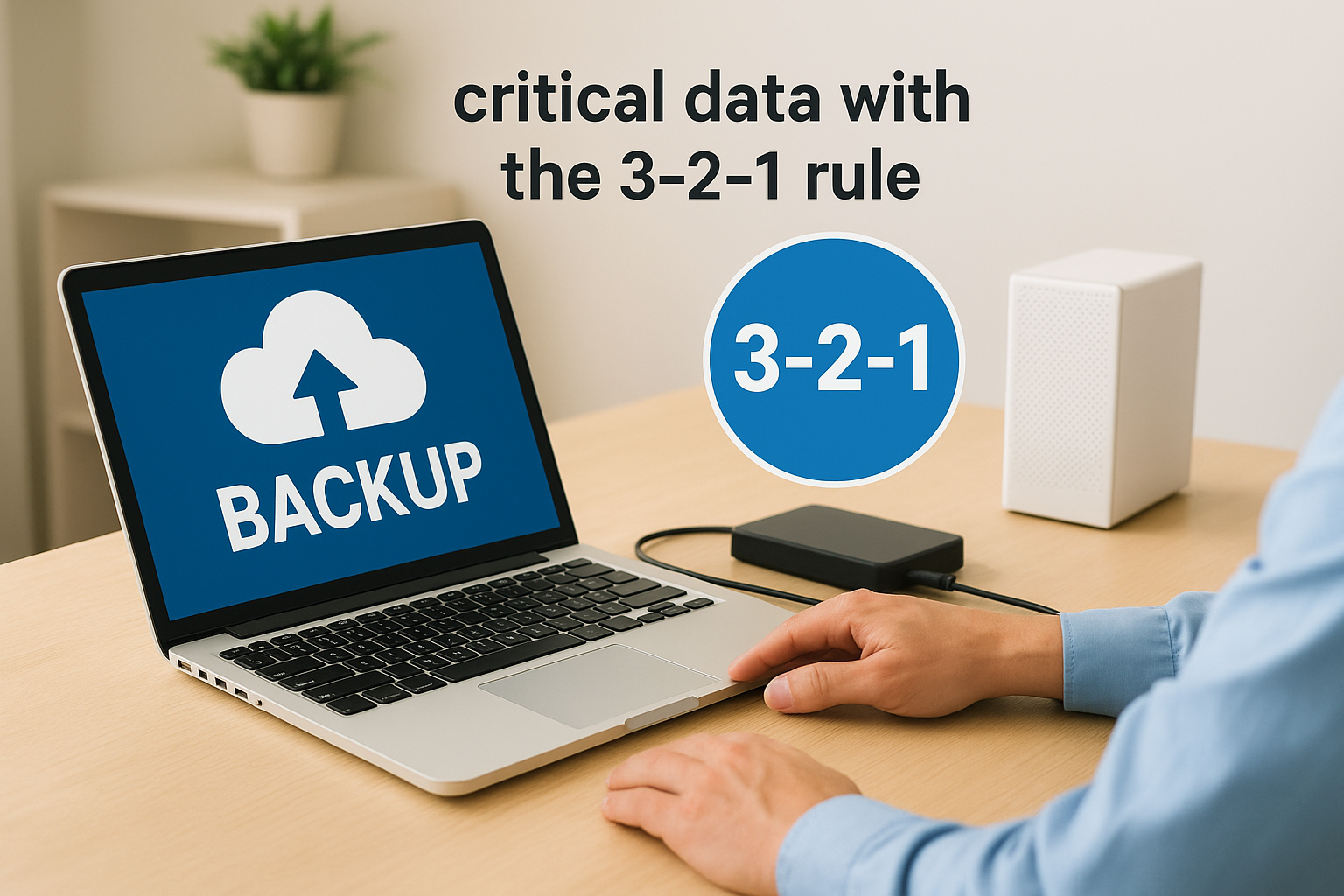
Keep three copies of your data: the original plus two backups. Store those copies on two different media types, such as a local NAS device and cloud storage. Keep one copy off-site, completely separate from your primary environment. Apply this principle to your most critical data first: customer records, financial data, and operational systems.
Why it works
When you think about how to protect business data from total loss, diversified backups address the scenarios that catch businesses off guard. A single backup stored locally offers no protection against a fire, flood, or a ransomware attack that encrypts your entire network including attached storage. Separating your copies geographically and across media types removes that single point of failure.
A backup stored on the same network as your primary data offers little real protection against ransomware.
How to implement quickly
Configure your backup software to run automated daily jobs and confirm that at least one destination is cloud-based and isolated from your local network. Services like Microsoft Azure Backup offer straightforward integration with Windows environments and support off-site retention natively.
What it costs in time and money
Initial setup takes a few hours to complete. Cloud backup costs vary by data volume but remain modest compared to the cost of recovering from unrecoverable data loss.
7. Test your restores, not just your backups
Running backups and testing restores are two different things. Many businesses discover their backups are corrupt, incomplete, or unrestorable only when they’re trying to recover from an actual incident. A backup you’ve never tested is a guess, not a safety net.
What to do
Schedule regular restore tests for your most critical data sets. Pick specific files, databases, or entire system images and restore them to an isolated environment to confirm the process works end-to-end. Document the results, including how long the restore took and whether the data was fully intact.
A good restore test covers at least three areas: individual files, complete system images, and application databases. Testing all three tells you whether your backup coverage is actually comprehensive or has gaps you haven’t spotted yet.
Why it works
When you think seriously about how to protect business data, the recovery side matters as much as the protection side. A backup that can’t be restored is worthless in a crisis. Regular testing confirms your backup processes, storage integrity, and recovery procedures all work together before you need them under pressure.
The worst time to discover your backup is broken is during an active incident when every minute of downtime costs money.
How to implement quickly
Set a monthly restore test as a standing calendar item. Keep a simple log recording the date, what was restored, and whether it succeeded. If you use a managed service, confirm restore testing is included in the service-level agreement and request written test reports.
What it costs in time and money
A restore test takes one to two hours for most small environments. There’s no additional software cost if you’re already running a backup solution. That time is negligible compared to the cost of discovering a failed backup when you need it most.
8. Lock down email with SPF, DKIM, and DMARC
Email remains the single most common attack vector for phishing, spoofing, and business email compromise. Without the right DNS records in place, attackers can send messages that appear to come from your domain, tricking staff, clients, and partners into handing over credentials or authorising fraudulent payments.
What to do
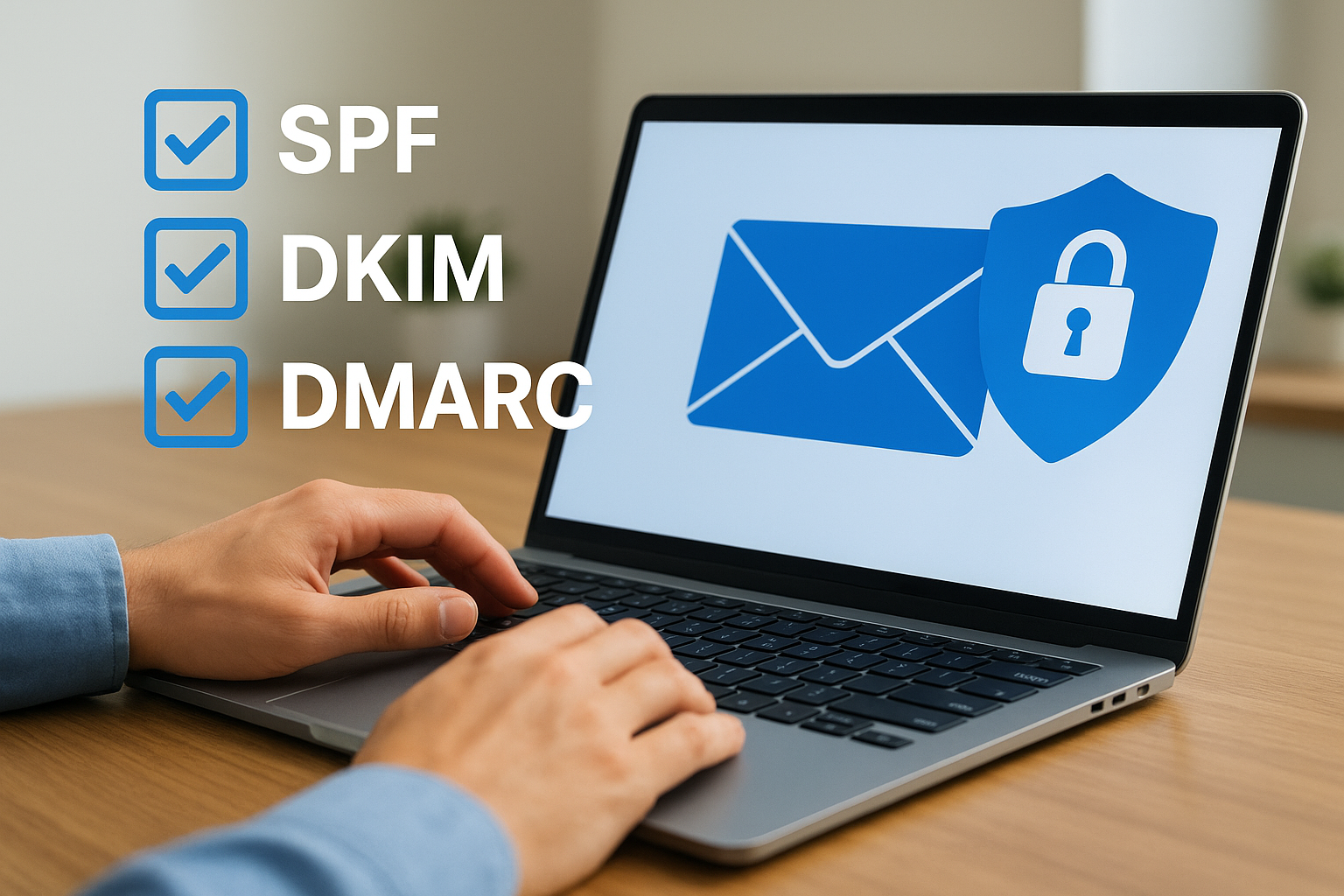
Configure three DNS records for your domain: SPF (Sender Policy Framework), which lists the mail servers authorised to send on your behalf; DKIM (DomainKeys Identified Mail), which adds a cryptographic signature to outgoing messages; and DMARC (Domain-based Message Authentication, Reporting, and Conformance), which tells receiving mail servers what to do when a message fails those checks. Set your DMARC policy to quarantine initially, then move to reject once you’ve confirmed all legitimate sending sources are covered.
Why it works
When you consider how to protect business data from social engineering attacks, controlling your email identity is essential. SPF, DKIM, and DMARC working together prevent unauthorised senders from using your domain, and they give you visibility into any attempted abuse through DMARC reporting.
A domain without DMARC enforcement is an open invitation for attackers to impersonate your business.
How to implement quickly
Your DNS provider’s control panel is where all three records are added. Microsoft publishes detailed setup guidance for Microsoft 365 environments. Use a DMARC reporting tool to review incoming reports and identify any legitimate services you may have missed before tightening your policy.
What it costs in time and money
DNS record changes take under an hour to configure. Reviewing DMARC reports adds a small amount of ongoing time each month. Both the records themselves and the setup process are free, making this one of the most accessible protections available.
9. Run phishing simulations and role-based training
Your staff are both your strongest asset and your most targeted vulnerability. Phishing attacks account for the majority of cyber incidents, and they succeed because they exploit human behaviour rather than technical flaws. Simulations and targeted training turn that vulnerability into a genuine layer of defence.
What to do
Send regular simulated phishing emails to your staff using realistic templates that mimic current attack styles. Track who clicks, who enters credentials, and who reports the message. Use those results to assign role-based training that addresses the specific weaknesses each person or team shows. Prioritise high-risk roles such as:
- Finance staff who handle payments or supplier accounts
- Executives whose credentials carry elevated access
- IT administrators with privileged account access
Why it works
Generic annual security training wears off quickly. When you think about how to protect business data from social engineering, you need people to recognise threats in the moment. Simulations create memorable, realistic experiences that reinforce good habits far more effectively than a slide deck. Catching someone in a simulated click is a learning opportunity; catching them in a real one is an incident.
Repetition and relevance are what make security training stick. One annual session rarely changes behaviour.
How to implement quickly
TrustedIA includes phishing simulation as part of its managed security services, which removes the administrative burden of running campaigns yourself. Your team receives targeted content based on live simulation results rather than a one-size-fits-all programme.
What it costs in time and money
Running simulations through a managed service adds minimal internal overhead once configured. The real cost of skipping this training is measured in compromised accounts and breach recovery, which consistently runs far higher than the training investment.
10. Deploy endpoint protection with EDR and AV
Every device connected to your network is a potential entry point for an attacker. Traditional antivirus (AV) catches known malware by matching signatures against a database, but it misses threats it hasn’t seen before. Endpoint Detection and Response (EDR) goes further by monitoring device behaviour continuously and flagging suspicious activity in real time, even from entirely new attack methods.
What to do
Install a combined AV and EDR solution on every endpoint in your environment: laptops, desktops, and servers. Make sure the solution covers both Windows and macOS devices if your organisation uses both. EDR tools record what’s happening on each device and give your security team, or your managed service provider, the ability to investigate and contain threats remotely without physical access.
Why it works
When you think about how to protect business data at the device level, EDR closes the gap that AV alone leaves open. Modern attacks use techniques like fileless malware and living-off-the-land tactics that never write a file to disk and therefore bypass signature-based detection entirely. EDR detects those techniques by watching for unusual process behaviour rather than relying on known threat signatures.
AV tells you what it recognises. EDR tells you what’s actually happening on your devices.
How to implement quickly
TrustedIA includes EDR and AV management as part of its managed security services, so deployment and monitoring are handled for you without building internal capability first.
What it costs in time and money
EDR licences typically run on a per-device monthly cost. Managed through TrustedIA, the overhead on your team is minimal compared to running the tooling in-house.
11. Set up central logging and alerting
Without central logging, you have no reliable way to know what’s happening across your environment. Threats can sit inside your network for weeks before anyone notices, because there’s no single place where the evidence is collected, correlated, and acted on. Setting up centralised log collection and automated alerting gives your team, or your managed service provider, the visibility needed to catch and respond to incidents before they escalate.
What to do
Collect logs from your firewalls, servers, endpoints, cloud platforms, and authentication systems into a single platform, typically a Security Information and Event Management (SIEM) tool or a managed SOC service. Configure automated alerts for high-priority events such as failed login attempts, privilege escalation, unusual data transfers, and after-hours access. Every alert should have a defined response procedure so your team knows exactly what to do when one fires.
Why it works
When you think about how to protect business data from persistent threats, visibility is the foundation. Attackers rely on going unnoticed, and centralised logging removes that advantage. Correlating events across multiple systems surfaces patterns that no individual log source would reveal on its own.
Most breaches aren’t discovered immediately. Central logging dramatically shortens the time between intrusion and detection.
How to implement quickly
TrustedIA’s SOC service handles log collection, monitoring, and alerting as part of its managed security offering, which removes the need to configure and maintain a SIEM in-house.
What it costs in time and money
In-house SIEM tools carry significant licensing and configuration costs. A managed service bundles this capability into a predictable monthly fee with no internal staffing overhead.
12. Scan for vulnerabilities and fix the top risks
Attackers use automated tools to scan the internet for known weaknesses in business systems. If you aren’t scanning your own environment first, you’re leaving the discovery to them. Vulnerability scanning gives you a structured, repeatable way to find and fix the exposures that carry the most risk before someone else exploits them.
What to do
Run authenticated vulnerability scans across your internal network, internet-facing systems, and web applications on a regular schedule, at minimum quarterly, and after any significant change to your environment. Each scan produces a prioritised list of findings ranked by severity and exploitability. Work through the critical and high-severity findings first, then work down through medium risks systematically.
Why it works
Understanding how to protect business data requires knowing where your weaknesses actually are rather than assuming your defences are solid. Vulnerability scanning removes that guesswork. It surfaces misconfigurations, unpatched software, and exposed services that attackers actively search for, giving you the information you need to fix problems before they become incidents.
Fixing your top ten vulnerabilities often removes the majority of your exploitable risk surface.
How to implement quickly
TrustedIA offers Vulnerability Assessments as part of its managed security services, including prioritised remediation guidance so you know exactly which fixes to action first. This removes the need to interpret raw scan output internally and keeps your team focused on remediation rather than analysis.
What it costs in time and money
Managed vulnerability scanning runs on a fixed monthly or quarterly fee. The cost of a missed critical vulnerability is almost always significantly higher than the cost of finding and fixing it in advance.
13. Classify data and restrict access by sensitivity
Not all data carries the same level of risk. Customer payment records and employee contracts require far stronger controls than a shared marketing calendar, yet many organisations apply the same access rules across everything. Data classification gives you a structured way to match protection levels to sensitivity, so your most valuable information gets the tightest controls.

What to do
Assign every category of data a sensitivity tier, such as public, internal, confidential, and restricted. Then map those tiers to specific access controls, retention policies, and handling rules. Use those labels to determine who can view, edit, copy, or share each data type. Restrict access to confidential and restricted data to named individuals whose roles genuinely require it, and review those assignments regularly as staff move between roles.
Why it works
When you think about how to protect business data from internal misuse or accidental exposure, classification is the control that makes every other measure more precise. Without it, access permissions sprawl over time and people retain rights to data long after they stop needing it. Classification forces deliberate decisions about who holds access and why.
Unclassified data is effectively unprotected data, because nobody knows which rules apply to it.
How to implement quickly
Start by listing your main data categories and assigning a tier to each one. Microsoft 365’s built-in sensitivity labels let you apply and enforce classification across documents, emails, and shared files from a central policy.
What it costs in time and money
Initial classification work takes one to two days for most small to mid-sized organisations. Sensitivity label policies in Microsoft 365 are included in existing Business Premium licences at no additional cost.
14. Secure cloud storage and shared drives
Cloud platforms like Microsoft SharePoint and Google Drive make collaboration fast and convenient, but they also introduce risk when access isn’t managed carefully. Misconfigured sharing settings, excessive permissions, and forgotten external links can expose sensitive files to anyone with the right URL, often without your team realising it.
What to do
Audit every shared drive and cloud storage area your business uses and identify files or folders shared externally or set to "anyone with the link." Revoke any sharing permissions that aren’t actively required. Apply the same least-privilege principle from section 3 here: users should only access the folders their role genuinely requires.
A single misconfigured sharing link can expose an entire folder of sensitive documents to the public internet without any warning.
Why it works
Understanding how to protect business data stored in the cloud requires treating cloud platforms with the same discipline as on-premises systems. Cloud environments don’t protect themselves automatically; every permission you grant is a potential exposure point. Tightening sharing settings closes the gaps that attackers and accidental disclosure both exploit.
How to implement quickly
Use your platform’s built-in admin reporting to generate a list of externally shared items. Microsoft 365 provides this through the SharePoint Admin Centre, which lists all active external sharing links across your tenancy so you can review and remove them in bulk.
What it costs in time and money
An initial sharing audit takes two to four hours for most organisations. Ongoing management adds a small amount of time each month. Both the reporting tools and the controls themselves are included in your existing Microsoft 365 or Google Workspace licence.
15. Prepare an incident response plan you can run today
When an incident hits, the worst time to start deciding who does what is after it’s already happening. An incident response plan gives your team a clear, rehearsed set of actions to take the moment something goes wrong, reducing confusion and cutting the time it takes to recover.
What to do
Document the specific steps your team takes for the most likely incident types: ransomware, data theft, account compromise, and system outage. Assign named individuals to key roles covering who declares the incident, who contacts your IT provider or managed security team, and who handles regulatory notifications.
Keep the plan in a location that remains accessible if your core systems go down, such as a printed copy stored off-site or a document held in a separate cloud account outside your main environment.
Why it works
Understanding how to protect business data means planning for the moment your controls fail, because no defence is perfect. A documented plan replaces reactive panic with structured action, directly cutting the time your business spends offline and the total cost of recovery.
Organisations with a tested incident response plan recover faster and at significantly lower cost than those without one.
How to implement quickly
TrustedIA’s CyberSOS incident response service provides access to experienced responders the moment an incident occurs. Build your internal plan around it so your team knows exactly who to call and what steps to take within the first hour of an incident being identified.
What it costs in time and money
Writing a basic plan takes half a day for most small businesses. Testing it once a year adds a few hours of internal time but confirms your team can actually execute under pressure before a real incident forces the issue.
Next steps
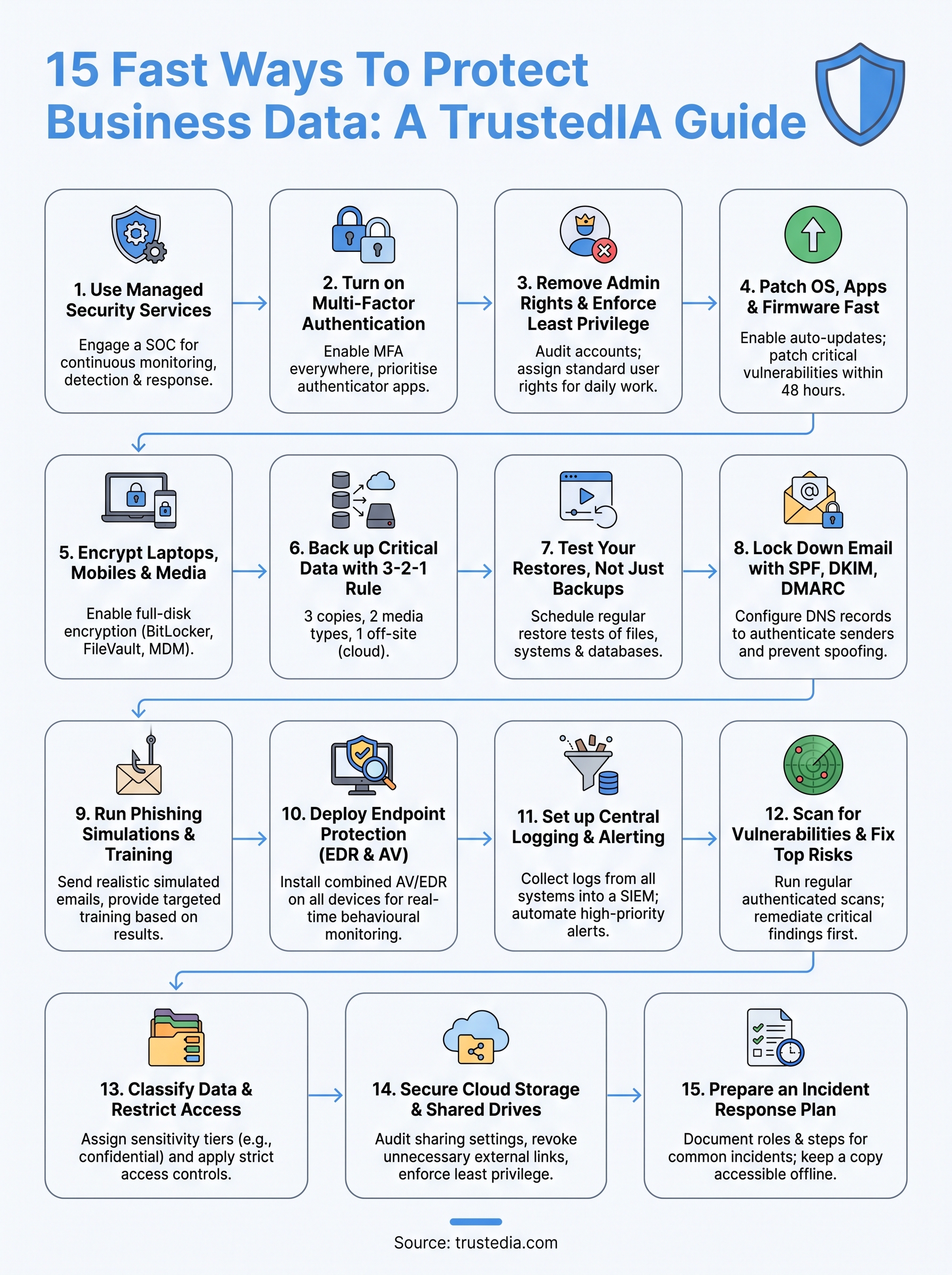
The 15 steps in this article cover the most effective ways to reduce your exposure to cyber threats. Some, like enabling MFA or configuring email authentication records, you can complete today. Others, like building an incident response plan or deploying EDR across your fleet, take more time but deliver proportional protection. Knowing how to protect business data means acting on these controls in a structured order, starting with the measures that close the largest gaps first.
You don’t need to do this alone. TrustedIA’s managed security services bring the expertise, tooling, and continuous monitoring needed to keep your business secure without building an internal team from scratch. From vulnerability assessments to SOC monitoring and incident response, the support is there when you need it.
Start by getting a clear picture of your current security posture. Contact TrustedIA to discuss where your business stands today and which controls will have the greatest impact on your overall risk profile.