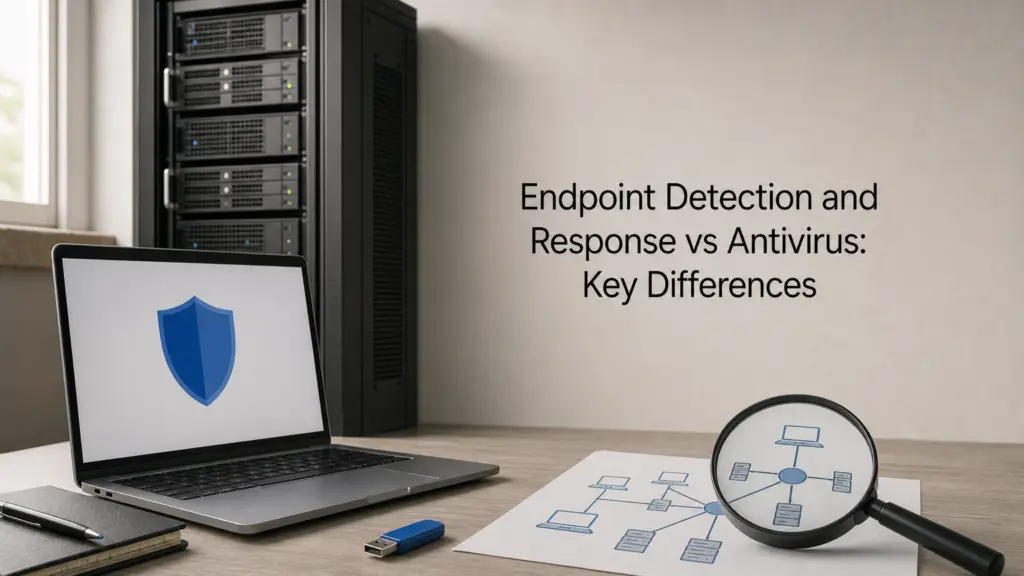
If you’re comparing endpoint detection and response vs antivirus for your business, you’ve probably already spotted the problem: traditional AV catches known malware signatures, but it misses the ransomware and phishing-driven attacks that dominate breach reports today. Most IT managers we speak to still run antivirus because it’s cheap and familiar, then wonder why an attacker sat undetected on a laptop for weeks before anyone noticed.
The short answer is that antivirus blocks known threats at the point of entry, while EDR continuously monitors endpoint behaviour and lets you investigate, contain, and remediate attacks that slip past the first line of defence. One works from a blacklist. The other assumes something will eventually get through and gives your team the visibility to respond before it spreads.
In this article, we’ll break down what endpoint detection and response is and how each technology actually works, where antivirus still earns its place, and why security operations teams increasingly treat EDR as the baseline rather than the upgrade. By the end, you’ll have a clear framework for deciding which approach, or combination, fits your organisation’s risk profile and compliance obligations, including ISO 27001 requirements.
Why the EDR vs antivirus distinction matters

The threat landscape antivirus wasn’t built for
Traditional antivirus was designed in an era when malware spread as identifiable files with recognisable code. It compares what’s running on a device against a database of known malware signatures and blocks the match. That model worked well against mass-produced viruses, but it struggles against zero-day exploits and custom-built attack tools that have never been seen before, so there’s nothing in the database to match against, which is the gap behaviour-based next-gen endpoint protection exists to fill. Attackers know this, which is why so many modern intrusions are engineered specifically to avoid tripping a signature scan.
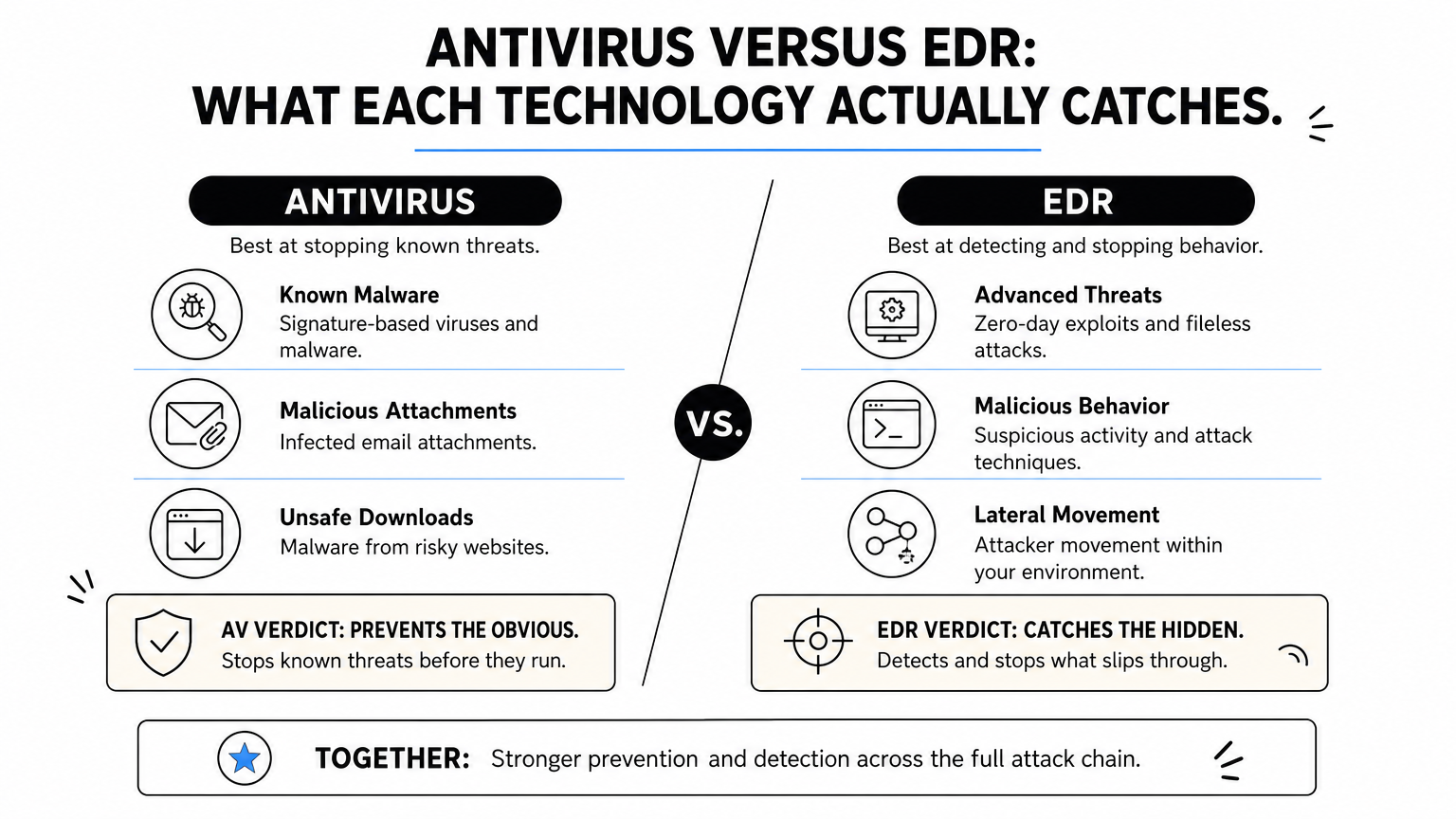
Antivirus stops the malware it already recognises; EDR watches for the behaviour that malware always produces, recognised or not.
What slips through the signature net
Often, the most damaging attacks don’t rely on traditional malware at all. Fileless attacks run entirely in memory using legitimate system tools, so there’s no file for antivirus to scan in the first place. Living-off-the-land techniques abuse admin utilities like PowerShell or WMI that are already trusted on the machine. Credential theft following a phishing click looks, to an antivirus engine, exactly like a normal login. None of this trips a signature-based alert, which is precisely why breach investigations so often reveal attackers had access for days or weeks before anyone noticed.
| Capability | Traditional Antivirus | EDR |
|---|---|---|
| Detects known malware files | Yes | Yes |
| Detects fileless/memory-based attacks | Rarely | Yes |
| Behavioural monitoring over time | No | Yes |
| Investigation and forensic timeline | Limited | Built in |
| Automated containment/isolation | No | Yes |
| Supports SOC-led threat hunting | No | Yes |
The business cost of slow detection
Slow detection isn’t just a technical shortfall, it’s an operational and financial one. The UK’s National Cyber Security Centre repeatedly stresses that the ability to detect and respond quickly is what separates a contained incident from a full-blown breach with regulatory and reputational fallout. Every extra day an attacker sits undetected on a network gives them more time to move laterally, escalate privileges, and reach the data or systems that actually matter to your business.
Regulators and auditors have caught up with this reality too. Continuous monitoring and demonstrable incident response capability are now explicit expectations under frameworks like ISO 27001, not optional extras. Businesses relying solely on antivirus often find this becomes a genuine compliance gap during audits, because a blacklist-based tool simply can’t produce the detection logs, timelines, or containment evidence an assessor wants to see. This is one reason our managed EDR with round-the-clock monitoring pairs detection with analysts rather than treating antivirus as sufficient on its own. Understanding this distinction isn’t academic: it directly shapes how quickly you can recover from an incident, and how confidently you can answer an auditor’s questions about it.
How to decide between EDR, antivirus, or both
Start with your risk profile, not the marketing
Before comparing products, work out what you’re actually protecting and who’s likely to target it. A five-person retail shop with no customer data on its network faces a different threat model to a healthcare provider handling patient records or a supplier feeding into a larger organisation’s supply chain. Regulatory exposure matters here too: if you’re working towards ISO 27001 or handling data covered by GDPR, auditors will expect evidence of continuous monitoring, not just a antivirus licence renewal. Map your risk before you map your tools.

When antivirus alone still does the job
For very small operations with minimal sensitive data, low attack-surface exposure, and no compliance obligations demanding incident response evidence, a well-maintained antivirus product such as Datto Antivirus paired with good patching and staff awareness can be a reasonable baseline. Basic hygiene still matters: signature-based tools catch the bulk of opportunistic, commodity malware that makes up a large share of low-effort attacks. The gap appears the moment you handle payment data, client records, or intellectual property that someone would specifically target.
If a breach would only cost you an afternoon of cleanup, antivirus might be enough; if it would cost you a client, a contract, or a regulator’s attention, it isn’t.
When EDR becomes non-negotiable
Once you’re storing sensitive data, operating remote or hybrid teams, or answering to a supply chain audit, endpoint detection and response stops being optional. Use this quick checklist to sense-check where you sit:
- Do you hold customer, patient, or financial data?
- Do staff work outside the office network on laptops or mobile devices?
- Do you need to demonstrate incident response capability for ISO 27001 or a client audit?
- Would a week of undetected access cause real financial or reputational damage?
- Do you lack an in-house team who could investigate a suspicious alert at 2am?
Answering yes to two or more of these is a strong signal you need EDR-level visibility, and quite possibly a managed service behind it, rather than antivirus running unattended in the background.
EDR vs antivirus: a feature-by-feature comparison
Strip away the marketing and the two technologies solve genuinely different problems, so a side-by-side view of what each actually delivers helps more than another round-up of EDR platforms. Deployment model is the first fork in the road: antivirus is typically a lightweight agent with a signature database that updates periodically, while EDR runs continuous telemetry collection, sending endpoint activity to a central platform for analysis. That single difference explains almost everything else on this list.
What each one actually monitors
Antivirus watches files as they’re written, opened, or executed, checking each against known bad signatures. EDR watches process behaviour, network connections, registry changes, and privilege escalation attempts, building a timeline rather than a single yes/no verdict. This is why EDR can flag an attack mid-progress, whereas antivirus only ever reacts to a file it already recognises as malicious.
The real difference isn’t how good the detection is, it’s whether you can see what happened before, during, and after the alert.
Response and staffing requirements
Antivirus response is usually automatic and binary: quarantine or delete. EDR gives your team, or your managed security services provider, the tools to isolate a device, kill a process remotely, and roll back changes, but that capability needs someone watching and interpreting alerts. Antivirus, running unattended, does not.
| Feature | Antivirus | EDR |
|---|---|---|
| Update mechanism | Periodic signature push | Continuous behavioural telemetry |
| Alert type | Binary block/allow | Contextual, investigable alert |
| Remote containment | No | Yes, device isolation |
| Staffing needed | Minimal | Analyst or SOC required |
| Audit trail depth | Basic logs | Full forensic timeline |
| Typical cost driver | Per-device licence | Licence plus monitoring |
Where the real cost difference lies
Cost comparisons that only look at licence fees miss the point entirely. Ongoing monitoring is what turns EDR’s raw alerts into a stopped attack, which means the true cost includes either an in-house analyst or a managed SOC contract, not just the software itself.
Signs your organisation has outgrown antivirus alone
Growth rarely announces itself as a security problem, but it usually creates one. Antivirus vs EDR decisions often get revisited only after an incident, when it’s too late to prevent the damage rather than just contain it. Watching for the warning signs early saves you that conversation.

Practical triggers that signal a gap
Often the clearest indicator is a near-miss: an alert that antivirus dismissed as benign, which later turns out to have been the opening move of a wider intrusion. Several other patterns tend to show up together in businesses that have quietly outgrown a signature-only setup:
- You’ve had a phishing click or credential compromise that antivirus never flagged
- Staff regularly connect from home networks, coffee shops, or personal devices
- You’ve onboarded a client or supplier who now requires proof of incident response capability
- Nobody in the business could tell you, right now, what happened on a specific laptop last Tuesday
- Your cyber insurance renewal now asks about endpoint monitoring, not just antivirus, reflecting what cyber insurers expect at renewal
Seeing two or more of these should prompt a proper review rather than another licence renewal.
If nobody in your organisation can reconstruct what happened on an endpoint last week, antivirus has already stopped being enough.
Compliance and scale as forcing functions
Scaling headcount past 50 or 100 employees typically means more devices, more remote access points, and more data moving between them, which multiplies the blind spots antivirus was never designed to cover. Similarly, pursuing ISO 27001 certification or renewing cyber insurance almost always surfaces the same requirement: demonstrable monitoring and response evidence, not just a working antivirus install. Teams preparing for an audit often discover this gap through a formal review, which is exactly what our network audit of firewalls, segmentation and monitoring is built to expose before an external assessor does.
Ultimately, the signs above rarely appear in isolation. Together, they describe an organisation whose attack surface has outpaced its visibility, and that’s the point at which EDR stops being a nice-to-have and becomes the baseline.
How EDR relates to MDR and XDR
EDR is a tool. Managed detection and response (MDR) and extended detection and response (XDR) are ways of scaling what that tool can do, either by adding people or by widening what it watches. Confusing the three is common, and vendors don’t always help, so it’s worth being clear about what each one actually adds before you buy anything.
MDR adds the human layer
Most small and mid-sized businesses buy an EDR licence and then discover nobody has the time or expertise to watch the alerts it generates. MDR solves that by pairing the EDR agent with an outsourced team who triage alerts, investigate anomalies, and act on genuine threats around the clock. Without that layer, you own a very good detection tool that nobody is actually monitoring at 2am, which is exactly the scenario our CyberSOS rapid containment and recovery service and Security Operations Centre are built to close.
Buying EDR without someone watching it is like installing a burglar alarm and leaving the monitoring service unpaid.
XDR widens the lens beyond endpoints
Where EDR focuses on laptops and servers, XDR correlates telemetry from email, cloud applications, network traffic, and identity systems into a single view. That matters because a real intrusion rarely stays confined to one endpoint; it moves through a phished mailbox, a cloud login, and a file share before it ever reaches the device you’re monitoring.
| Layer | Scope | Staffing model |
|---|---|---|
| EDR | Endpoints only | Self-managed or outsourced |
| MDR | EDR plus human analysts | Fully outsourced |
| XDR | Endpoints, email, cloud, network, identity | Self-managed or outsourced |
For most organisations without a dedicated SOC, MDR built on a solid EDR platform delivers the best return: it closes the visibility gap antivirus leaves and puts trained eyes on every alert.
Finding the right balance for your endpoints
Antivirus and EDR aren’t rivals fighting for the same job. Antivirus clears out the commodity malware that still makes up a large chunk of daily attack traffic, while EDR catches the fileless attacks, credential theft, and living-off-the-land techniques that a signature scan was never built to see. The real question isn’t which one wins the endpoint detection and response vs antivirus debate, it’s whether your current setup gives you the visibility to spot and contain an attack before it spreads through your network.
Most businesses handling sensitive data, remote staff, or compliance obligations need both, backed by someone actually watching the alerts. That’s the gap a managed SOC closes. If you’re unsure where your organisation sits on that spectrum, talk to TrustedIA about SOC monitoring built around your actual risk, not a generic licence renewal.