A ransomware attack, a burst pipe, a key supplier going under. None of these wait for a convenient moment, and businesses without a plan lose days figuring out who does what while revenue and reputation bleed away. If you’ve searched for a continuity of business plan template, you’re probably trying to avoid exactly that scramble, and you want something you can adapt rather than build from scratch.
This guide gives you a practical, working structure rather than a generic form to fill in blindly. We’ll walk through what a solid business continuity management template actually needs to cover, from risk assessment and recovery priorities to communication trees and recovery time objectives, so the document does real work when something goes wrong.
We’ve built business continuity and disaster recovery plans for organisations across sectors at TrustedIA, and we’ll share what separates a plan that gets used from one that sits in a drawer. You’ll get guidance on structuring your own business continuity program template, plus pointers on where to find a business continuity plan template word or PDF version to start editing today.
What is a business continuity plan template?
A continuity of business plan template is a pre-built document structure that captures every decision you’d otherwise have to make under pressure: who leads the response, which systems come back online first, how staff get contacted, and what "recovered" actually looks like for each part of the business. Think of it as scaffolding rather than a finished building. You still need to fill it with your own risk data, your own recovery targets, and your own people, but the skeleton means you’re not starting from a blank page while a server room floods or a ransomware note appears on screen.
What a solid template actually contains
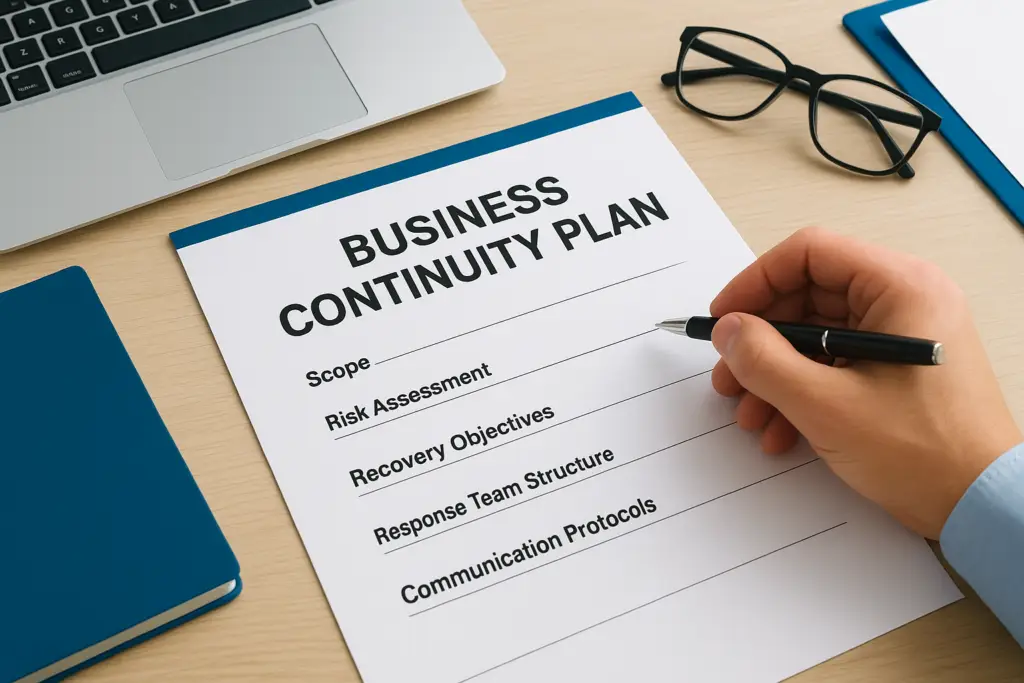
Most generic templates fail because they’re either too thin (a single page of headings with no guidance) or too bloated (fifty pages nobody reads during an actual incident). A working template business continuity plan sits in between, and mirrors the logic of a proper step-by-step business continuity plan. It should include:
- A scope and objectives section defining what the plan covers and what it deliberately excludes
- A risk and business impact assessment identifying which functions matter most and why
- Recovery time and recovery point objectives for each critical function
- A response team structure with named roles, not just job titles
- Communication protocols for staff, customers, suppliers, and regulators
- Step-by-step recovery procedures for your highest-priority scenarios
- A testing and maintenance schedule so the document doesn’t go stale
A template only earns its place once someone can open it mid-crisis and know exactly what to do next.
How it differs from a disaster recovery plan
People often use "business continuity" and "disaster recovery" interchangeably, but they’re not the same thing, and confusing them leaves gaps. A disaster recovery plan focuses narrowly on restoring IT systems and data after an outage, backups, failover servers, and recovery scripts, which is why writing a disaster recovery plan is a separate exercise. A business continuity plan is broader: it covers how the whole organisation keeps operating, including manual workarounds, staff relocation, supplier contingencies, and customer communication while IT recovers in parallel. Your disaster recovery plan usually sits as one component inside your wider continuity plan, not the other way round. If your current documentation only addresses server backups, you don’t have a continuity plan yet, you have half of one.
Choosing between Word, PDF, and PowerPoint versions
The format you start with matters more than most people assume, mainly because of how the document gets used during an actual incident.
| Format | Best for | Limitation |
|---|---|---|
| Word (.docx) | Ongoing editing, version control, adding appendices | Needs software to open; less portable offline |
| Distributing a locked, printable version for physical binders | Hard to edit quickly when procedures change | |
| PowerPoint | Executive summaries and board-level briefings | Not detailed enough to serve as the working plan |
Start with an editable Word file so you can update it as your business changes, then export a business continuity planning pdf copy for printed emergency folders and offline access, since you can’t guarantee network access during an outage. Keep a physical copy in at least one location away from your main office, a director’s home or a secondary site works fine.
Why generic downloads only get you partway there
Searching for a free download will get you a document with the right headings, but headings aren’t the hard part. The hard part is the content underneath them, your specific risks, your specific dependencies, your specific recovery windows. A template downloaded from a generic site rarely reflects how your supply chain actually works or which three systems, if they went down simultaneously, would stop you trading. That’s the gap the next five steps are designed to close, turning a blank structure into a plan that reflects your business rather than a hypothetical one.
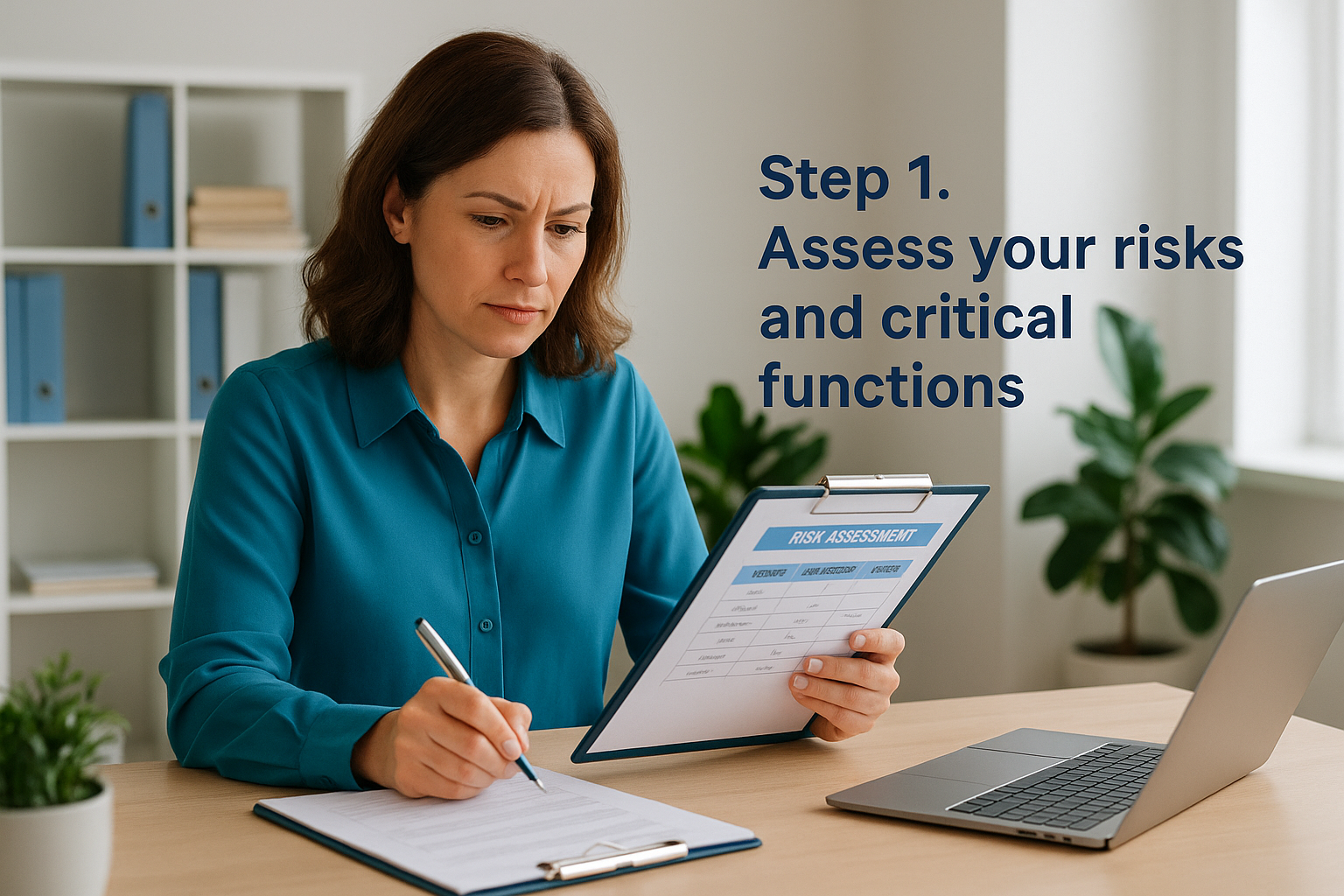
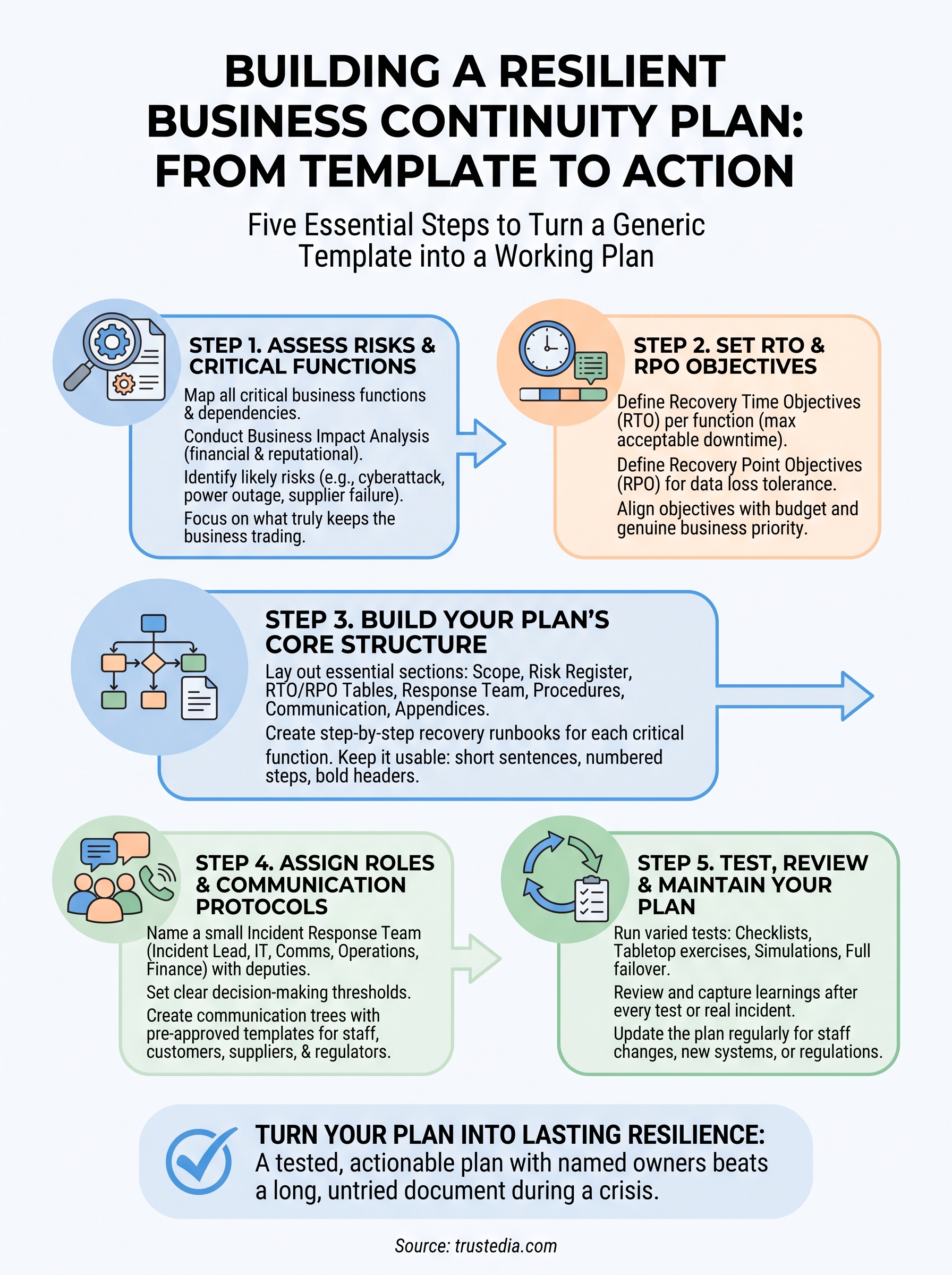
Step 1. Assess your risks and critical functions
Before you write a single recovery procedure, you need to know what you’re protecting and from what. This step is where most rushed templates fall down: people jump straight to writing response steps without first mapping which functions actually keep the business trading, and which risks are realistic enough to plan for. Skip this and you’ll end up with a document full of generic scenarios that don’t match your actual exposure.
Map your critical business functions
Start by listing every function your business performs, then rank them by how quickly their loss would hurt you. Payroll matters, but it can usually wait a few days. Your order processing system or client-facing servers probably can’t. For each function, note the systems, people, and suppliers it depends on, because a function isn’t really "recovered" until every one of those dependencies is back too.
- List all core functions (sales, production, fulfilment, finance, IT, customer support)
- Identify the systems and data each function relies on
- Note the minimum staff needed to keep each function running
- Flag single points of failure, one supplier, one server, one person with unique access
Run a business impact analysis
A business impact analysis puts numbers against each function so you’re not guessing at priority. For each one, estimate the financial cost per hour or day of downtime, the reputational damage, and any regulatory or contractual exposure. This is also where you identify critical functions that have obligations attached, a missed SLA, a breached contract clause, a data protection reporting deadline, or, for regulated firms, the FCA business continuity requirements under SYSC.
| Function | Downtime cost/day | Dependencies | Priority |
|---|---|---|---|
| Order processing | High | ERP system, payment gateway | Critical |
| Customer support | Medium | Phone system, CRM | High |
| Payroll | Low | HR software | Medium |
A plan that treats every function as equally urgent protects nothing well when everything breaks at once.
Assess the risks most likely to hit you
Next, following disaster recovery plan best practices, list the threats realistically capable of disrupting each function: ransomware, power outage, key supplier failure, extreme weather, loss of premises. Rate each on likelihood and impact rather than trying to plan for every conceivable disaster. According to the UK government’s Cyber Security Breaches Survey, a significant proportion of UK businesses report a cyber breach or attack each year, so ransomware and phishing deserve a prominent place on your risk register regardless of sector. Document this as a simple risk register: threat, likelihood, impact, affected function, borrowing the scoring approach from any of the common risk assessment frameworks. This register feeds directly into the recovery targets you’ll set in the next step, so keep it specific rather than theoretical.
Step 2. Set recovery time and point objectives
Once you know which functions matter most, you need to decide how fast each one has to come back, and how much data loss is tolerable if it doesn’t. These two figures, the recovery time objective (RTO) and recovery point objective (RPO), turn your risk register into something you can actually build a response around. Without them, "recover quickly" means something different to every person in the building, and that ambiguity costs you hours during a real incident.

Define recovery time objectives
Your recovery time objective is the maximum acceptable time a function can stay down before the damage becomes unacceptable. Set this per function, not for the business as a whole, because a two-hour outage on your website might be embarrassing while the same outage on your payment gateway stops you trading entirely. Base each figure on the impact data from your business impact analysis rather than on what sounds achievable, since an RTO you can’t realistically hit is worse than no target at all.
An RTO only means something once it’s tied to a specific system, a specific team, and a specific recovery method.
Define recovery point objectives
While RTO deals with time, your recovery point objective deals with data, specifically how much you can afford to lose measured backwards from the moment of failure. If your backups run nightly, your RPO is effectively 24 hours, meaning a mid-afternoon failure could cost you a full day’s transactions. For functions handling live orders or financial data, that gap is usually too wide, and it justifies more frequent backups or continuous data protection with real-time replication.
| Function | RTO | RPO | Backup method |
|---|---|---|---|
| Order processing | 2 hours | 15 minutes | Real-time replication |
| Customer support | 4 hours | 1 hour | Cloud CRM sync |
| Payroll | 24 hours | 24 hours | Nightly backup |
Match objectives to what you can actually afford
Tighter objectives cost more, so this step is as much a budget conversation as a technical one. A 15-minute RTO for every system sounds reassuring until you see the price of the infrastructure needed to deliver it. Weigh each target against the downtime cost you calculated earlier and set objectives that reflect genuine business priority rather than an instinct to protect everything equally. Once these numbers are agreed, they become the benchmark your entire recovery procedure gets built against, which is exactly what the next step covers.
Step 3. Build your plan’s core structure
With your risk register and RTO/RPO figures in hand, you’re ready to assemble the actual document. This is where a business continuity plan template word file earns its keep, because you’re not designing a layout from scratch, you’re populating a proven structure with your own data. Resist the urge to copy every section from a downloaded template regardless of relevance; a plan bloated with boilerplate is one nobody reads when it matters.
Lay out the essential sections
Every working plan needs the same backbone, even if the detail underneath differs by business. Structure the document in this order so a reader can follow it logically during an incident rather than hunting through pages:
- Scope and objectives (what the plan covers, what it excludes)
- Risk register and business impact summary from Step 1
- RTO and RPO tables from Step 2, function by function
- Response team structure and escalation order
- Recovery procedures for each critical function
- Communication protocols and contact lists
- Appendices (supplier contacts, system diagrams, insurance details)
A plan organised by function, not by department, is the one people can actually navigate when the pressure’s on.
Draft recovery procedures for each critical function
Each critical function from your business impact analysis needs its own step-by-step procedure, written as instructions rather than description. Skip the narrative explanation of why the function matters, you’ve already covered that, and get straight to actions. A usable procedure entry looks something like this:
Function: Order processing
Trigger: ERP system unavailable for over 30 minutes
Step 1: Notify IT lead and switch to manual order log (see Appendix C)
Step 2: Contact payment gateway provider to confirm outage scope
Step 3: Activate backup server (see failover instructions, Appendix D)
Step 4: Notify customer support of manual processing delay
Owner: Operations Manager
Format every critical function this way so the document reads as a set of runbooks rather than a policy statement. Owners should be named roles, which you’ll formalise properly in the next step.
Keep it usable under pressure
Finally, write for someone who’s stressed, tired, and reading at 2am. Short sentences, numbered steps, and bold headers beat dense paragraphs every time. Group related procedures together, number every page, and include a one-page summary at the front listing which section to open for which type of incident. If your document needs a table of contents to navigate, add one, because nobody should be scrolling through fifty pages during an active outage.
Step 4. Assign roles and communication protocols
Without named owners, recovery procedures are just wishful thinking written down. This step turns the runbooks from Step 3 into something that actually gets actioned, because every task in your plan needs a person attached to it, not a job title that three people might claim during a crisis. Getting roles and communication protocols right, in the same way you’d define disaster recovery plan roles and responsibilities, is often the difference between a plan that runs itself and one where everyone waits for someone else to move first.

Build your response team structure
Start by naming a small incident response team with clear roles for faster recovery and authority to make decisions during a disruption, typically an incident lead, an IT or systems owner, a communications lead, and someone with financial sign-off authority. Assign a deputy for each role too, since the person you’d normally call might be the one who’s unreachable when the incident hits.
- Incident lead: overall decision-making and coordination
- IT/systems owner: technical recovery actions
- Communications lead: staff, customer, and media updates
- Operations owner: keeps non-IT functions running
- Finance/HR contact: authorises spend, manages staff welfare
A plan with job titles instead of named people just moves the confusion from the incident to the org chart.
Set clear escalation and decision-making authority
Decide in advance who can declare an incident, who can approve unplanned spend, and at what point the response escalates to the board. Ambiguity here wastes the first, most valuable hour of any incident, so write the thresholds down rather than leaving them to judgement calls made under stress. For example, spend under £5,000 might sit with the incident lead, while anything above that needs director sign-off within two hours.
Create your communication protocols
Every communication protocol needs pre-approved templates and a clear order of contact, much like an incident response communications plan, because drafting a customer email mid-incident wastes time you don’t have. Build a simple contact tree covering staff, customers, suppliers, regulators, and, where relevant, your insurer or loss adjuster.
Incident Lead notifies:
 -> Communications Lead (drafts staff + customer updates)
 -> IT Owner (technical status updates)
 -> Insurer/Loss Adjuster (if applicable)
Communications Lead notifies:
 -> All staff (via SMS/phone tree, not just email)
 -> Key customers (pre-approved holding statement)
 -> Regulator (if data protection deadline applies)
Keep phone numbers for every role current, tested quarterly, and stored somewhere accessible offline, because a contact list locked inside the same crashed server it’s meant to help you recover from is worse than no list at all.
Step 5. Test, review and maintain your plan
A plan that’s never been tested is just a theory, and theories fall apart the moment reality gets involved. This final step is where you find out whether your continuity of business plan template actually works, before an incident forces the answer on you. Skipping testing is the single biggest reason plans fail when they’re needed, because gaps only reveal themselves under pressure, and it’s far cheaper to find them on a Tuesday afternoon than during a live outage.
Run different types of tests
Build a testing calendar that mixes low-effort checks with full-scale exercises, using realistic continuity testing scenarios, since running only tabletop discussions leaves your technical recovery steps unproven. Rotate through these formats across the year rather than relying on one method alone:
| Test type | Frequency | What it proves |
|---|---|---|
| Checklist review | Quarterly | Contact details and documents are current |
| Tabletop exercise | Twice yearly | Team knows roles and decision points |
| Simulation/walkthrough | Annually | Recovery procedures work end to end |
| Full failover test | Annually | Backup systems actually restore data within RPO/RTO |
An untested recovery procedure is a guess dressed up as a plan.
Review after every test and every real incident
Capture what broke down straight after each exercise, while the detail is still fresh, rather than filing a vague summary weeks later. Document three things every time: what worked, what didn’t, and what needs changing before the next test. If a real incident happens, treat it as a live test too, running a proper post-incident review within a week to compare what actually happened against what the plan predicted. Feed every finding back into the risk register from Step 1, because a review that doesn’t change the document was a wasted exercise.
Keep the plan current
Stale plans are almost as dangerous as missing ones, since a document listing an employee who left eighteen months ago or a supplier you no longer use will send someone down the wrong path mid-crisis. Set a firm review trigger list, as recommended in business continuity planning best practices, so maintenance doesn’t depend on memory:
- Any change to key staff or their contact details
- New systems, suppliers, or premises added to the business
- Regulatory or contractual changes affecting recovery obligations
- After every test or real incident, as covered above
- A full annual review regardless of whether anything else has changed
Assign one named owner responsible for updating the document and getting sign-off from the incident lead, so version control doesn’t quietly slip through the cracks between review cycles.
Turning your plan into lasting resilience
A template only becomes a business continuity plan once you’ve filled it with your own risks, your own recovery windows, and your own named people willing to act on it. The five steps here, from mapping critical functions through to testing and review, turn a generic download into a document that actually holds up when a system fails or a supplier disappears overnight. The businesses that recover fastest aren’t the ones with the longest plan, they’re the ones who’ve rehearsed it enough that nobody’s reading it cold during the incident itself.
If building and testing that plan feels like more than your team has time or expertise for, that’s exactly where a second pair of hands pays for itself. Talk to TrustedIA about business continuity managed services that turn your continuity planning into a properly tested, audit-ready programme rather than a document sitting untouched in a shared drive.