
More organisations than ever store sensitive data in the cloud, but moving data off-premises doesn’t mean the risks disappear. If anything, cloud data security challenges have grown more complex as businesses adopt multi-cloud environments, hybrid architectures, and SaaS platforms, scattering critical information across dozens of providers. A single misconfigured storage bucket or overlooked access policy can expose thousands of records, and attackers know it. Data breaches involving cloud environments now account for a significant share of incidents reported across UK businesses each year.
The real problem isn’t the cloud itself. It’s the gap between what organisations assume their cloud provider secures and what they’re actually responsible for themselves. Shared responsibility models, inconsistent access controls, regulatory obligations under UK GDPR, and a shortage of skilled personnel all create blind spots that are easy to miss and expensive to ignore. Understanding where these vulnerabilities sit is the first step toward closing them. Without that clarity, even well-resourced teams end up reactive rather than prepared.
At TrustedIA, we work with businesses across the UK to assess, strengthen, and manage their cybersecurity posture, including cloud environments. With over 30 years of experience in IT services and a solution-agnostic approach, we help organisations identify the specific risks that apply to them and implement practical controls. This article breaks down 10 of the most common cloud data security challenges and, more importantly, what you can do about each one.
1. Shared responsibility confusion and no clear owner
Every major cloud provider operates on a shared responsibility model, which divides security duties between the provider and the customer. In theory, this makes sense. In practice, it creates one of the most persistent cloud data security challenges businesses face: nobody within your organisation clearly owns the security responsibilities that fall on your side of the line.

What it looks like in real life
Your cloud provider secures the physical infrastructure, the hypervisor, and the underlying network fabric. Everything above that, including your data, access controls, application configuration, and compliance obligations, sits with you. Most organisations understand this at a surface level but fail to translate it into assigned ownership. When an incident occurs, teams point at each other or assume the provider has it covered, and the real exposure only becomes clear after something goes wrong.
Why does it happen in cloud environments
The problem stems from how organisations onboard cloud services. Teams move fast, procurement bypasses IT, and no formal responsibility matrix ever gets created for cloud security controls. Cloud providers publish their shared responsibility documentation openly, but reading it carefully and mapping it to internal roles takes deliberate effort that busy teams often skip. As the cloud environment grows, ownership gaps multiply because each new service added to the account inherits the same unresolved ambiguity.
A responsibility gap that nobody notices during calm periods becomes an exposure that attackers find during active ones.
How attackers take advantage
When ownership is unclear, basic controls go unchecked. Logging might be enabled on the provider’s infrastructure but disabled at the application layer because no team claimed that task. Security patches for cloud-hosted operating systems may go unapplied because both the infrastructure and application teams assume the other handles them. Attackers actively scan for unmonitored, unconfigured surfaces because exploiting them requires no sophisticated technique, only patience and a target with no one watching.
How to overcome it
Start by reading your cloud provider’s shared responsibility documentation directly. AWS, Microsoft Azure, and Google Cloud all publish detailed breakdowns. Then build a responsibility matrix that maps every security control to a named individual or team inside your organisation. Review that matrix whenever you add new services or change providers, and run a cloud-specific security audit at least once a year to surface ownership gaps before they become incidents.
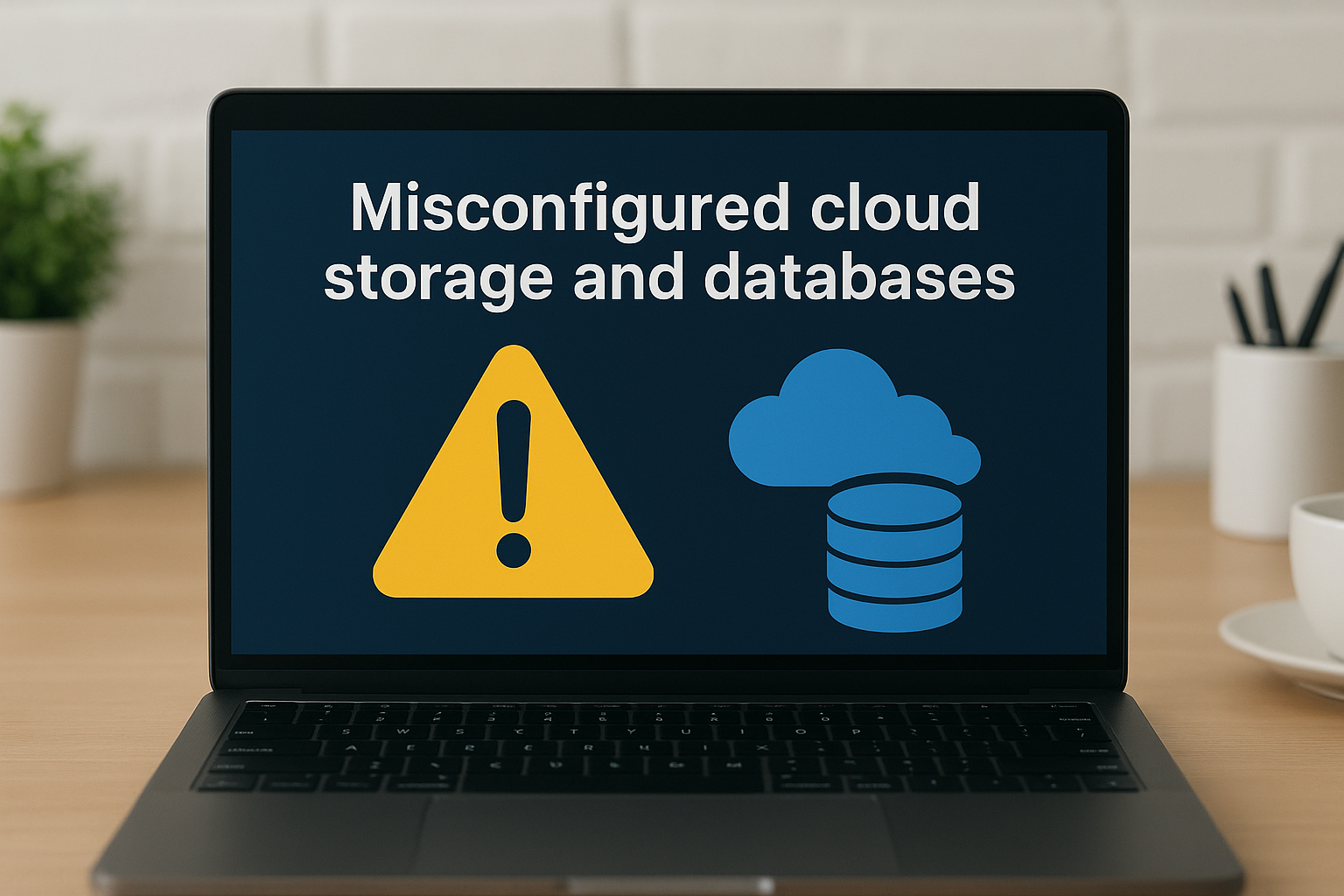
2. Misconfigured cloud storage and databases
Misconfiguration is the single most common cause of cloud data exposures worldwide. Unlike a sophisticated attack, it requires no specialist skill to exploit and often leaves sensitive customer records, financial data, or internal credentials sitting open to anyone who knows where to look.
What it looks like in real life
An S3 bucket set to public read. A database with no authentication required and a default port exposed to the internet. A development environment copied from production, but with none of the production access controls applied. These scenarios regularly appear in breach reports, and they rarely involve an attacker exploiting a zero-day vulnerability.
Why does it happen in cloud environments
Cloud platforms make provisioning resources fast and easy, which is the point, but that speed encourages cutting corners on security settings. Default configurations in many cloud services prioritise accessibility over restriction. Developers working under deadline pressure often choose permissive settings temporarily and never revisit them once the project ships.
Misconfiguration isn’t a technical failure; it’s an organisational one, and it’s one of the most avoidable cloud data security challenges on this list.
How attackers take advantage
Automated scanners continuously scan cloud environments for open storage buckets and unauthenticated database endpoints. Attackers don’t need credentials when a resource is already public. Once inside, they can exfiltrate data silently or use exposed configuration files to pivot deeper into your infrastructure.
How to overcome it
Enable cloud security posture management (CSPM) tools that continuously audit your configuration against known baselines. Microsoft, AWS, and Google each offer native posture management features within their platforms. Enforce infrastructure-as-code reviews so that no misconfigured resource reaches production without a peer check applied first.
3. IAM sprawl and privilege creep
IAM (Identity and Access Management) sprawl occurs when user accounts, roles, and permissions grow faster than your team can manage them. It is one of the more quietly damaging cloud data security challenges because the exposure builds gradually and rarely triggers an alert until real harm is done.
What it looks like in real life
A developer gets admin access to test a new service, and nobody removes it when the project ends. A contractor leaves the business, but their account stays active for months. Roles accumulate permissions across multiple cloud services until a single compromised account carries far more access than it should.
Why does it happen in cloud environments
Cloud platforms make it easy to grant access quickly, but most organisations lack a formal process for reviewing or revoking it. Teams grow, projects change, and access requests outpace governance. Without automated tooling, tracking who has access to what across dozens of cloud services becomes unmanageable.
An account with excessive privileges is a ready-made tool for any attacker who compromises it.
How attackers take advantage
Attackers who obtain a single overprivileged credential can move laterally across your cloud environment, access sensitive data stores, and create new accounts to maintain persistence. Credential theft and phishing are the most common entry points, and excessive permissions are what turn a minor incident into a serious breach.
How to overcome it
Apply the principle of least privilege consistently: every user and service account should hold only the access needed for their role. Both Microsoft’s least privilege guidance and AWS IAM best practices are worth reviewing in detail. Then put these controls in place:
- Run quarterly access reviews to catch permissions that were never revoked
- Automate account deprovisioning for anyone who leaves the organisation
- Use role-based access control (RBAC) to enforce structure rather than granting permissions ad hoc
4. Weak encryption and poor key management
Encryption protects data at rest and in transit, but many organisations treat it as a checkbox exercise rather than a managed control. Poor key management is one of the more overlooked cloud data security challenges because it hides behind the assumption that “the cloud encrypts everything by default.”
What it looks like in real life
Data stored in cloud databases or object storage is technically encrypted, but the encryption keys are stored in the same environment as the data. If an attacker gains access to that environment, the encryption provides almost no protection. Other common patterns include keys that never rotate, keys stored in plain text within application code, and teams using provider-managed keys without understanding the access controls governing them.
Why does it happen in cloud environments
Cloud providers offer default encryption options that require little configuration, which encourages teams to accept them without question. Key management services exist within each major platform, but using them correctly requires deliberate effort that many teams skip under time pressure. Responsibility for key management falls squarely on the customer side of the shared responsibility model, which often means it falls through the cracks.
Encrypting data with keys you don’t properly control is only marginally better than not encrypting it at all.
How attackers take advantage
Attackers who compromise a cloud account with broad IAM permissions can access both the data and the keys used to decrypt it. Hardcoded keys found in public repositories also give direct access without needing to break any encryption algorithm.
How to overcome it
Use a dedicated key management service, such as AWS KMS or Azure Key Vault, to separate key storage from encrypted data. Enforce automatic key rotation, audit key access logs regularly, and ensure that keys never appear in source code or configuration files.
5. Sensitive data discovery and classification gaps
You cannot protect data you do not know exists. Sensitive data discovery and classification gaps lie at the heart of many avoidable breaches and are among the most overlooked cloud data security challenges because the problem is invisible until something goes wrong.
What it looks like in real life
Unstructured data, spreadsheets with customer records, contract documents, and payment details copied into storage buckets for a quick test, accumulates across cloud environments without any formal inventory. Teams routinely have no idea where all their sensitive data lives, which means they apply no controls to much of it.
Why does it happen in cloud environments
Cloud storage is cheap and frictionless, which encourages data sprawl across multiple buckets, databases, and regions. Without an automated discovery process, manual tracking becomes impossible as the environment scales. Classification policies often exist on paper but are never embedded in the actual data pipeline.
If your classification policy lives in a document but not in your cloud controls, it protects nothing.
How attackers take advantage
Attackers look for untagged, unmonitored data stores precisely because they tend to carry fewer controls. Sensitive data sitting outside your formal security perimeter receives no logging, no access restrictions, and no alerting, making it a low-risk target that often yields high-value results.
How to overcome it
Use automated data discovery tools to scan your cloud environment and flag sensitive content based on content patterns, such as payment card numbers, NHS identifiers, or personal data subject to UK GDPR. Run discovery scans regularly, not just at onboarding, and assign a clear classification tier to every data asset so the right controls automatically follow the data.
6. Shadow data from SaaS and unsanctioned tools
Shadow data refers to data that employees create and store outside of IT-approved systems, typically through SaaS applications, personal cloud storage, or productivity tools that no one on your security team has sanctioned. This is one of the cloud data security challenges that grows silently alongside your business, because the people creating the exposure genuinely believe they are just getting work done efficiently.
What it looks like in real life
A salesperson exports a customer list to a personal Google Sheet to use while working from home. A developer stores credentials in a free note-taking app. Sensitive business data ends up scattered across dozens of unsanctioned platforms that your security controls never touch, and your incident response plans never account for.
Why does it happen in cloud environments
SaaS tools are free to sign up for and require no IT involvement, which makes them the path of least resistance for employees who want to work faster. Most organisations lack a formal process for evaluating and approving new tools, so adoption outpaces governance by default, and the spread continues unchecked.
When employees solve their own productivity problems with unsanctioned tools, your security perimeter expands in ways you cannot see.
How attackers take advantage
Unsanctioned tools rarely meet the security standards your approved platforms enforce. They may store data without proper encryption, lack audit logging, and connect to your corporate accounts through wide-ranging OAuth permissions that persist long after the employee stops using the tool.
How to overcome it
Audit OAuth connections regularly through your identity provider to see which third-party applications hold access to your corporate accounts, and revoke anything unsanctioned. Pair this with a lightweight shadow IT discovery process and a clear, accessible policy that makes it straightforward for employees to request new tools through official channels rather than bypassing them entirely.
7. Insecure APIs and third-party integrations
APIs connect your cloud services to each other and to external platforms, constantly carrying sensitive data across those connections. When organisations treat API security as an afterthought, they create one of the most exploitable cloud data security challenges in their entire environment.
What it looks like in real life
Your CRM pushes customer data to a marketing platform via an API with no authentication token expiry. A payment integration runs over HTTP in a staging environment that quietly shares infrastructure with production. Third-party connectors accumulate across your cloud account without anyone maintaining an inventory of what data each one handles or which vendor receives it.
Why does it happen in cloud environments
Cloud-native architectures are built on APIs, which means they multiply fast. Development teams ship integrations quickly under deadline pressure, often without a formal security review. Governance processes for approving, documenting, and auditing third-party connections rarely keep pace with adoption, so exposure grows in the background with no alert to flag it.
An unsecured API hands attackers a front door that bypasses every perimeter control you have built.
How attackers take advantage
Attackers target API endpoints directly, using automated tools to probe for broken authentication, excessive data exposure, and missing rate limiting. The OWASP API Security Top 10 documents the most common weaknesses, many of which appear repeatedly in real-world breaches involving cloud-hosted services.
How to overcome it
Maintain an API inventory that records every active endpoint, the data it handles, and the third party it connects to. Apply these controls consistently:
- Enforce authentication and token expiry on every endpoint
- Apply rate limiting to reduce automated probing
- Run regular API security testing as part of your development pipeline
8. Insider threats and everyday human error
Insider threats and human error rank among the most consistent cloud data security challenges organisations face, partly because they resist technical fixes alone. Whether deliberate or accidental, actions taken by people inside your business often cause more damage than external attackers, and cloud environments amplify the consequences.
What it looks like in real life
An employee accidentally shares a cloud folder with external users instead of internal colleagues. A departing staff member downloads a copy of your customer database before their last day. A support agent pastes API credentials into a shared chat channel without realising the channel is visible company-wide. None of these scenarios requires a sophisticated attacker.
Why does it happen in cloud environments
Cloud tools are designed for collaboration, which means the controls that prevent accidental sharing are rarely on by default. Employees interact with cloud platforms daily without formal security training, and the same ease of use that boosts productivity also makes it easy to move or expose data unintentionally.
Most insider incidents aren’t malicious; they’re the result of people working quickly in an environment they don’t fully understand.
How attackers take advantage
External attackers actively target disgruntled employees through social engineering, offering payment for access or credentials. Phishing campaigns also exploit employees who handle sensitive cloud resources, because one successful click can hand over legitimate credentials that bypass every perimeter control you have.
How to overcome it
Combine technical controls with regular training. Run phishing simulations to build genuine awareness, enforce least privilege to keep accidental exposure limited in scope, and enable data loss prevention (DLP) policies within your cloud environment to catch sensitive data moving outside approved boundaries before it causes harm.
9. Ransomware, deletion, and weak recovery plans
Ransomware has evolved well beyond encrypting local hard drives. Attackers now target cloud backups and storage directly, deleting or encrypting data at the source to maximise leverage. Without a tested recovery plan, this is one of the cloud data security challenges that can bring an entire business to a standstill before your team even understands what happened.

What it looks like in real life
An attacker gains access to your cloud account and deletes or encrypts your primary data stores, then targets your backups in the same environment. Your team discovers the incident and realises that the only recovery option is to pay the ransom, because no tested offline copy exists outside the compromised account.
Why does it happen in cloud environments
Many teams assume cloud storage provides automatic, reliable backup by default. In reality, versioning and point-in-time recovery must be explicitly configured, and most organisations never test whether their backups actually restore successfully. Recovery plans often exist as documents but are never validated against real failure scenarios until an incident forces the issue.
A backup you have never tested is a backup you cannot trust when you need it most.
How attackers take advantage
Once inside your cloud account, attackers immediately look for delete permissions and backup access. Many ransomware groups spend weeks inside environments before triggering encryption, using that time to map and corrupt your recovery options so you have nowhere to turn.
How to overcome it
Follow the 3-2-1 backup principle: three copies, two different storage types, one isolated from your primary environment. Test restores on a scheduled, documented basis, and ensure your backup storage permissions are separated from your primary account credentials.
10. Compliance, residency, and retention failures
Data stored in the cloud still carries legal and regulatory obligations that do not disappear because a third party hosts it. Failing to meet those obligations, whether around UK GDPR data residency requirements, sector-specific retention rules, or deletion mandates, is one of the cloud data security challenges that exposes organisations to enforcement action rather than just breach risk.
What it looks like in real life
Your cloud storage automatically replicates data across multiple geographic regions for redundancy, including regions outside the UK or the EEA, without your team realising it. Customer records that should have been deleted after a defined retention period sit in archived buckets indefinitely because no automated deletion process was ever configured.
Why does it happen in cloud environments
Cloud platforms offer global infrastructure by default, and teams frequently enable replication features without checking where data lands. Compliance requirements are also treated as a legal function rather than a technical one, so no one translates the obligations into actual cloud configuration controls that enforce them.
A retention policy that exists only as a document cannot delete a single record.
How attackers take advantage
Retained data that should have been deleted expands your exposure window indefinitely. Older records that have exceeded their legal retention period often have weaker access controls than current data, making them easier to access and more likely to go unmonitored in your environment.
How to overcome it
Review the ICO’s UK GDPR guidance and map each obligation to a specific cloud control. Configure automated lifecycle policies to delete or archive data at the appropriate points, and audit your data residency settings to confirm the geographic location of each storage region.
Next steps for safer cloud data
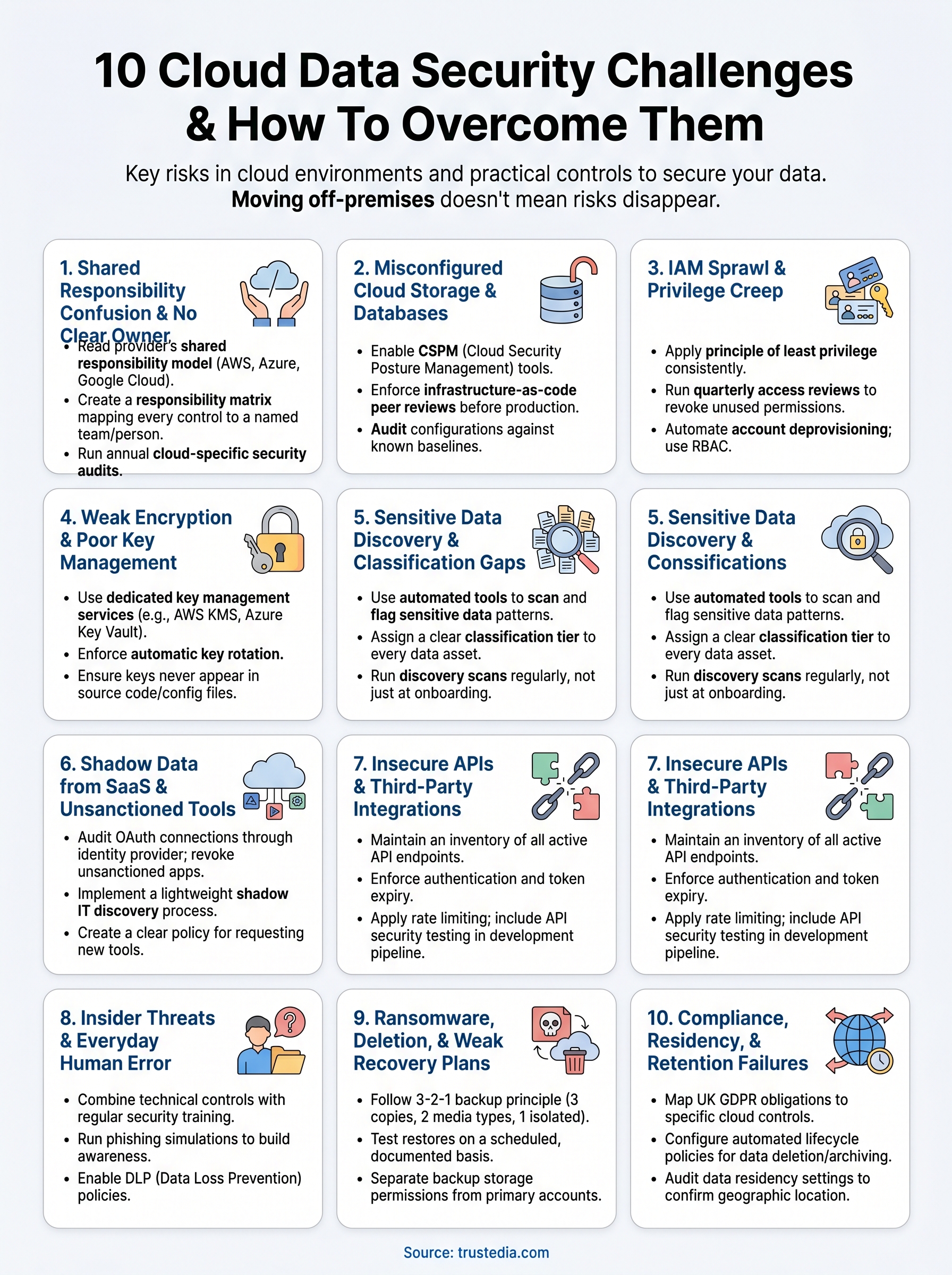
The cloud data security challenges covered in this article share a common thread: they are not inevitable. Each one is a known, documented risk with a practical fix, and most organisations that suffer a cloud-related breach were not unlucky; they were unprepared. The gap between where your security controls currently sit and where they need to be is measurable and can be closed with the right approach.
Start by identifying which of these ten challenges apply to your environment right now. Audit your access controls, review your encryption and key management practices, test your backups, and map your compliance obligations to actual cloud configuration settings. If your team lacks the capacity or expertise to do that work thoroughly, bringing in external support means you get an objective view of your exposure rather than a self-assessment shaped by the same blind spots that created the risk.
Speak to TrustedIA about securing your cloud environment and find out where your biggest gaps actually sit.