Most cyber attacks don’t start with a sophisticated hack. They start with someone clicking a link they shouldn’t have, reusing a password, or ignoring an update notification. The reality is that human error accounts for the majority of data breaches, and no firewall or endpoint tool can fully compensate for a team that hasn’t been taught what to look out for. That’s exactly why cyber security awareness best practices matter just as much as the technology behind your defences.
For employees, good cyber hygiene isn’t about becoming technical experts. It’s about building consistent habits, like spotting phishing emails, using strong passwords, and enabling multi-factor authentication, that significantly reduce the chance of an incident. These are learnable, repeatable behaviours, and when an entire organisation adopts them, the risk profile drops dramatically.
At TrustedIA, we work with businesses across the UK to strengthen their security posture through managed services, phishing simulations, and cyber awareness training built around real-world threats. With over 30 years of experience in IT services and a solution-agnostic approach, we’ve seen firsthand how much difference well-prepared employees make. This article draws on that experience to give you seven practical steps your team can act on now, no jargon, no fluff, just clear guidance to help your people become your strongest line of defence.
1. Build a continuous security awareness programme
A one-off training session once a year doesn’t build security habits; it creates a brief burst of attention that fades within weeks. To make cyber security awareness best practices part of how your team actually works, you need a structured, ongoing programme that keeps the topic alive throughout the year. That means regular touchpoints, practical scenarios, and a culture where security is a shared responsibility, not just an IT problem.
What good looks like in day-to-day behaviour
Good security awareness shows up in small, consistent actions. Employees lock their screens when they step away from their desk, think before clicking links in emails, and raise concerns without fear of being dismissed. These habits don’t develop on their own; they form when people receive clear guidance, see them modelled by managers, and understand why they matter. When your entire team treats security as part of their routine rather than an interruption, the risk of a human-triggered incident drops sharply.
How to run it with TrustedIA cyber training
TrustedIA’s cyber training is built around the kinds of threats your employees actually encounter, not generic slide decks filled with theoretical scenarios. The programme uses real-world attack examples and practical exercises to help people recognise threats in context. Rather than overwhelming staff with technical content, it focuses on the decisions employees make every day, from handling email attachments to accessing company systems on personal devices.
A well-structured training programme doesn’t just reduce risk; it gives your team the confidence to act correctly when something feels off.
How to make training stick beyond the first month
The biggest challenge with any training programme is retention. People forget quickly, particularly when new information competes with their day-to-day workload. Short, frequent learning moments outperform long annual sessions because they keep concepts fresh and reinforce behaviour over time. Consider monthly micro-sessions, brief quizzes following news incidents, or even team discussions prompted by real phishing attempts your organisation has received. Embedding security into existing workflows, such as onboarding or quarterly reviews, also helps it feel less like an add-on.
How to measure improvement without blaming people
Measurement matters, but how you frame it determines whether your team engages honestly or hides problems. Track indicators like phishing simulation click rates, incident reporting frequency, and time to report rather than using results to single out individuals. When people see progress presented as a team achievement, they’re more likely to participate openly. A blame-free culture encourages employees to report mistakes early, which is exactly when your security team can limit the most damage.
2. Train for phishing and make reporting the default
Phishing remains the most common entry point for cyber attacks on businesses, and the techniques attackers use have become far more convincing over the past few years. Training your employees to recognise and report suspicious messages is one of the highest-value cyber security awareness best practices you can invest in, and it works best when reporting is treated as the expected response, not an optional extra.
How modern phishing and social engineering work
Attackers no longer rely on poorly worded emails asking for bank details. Today’s phishing messages convincingly mimic real colleagues, trusted suppliers, and familiar platforms such as Microsoft 365 and HMRC. Social engineering extends further, using phone calls, text messages, and LinkedIn to manipulate employees into sharing credentials or authorising fraudulent payments.
What employees should do in the first 60 seconds?
When something feels wrong, your employees need a clear, practised response rather than a hesitant guess. In the first 60 seconds, they should stop interacting with the message, avoid clicking links or downloading attachments, and report it immediately through your defined channel, whether that is a button in their email client or a direct message to IT.
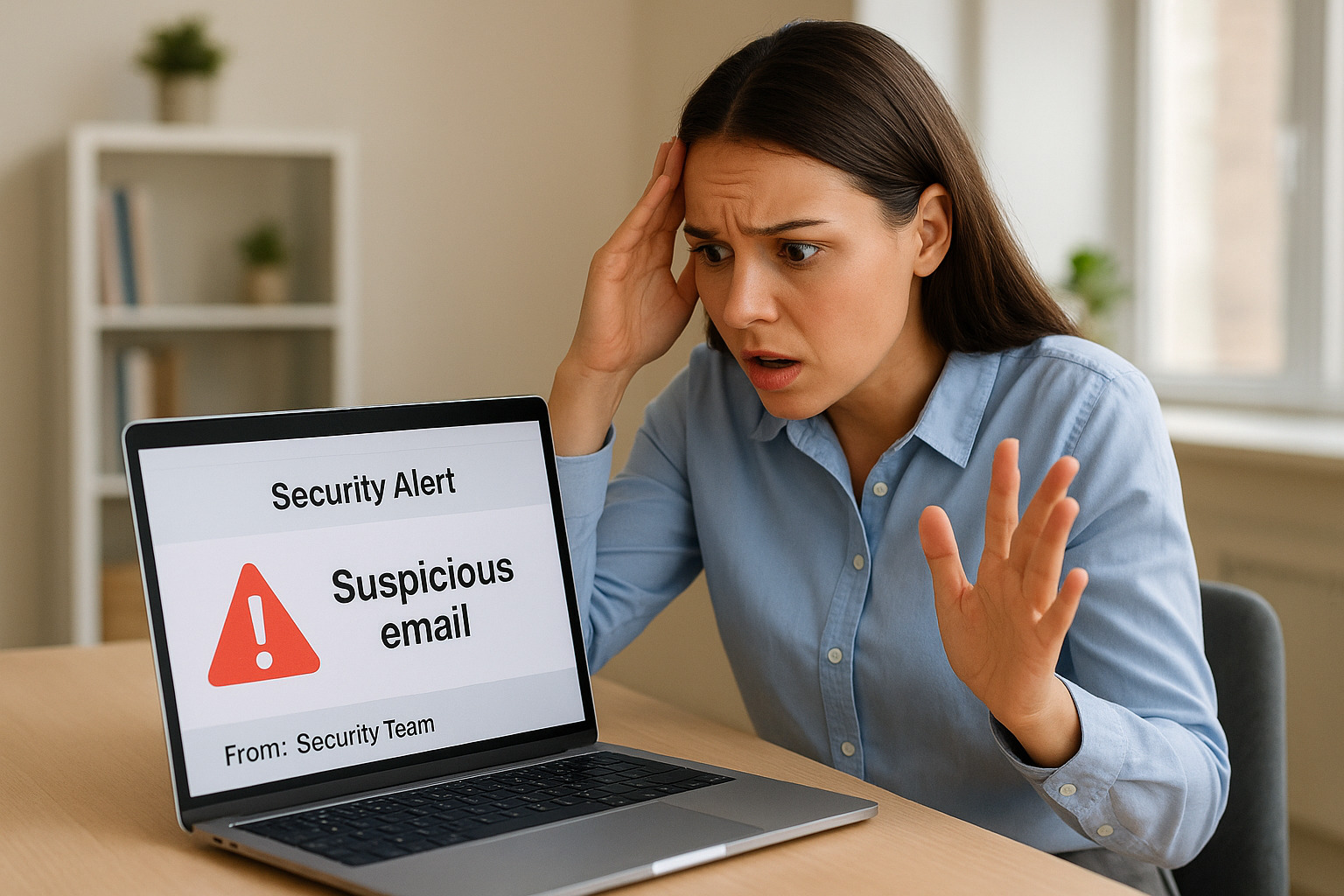
The faster an employee reports a suspicious message, the more time your security team has to act before damage spreads.
How to use phishing simulations without losing trust
TrustedIA’s phishing simulation service sends realistic test emails to your staff to measure their responses. The goal is not to catch people out; it is to give them safe, low-stakes practice that builds confidence. Keep results anonymous at an individual level and use them to guide further training rather than to penalise staff.
Metrics that show real progress
Track simulation click rates over time, the volume of phishing reports submitted, and how quickly employees report after receiving a suspicious message. A rising report rate alongside a falling click rate tells you the programme is working.
3. Make passwords boring and strong with a manager
Passwords are one of the most overlooked elements of cyber security awareness best practices, yet they remain a primary target for attackers. The goal isn’t to make passwords complicated to remember; it’s to make them impossible to guess and unique to every account, which is exactly what a password manager achieves.
What employees need to know about password risk
Reusing the same password across multiple accounts is one of the most dangerous habits your team can have. When one service suffers a breach, attackers test those credentials everywhere else in a technique called credential stuffing. A single reused password can expose your email, company systems, and client data simultaneously.
Length and uniqueness beat complexity every time, and that’s the core message your employees need to internalise first.
Password manager habits that prevent account takeovers
A password manager generates and stores long, random, unique passwords for every account, removing the burden of memorisation entirely. Your employees only need to remember one strong master password, and the manager handles everything else.
The best password is one no human could ever remember, and a password manager makes that the standard for every account.
How to handle shared access without sharing passwords
Team accounts pose a real risk when credentials are shared via email or chat. Instead, use a password manager with a shared vault feature that lets multiple people access an account without ever seeing the underlying password. This keeps access controlled and auditable, so you always know who has access to what, and you can remove it instantly when someone leaves the team.
Common password mistakes to stamp out
Identify and address these habits directly with your employees:
- Reusing passwords across personal and work accounts
- Using predictable patterns such as the company name followed by a year
- Storing passwords in unprotected spreadsheets or shared documents
- Sharing credentials over unencrypted channels like email or SMS
4. Turn on multi-factor authentication everywhere it matters
Even strong, unique passwords aren’t enough on their own. If an attacker obtains your credentials through a phishing attack or data breach, multi-factor authentication (MFA) is the barrier that stops them from getting in. Making MFA a standard across your organisation is one of the most effective cyber security awareness best practices you can implement, and it requires far less technical knowledge than most employees assume.
Where MFA reduces risk the most
Email accounts, cloud platforms, and remote access tools pose the highest risk because they provide direct access to your business systems. Prioritise MFA on Microsoft 365, Google Workspace, VPN connections, and any system that holds customer or financial data. A compromised email account alone gives attackers access to password resets across every linked service, which is why securing it with MFA is non-negotiable.
How to choose safer MFA methods
Not all MFA methods offer the same level of protection. Authenticator apps are significantly more secure than SMS codes, which attackers can intercept via SIM swapping. Where possible, move your team away from text-based codes and towards app-based one-time passwords or hardware security keys for your highest-risk accounts.
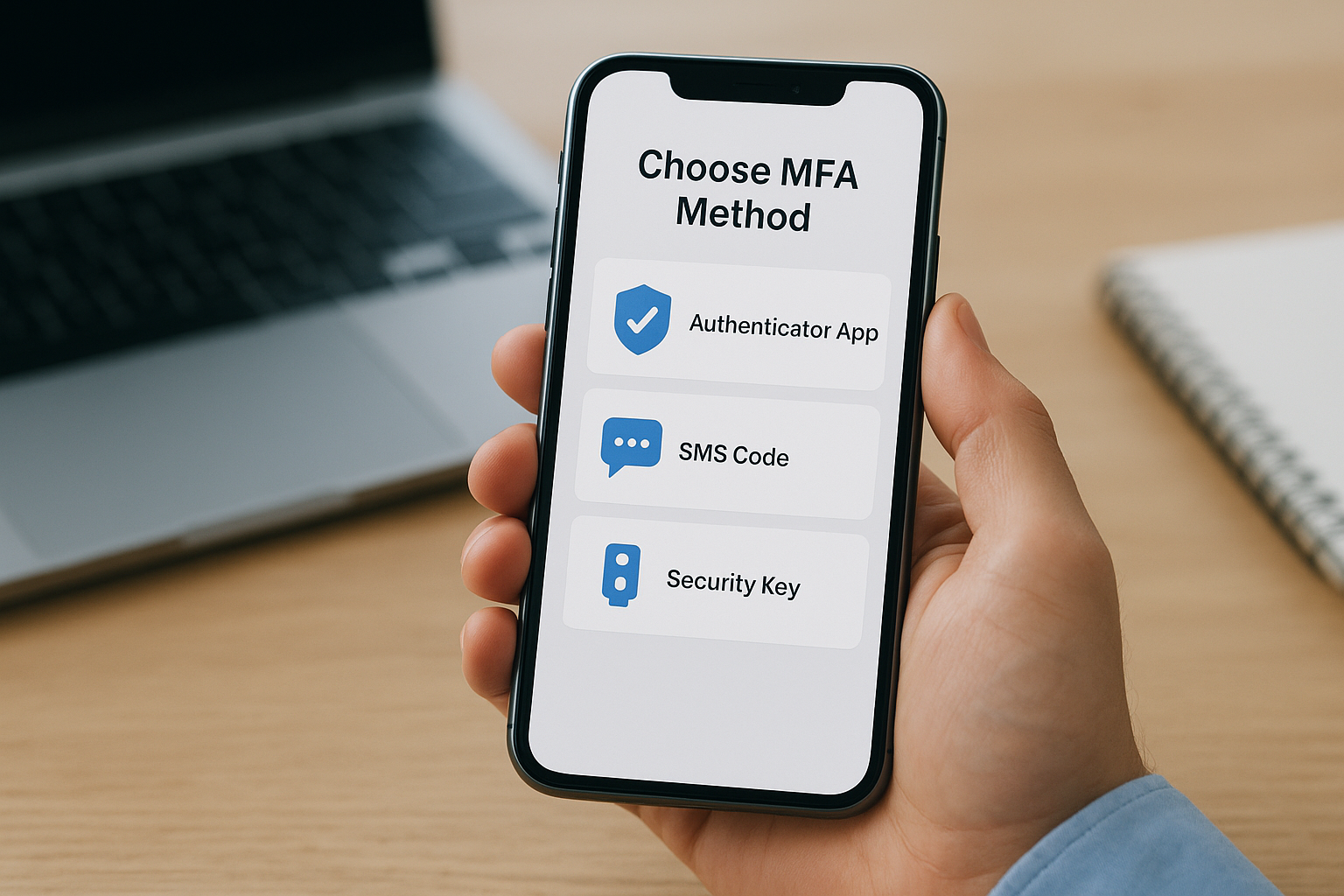
SMS-based MFA is still far better than no MFA at all, but authenticator apps should be your organisation’s standard wherever the option exists.
How to handle lost phones and account recovery safely
Establish a clear recovery process before someone loses their device, not after. Store backup codes securely in your password manager and ensure IT holds an emergency procedure for each critical system. Never rely on a single recovery method, as a lost phone should never mean lost access to business-critical accounts.
How to roll out MFA without disrupting teams
Introduce MFA gradually, starting with your highest-risk systems and most privileged accounts. Pair the rollout with a short briefing that explains why MFA matters and exactly what employees need to do. A phased approach reduces resistance and helps your team get protected faster, with far fewer support requests along the way.
5. Keep devices secure with updates and safe settings
Devices are the front door to your business systems, and unsecured laptops, mobiles, and browsers give attackers a straightforward way in. Keeping them protected is one of the most overlooked cybersecurity awareness best practices. Yet, the fixes are simple, and the habits, once built, require very little ongoing effort from your team.
The habits that stop malware and drive-by attacks
Malware often arrives through unpatched software or compromised websites, not just email attachments. Employees should avoid downloading software from unofficial sources, close browser tabs they aren’t actively using, and never plug in USB drives of unknown origin. These small, consistent habits close off a surprising number of common attack paths.
A device with outdated software and relaxed browsing habits is an open invitation, regardless of how strong your perimeter defences are.
How to handle updates for laptops, mobiles, and browsers
Updates are the single most effective way to close known vulnerabilities. Enable automatic updates for operating systems, browsers, and key applications so employees don’t have to make a judgment call about whether to install them. Mobile devices need the same attention; an unpatched phone used for business email carries the same risk as an unpatched laptop.
Safe use of admin rights and software installs
Employees should not use accounts with administrator privileges for everyday tasks. Limit admin rights to IT staff and require approval for any new software installation. This prevents malicious programmes from making system-wide changes even if an employee’s account is compromised, and keeps your software inventory clean and auditable.
Remote and travel basics for employees
Working outside the office introduces additional risks. Employees should use a company VPN on public Wi-Fi and avoid leaving devices unattended in public spaces. Physical security matters as much as digital security when your team is on the move, so screen locks and encrypted storage should be non-negotiable requirements for any device used away from the office.
6. Protect data with safe sharing and least privilege
Data protection isn’t just a compliance concern; it’s a daily habit. How your employees handle files, share documents, and access sensitive information directly determines whether that data stays where it belongs. Building this into your cybersecurity awareness best practices means teaching people that least privilege, giving each person access only to what they genuinely need, is a default setting, not a restriction.
How data leaks happen in everyday work
Most data leaks aren’t caused by sophisticated attacks. They happen through emailing the wrong attachment, using personal cloud storage for convenience, or granting overly broad access to shared folders. Each of these actions is understandable under time pressure, but each creates a gap that attackers or regulators can exploit.
The easiest data to protect is the data your employees know how to handle before a stressful situation forces a quick decision.
How to label, store, and share files safely
Give your team a simple, consistent classification system. Files should be labelled by sensitivity level, such as internal, confidential, or restricted, and stored only on approved company platforms, such as SharePoint or a managed cloud drive. When sharing externally, always use permission-controlled links with expiry dates rather than open access.
What employees should do with customer and payment data
Customer records and payment information require stricter handling than general business files. Employees should never store card details in spreadsheets or email threads and should access customer data only when their role requires it. Limiting this access by default reduces exposure if an account is ever compromised.
How to spot risky tools and shadow IT
Unapproved apps and browser extensions are a common blind spot. Employees often install tools that solve immediate problems without realising that those tools may transmit business data to external servers. Encourage your team to check with IT before adopting any new software, however minor it may appear.
7. Practise what to do when something feels wrong
Knowing the right habits is only half the picture. Your employees also need to know exactly what to do in the moment when something looks suspicious, goes wrong, or simply doesn’t feel right. Rehearsing that response in advance turns a panicked reaction into a calm, damage-limiting set of actions, and that difference matters enormously when an incident is unfolding in real time.
What to report and who to tell
Every employee should know two things before an incident happens: what counts as a reportable event and who receives that report. Suspicious emails, unexpected login prompts, missing files, and unusual system behaviour all qualify. Make the reporting path simple and visible, whether that is a dedicated email address, a button in your inbox, or a direct contact in IT.
First actions that limit damage and downtime
When something feels wrong, the instinct to keep working and hope it resolves itself causes far more damage than stopping immediately. Train your team to disconnect from the network and contact IT straight away rather than trying to investigate or fix the problem themselves. Speed at this stage is what separates a contained incident from a full breach.
The first five minutes after someone notices a problem are the most valuable time your security team has to act.
How backups and business continuity fit into awareness
Employees don’t need to manage their backups, but they do need to understand why following data storage policies protects them when something goes wrong. If files are stored correctly, recovery is faster and data loss is minimal.
How to run simple incident drills that people remember
A tabletop drill doesn’t require technical expertise. Walk your team through a realistic scenario, such as receiving a convincing phishing email, and ask them to describe each step they would take and who they would contact. Running this as part of your broader cybersecurity awareness best practices programme builds muscle memory that holds up under pressure.
Next steps
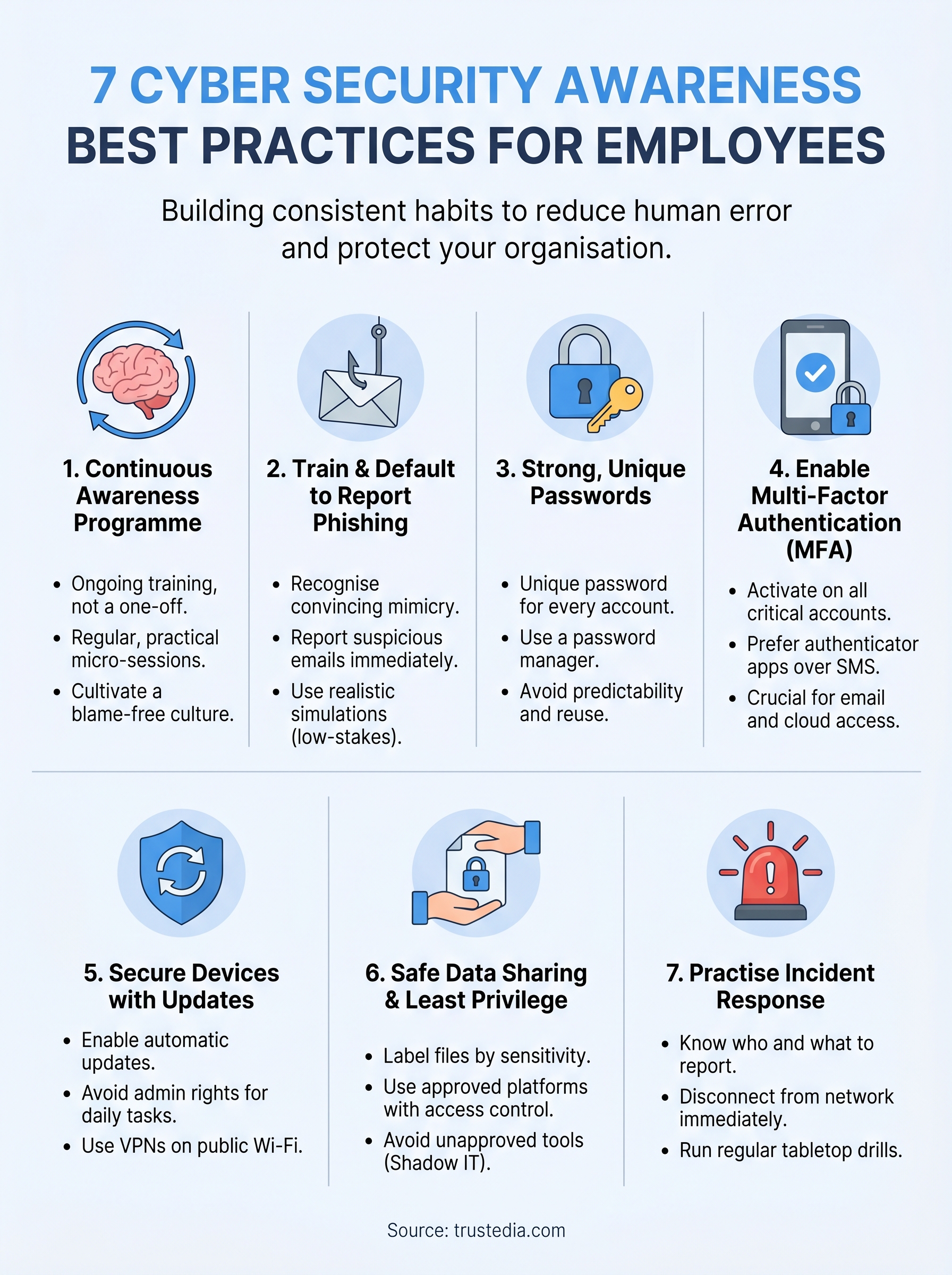
The seven cybersecurity awareness best practices covered in this article work best when you treat them as a connected system rather than a checklist to tick off once. Strong passwords without MFA leave gaps. Phishing training without a clear reporting process leaves your team unsure what to do next. Building these habits across your whole organisation turns individual actions into genuine protection.
Your employees are your most exposed and most improvable line of defence. The businesses that invest in training, simulation, and clear incident procedures are the ones that catch threats early and recover faster when something does go wrong. The goal is not perfection; it is consistent, practised behaviour that reduces risk at every level of your organisation.
If you want support putting this into practice, TrustedIA can help. From phishing simulations to managed cyber training, we build programmes that fit your team. Talk to TrustedIA about cyber awareness training and take the next step towards a better-prepared workforce.