When a critical system goes down or a cyber incident strikes, the difference between a minor disruption and a full-blown crisis often comes down to planning. ServiceNow Business Continuity Management (BCM) is a module built to help organisations structure that planning, from business impact analysis through to recovery workflows, all within the ServiceNow platform.
But understanding what BCM actually does, how it works under the hood, and what’s involved in setting it up isn’t always straightforward. ServiceNow’s documentation is extensive, and the module touches multiple areas: risk, compliance, crisis management, and operational resilience. If you’re evaluating it for your organisation or preparing for implementation, you need a clear picture of its capabilities before committing time and budget. That’s exactly what this article provides, a practical breakdown of features, technical requirements, and setup considerations.
At TrustedIA, business continuity and disaster recovery sit at the core of our managed security services. With over 30 years of experience helping organisations prepare for and recover from disruptions, we understand what good continuity planning looks like, and where tools like ServiceNow BCM fit into a broader resilience strategy. This guide draws on that operational perspective to give you a grounded overview you can actually use, whether you’re an IT manager scoping options or a compliance officer aligning with ISO 27001 requirements.
Why ServiceNow BCM matters for resilience and risk
Business continuity planning has moved from a "nice to have" to a core operational requirement for most organisations. Cyber attacks, supply chain failures, power outages, and even staff absence can bring operations to a halt within hours. Without a structured approach, your teams default to ad-hoc responses, which are slower, inconsistent, and harder to audit. ServiceNow business continuity management addresses this directly by giving organisations a single platform to document, test, and activate their continuity plans, rather than scattering that information across spreadsheets, inboxes, and shared drives.
A business continuity programme only delivers value when people can actually find and follow the plans during an incident. If that information lives in a PDF no one has updated in two years, it is not a plan; it is a liability.
The cost of unplanned disruptions
Organisations that lack structured continuity planning consistently face longer recovery times and higher financial losses when disruptions occur. The scale of the damage depends on how quickly you can identify affected systems, mobilise the right people, and execute recovery steps. When those steps are unclear or stored in multiple locations, delays compound fast.
Consider what an unplanned outage actually costs your business:
- Lost revenue from halted operations or inaccessible services
- Regulatory fines when downtime breaches contractual or compliance obligations
- Reputational damage that erodes customer and partner trust
- Increased incident response costs from improvised, reactive fixes rather than planned procedures
For sectors like financial services, healthcare, and critical infrastructure, these consequences are magnified further by sector-specific regulations. Even for smaller businesses, a single significant disruption can threaten continuity of the organisation itself.
How BCM fits into your wider risk strategy
Business continuity does not operate in isolation. It connects directly to your risk register, disaster recovery plans, and information security programme. Effective BCM requires you to understand which business processes are critical, what systems and resources underpin them, and how long your organisation can tolerate each type of outage before the impact becomes severe.
This is where a structured platform genuinely earns its place. When continuity plans are linked to your risk management data, you can prioritise recovery efforts based on real impact analysis rather than guesswork. You can also keep your documentation aligned as systems and processes change, which is something manual approaches consistently fail to do over time.
ISO 27001, the international standard for information security management, explicitly requires organisations to address business continuity as part of Annex A controls. If you are pursuing or maintaining certification, your BCM programme needs to be documented, tested, and demonstrably effective. A platform like ServiceNow creates the audit trail to prove that.
Where ServiceNow adds value over manual processes
Most organisations start continuity planning with documents and spreadsheets. That approach works at a small scale but breaks down quickly as complexity grows. When different teams own different plans, version control becomes unreliable, and no one knows which document reflects current reality. ServiceNow centralises all of that into a governed, auditable system where plans, tasks, and notifications connect to the same data source.
The platform also reduces the burden on the people who manage continuity programmes. Instead of chasing updates from department heads or manually collating impact analysis responses, you can automate data collection and track completion through dashboards. That shift from manual coordination to managed workflows is where organisations see the most immediate operational improvement.
How to set up ServiceNow BCM step by step
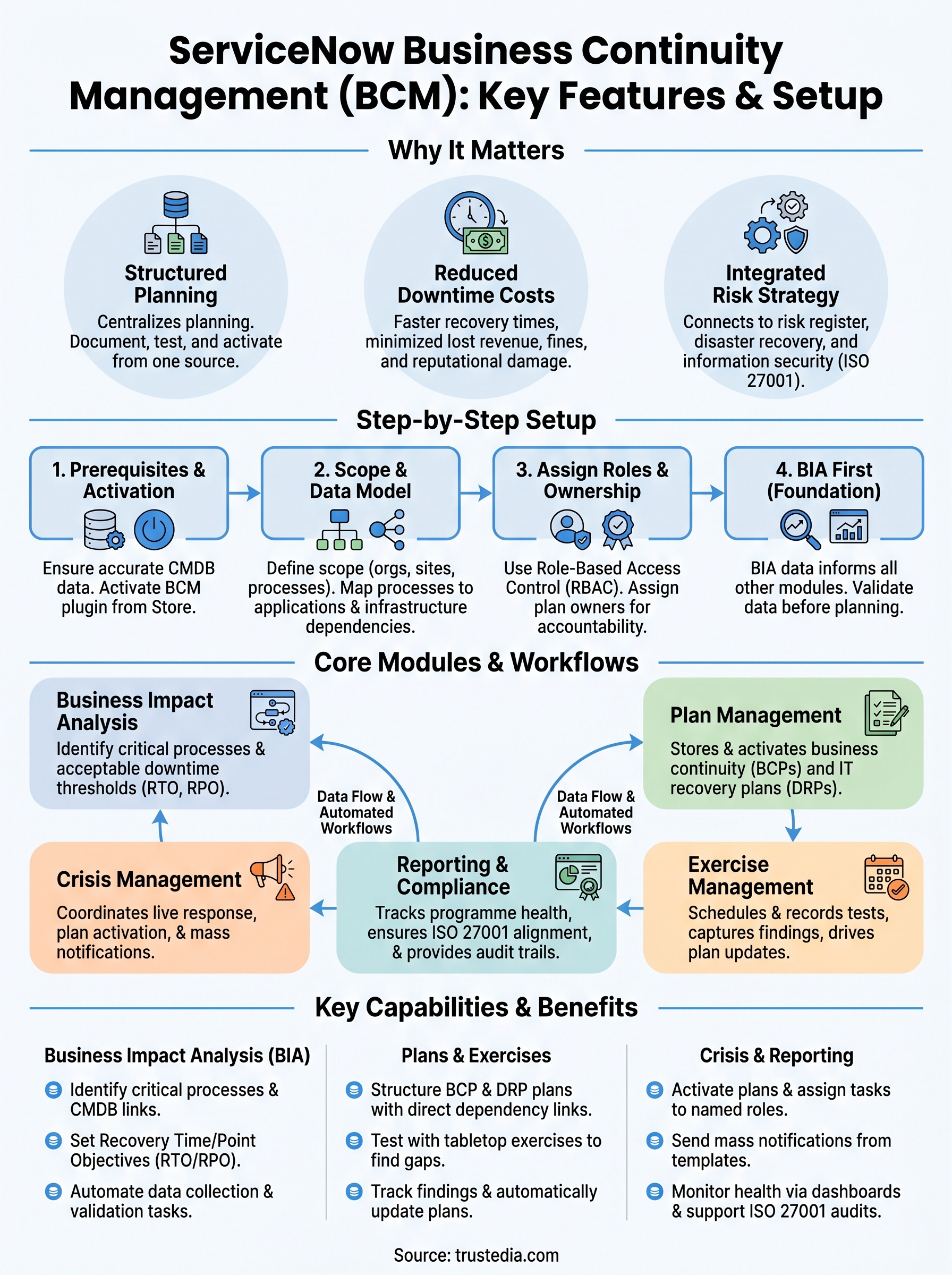
Setting up servicenow business continuity management requires more than activating a plugin. Before your teams can build plans or run exercises, you need to configure the platform’s data model, assign appropriate roles, and connect BCM to your existing CMDB and risk data. Rushing that foundation work creates problems downstream, so understanding the sequence matters as much as knowing the individual steps.
Check prerequisites and activate the plugin
ServiceNow BCM runs as a scoped application within the Now Platform. Your instance needs to meet minimum platform version requirements, and your organisation requires a valid licence for the BCM module. Before activation, confirm that your Configuration Management Database (CMDB) is populated with accurate asset and service data, because BCM pulls from this directly when you link business processes to supporting technology.
If your CMDB is incomplete or outdated at the point of activation, your impact analysis results will reflect those gaps from the start, so resolve data quality issues before you proceed.
Activating the plugin is straightforward through the ServiceNow Store or via your instance admin panel. Once active, the BCM application menu appears in the navigation bar, giving your programme managers access to the module’s full feature set immediately.
Configure your scope and data model
With the plugin active, your next step is defining the scope of your BCM programme: which business units, locations, and processes you will cover. ServiceNow uses a hierarchy of organisations, sites, and business processes to structure this. You build that hierarchy first, then map each business process to the applications, infrastructure, and suppliers it depends on.
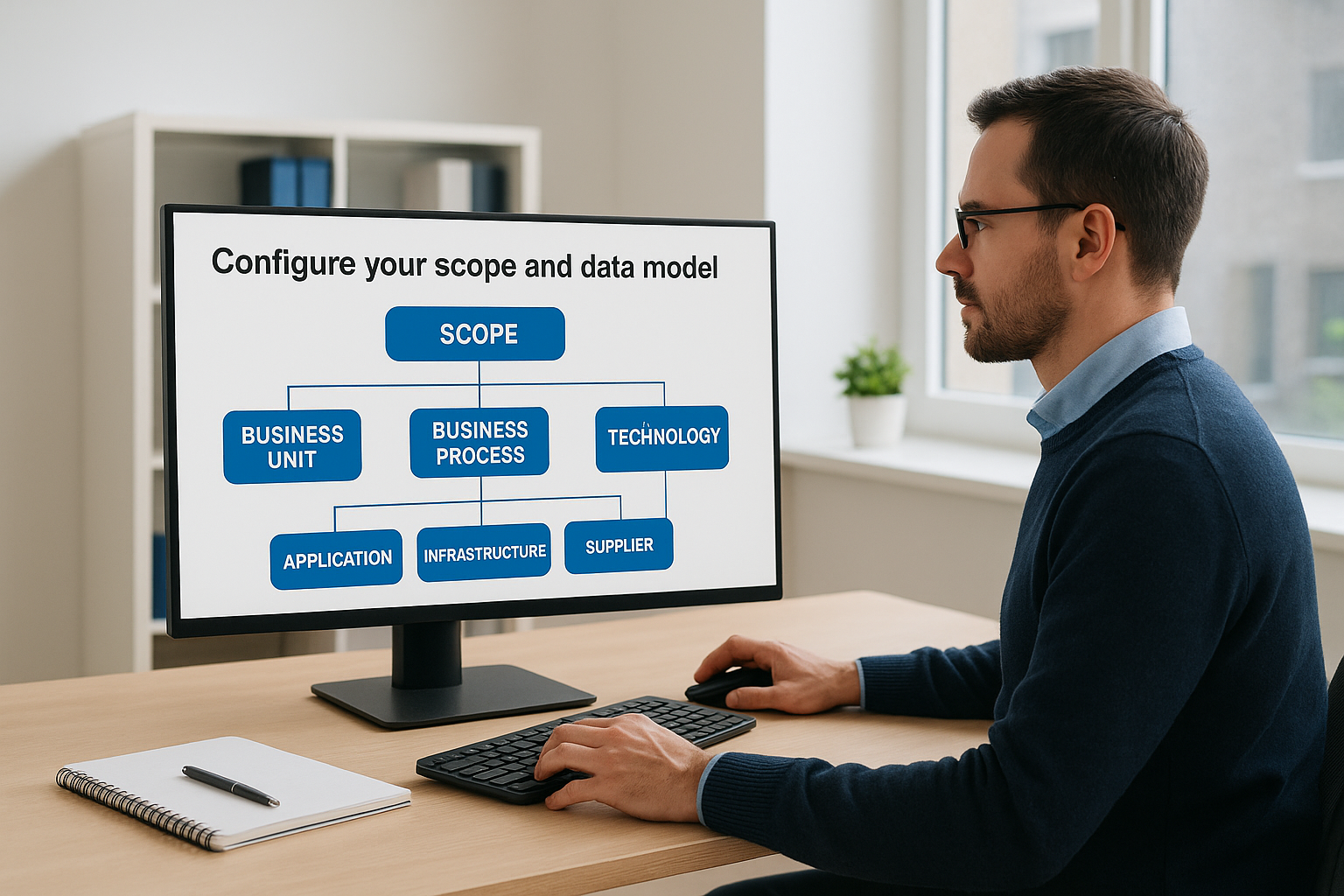
This mapping step takes the most time but produces the most value for everything that follows. Accurate dependency data drives meaningful impact analysis, so work through each critical process methodically, linking it to the correct configuration items in your CMDB rather than making assumptions.
Assign roles and define ownership
ServiceNow BCM uses role-based access control to separate programme administrators, plan owners, and read-only stakeholders. Assigning these roles correctly at setup determines who can edit plans, who receives notifications during an incident, and who sees reporting dashboards.
Define a clear ownership model before you assign roles: each business process should have a named owner responsible for keeping the plan current. Without that accountability built in from the start, plans drift out of date regardless of how well the platform is configured.
Understand the BCM capabilities and workflows
ServiceNow BCM organises its functionality into distinct modules that each cover a different stage of continuity management. Before you start configuring plans or running exercises, understanding how these modules relate to each other saves you from building in the wrong sequence. The platform is designed so that data flows from one stage to the next, meaning your impact analysis informs your recovery plans, and your recovery plans feed directly into your crisis and exercise modules.
Core modules and what they do
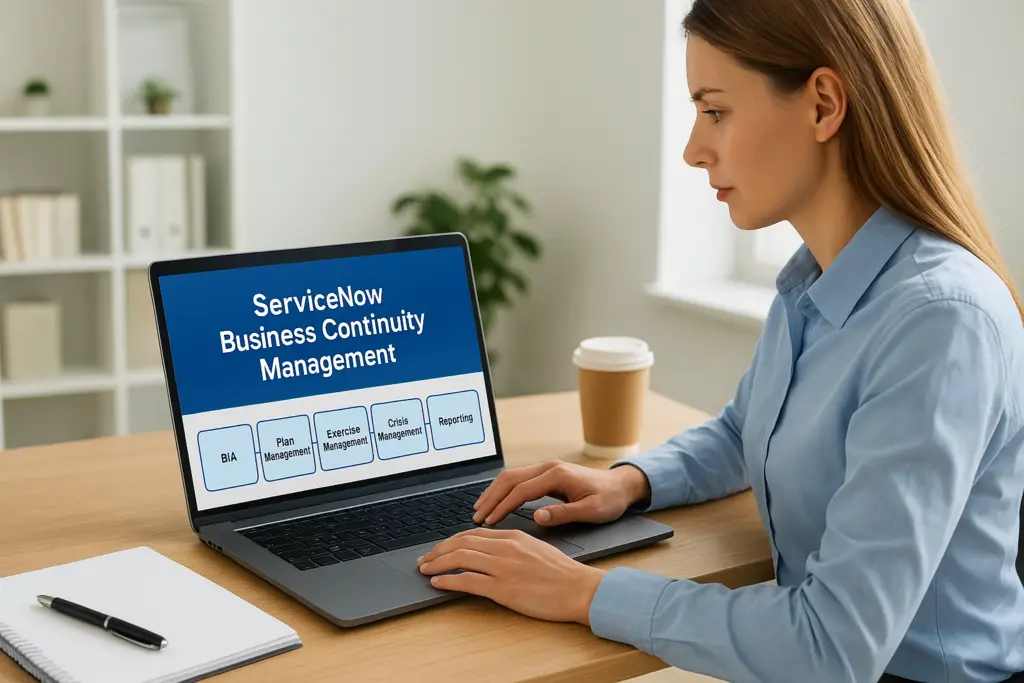
The BCM application in ServiceNow groups its capabilities around five main areas: business impact analysis, plan management, exercise management, crisis management, and reporting. Each module has its own records, forms, and workflows, but they share a common data layer. That shared foundation is what separates servicenow business continuity management from isolated document-based approaches, because a change in one area, such as updating a recovery time objective, automatically propagates to the plans and dashboards that reference it.
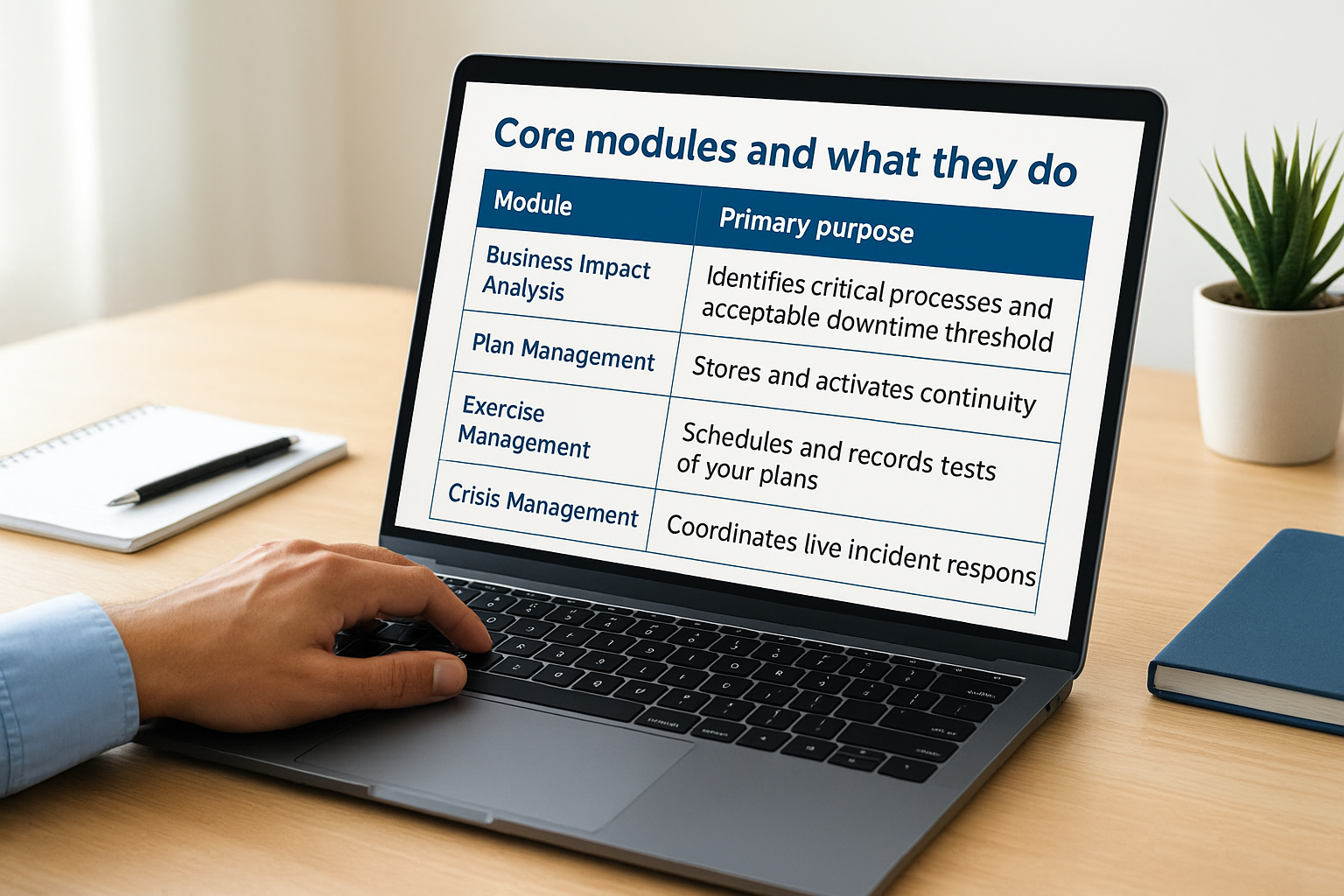
The table below summarises what each module handles:
| Module | Primary purpose |
|---|---|
| Business Impact Analysis | Identifies critical processes and acceptable downtime thresholds |
| Plan Management | Stores and activates continuity and recovery plans |
| Exercise Management | Schedules and records tests of your plans |
| Crisis Management | Coordinates live incident response and mass notifications |
| Reporting and Compliance | Tracks programme health and supports audit requirements |
Knowing which module handles which function helps you sequence your setup work correctly. You build your impact analysis data first because every other module draws from it. Skipping ahead to plan building before you have solid process data produces plans that miss critical dependencies.
How workflows connect your programme
Workflows in ServiceNow BCM automate the handoffs between programme stages so that tasks reach the right people at the right time. When you initiate a business impact analysis, the platform assigns data collection tasks to process owners and tracks completion centrally. When a crisis is declared, workflows trigger notification lists, activate the relevant plans, and create task records for response teams to work through.
The value of these automated workflows becomes most visible during an actual incident, when the last thing your teams need is to chase people manually for information.
Task visibility is one of the more practical advantages the platform provides. Every action tied to a plan or crisis exists as a tracked record, which means you can see what has been completed, what is outstanding, and who is accountable, without relying on email threads or verbal updates to piece the picture together.
Complete business impact analysis in ServiceNow
The business impact analysis (BIA) is the foundation of everything else you build in servicenow business continuity management. It captures which processes are critical to your organisation, what systems they depend on, and how long you can afford for each to be unavailable before the damage becomes unacceptable. Without solid BIA data, your recovery plans are built on assumptions rather than evidence, which means they will likely fail the first time you actually need them.
Define your critical processes and tolerances
Start by identifying every business process your organisation relies on and documenting it within the BCM module. For each process, you set a Recovery Time Objective (RTO) and a Recovery Point Objective (RPO). The RTO defines the maximum time a process can be offline before impact becomes severe. The RPO defines how much data loss your organisation can tolerate. ServiceNow stores these thresholds directly against each process record so they feed automatically into your plans and reporting.

Getting these thresholds agreed with process owners and senior leadership before you enter them into the platform is critical; numbers that haven’t been validated carry no authority when an actual incident forces a decision.
Work through each process and link it to the configuration items in your CMDB that support it. These dependencies form the backbone of your impact analysis and determine which recovery actions the platform will prioritise.
Collect and validate impact data
ServiceNow automates the data collection stage by assigning BIA questionnaires to process owners and tracking their responses centrally. Instead of you chasing people manually, the platform creates task records and sends notifications when responses are overdue. This keeps the programme moving without requiring constant manual intervention from your BCM team.
Once responses come in, review them for consistency and completeness before marking the BIA as finalised. Processes with missing dependency data or unvalidated RTOs will produce gaps in your plans downstream. The platform flags incomplete records, so use that visibility to resolve issues now rather than discovering them during an exercise.
Review BIA outputs before progressing
After you finalise your BIA data, review the summary dashboards to confirm that critical processes are correctly ranked by priority and that their dependencies are accurately mapped. These outputs directly shape which plans you build first and which recovery sequences your teams follow, so treat this review as a formal checkpoint rather than a quick scan before moving on.
Build continuity and recovery plans that teams use
Once your BIA data is validated, you have everything you need to start building plans. ServiceNow BCM organises plans by type: Business Continuity Plans (BCPs) cover how critical processes keep running during a disruption, while IT Disaster Recovery plans detail the technical steps to restore systems. Both live in the same platform, linked to the processes and configuration items your BIA identified, which means recovery sequences stay grounded in real dependency data rather than generic checklists.
Structure plans around your BIA outputs
Your BIA outputs tell you which processes need plans first and how tight the recovery windows are. Start with your highest-priority processes, the ones with the shortest RTOs, and build their plans before moving to less critical areas. ServiceNow lets you link each plan directly to the processes and assets it covers, so the scope is explicit rather than implied.
A plan that covers everything in vague terms is far less useful than a narrowly scoped plan that a specific team can follow without ambiguity.
For each plan, define the triggering conditions (what event or threshold activates it), the named team responsible for executing it, and the resources those team members need access to. ServiceNow stores all of this against the plan record, so the person activating the plan sees everything in one place during an incident.
Write steps that work under pressure
Recovery tasks in servicenow business continuity management are assigned to specific roles or named individuals, not just departments. That distinction matters enormously when an incident is active and people are under stress. Vague assignments like "IT team" delay execution because no one knows who moves first. Instead, write each task so that the person receiving it knows exactly what action to take, what tools they need, and what success looks like before they hand off to the next step.
Keep the language in each task direct and short. Long paragraphs inside a recovery task record slow people down when time pressure is high. Use numbered steps within each task record where sequence matters, and include contact details or system access information directly in the task rather than referencing an external document that may be inaccessible during the disruption itself.
Test and improve with exercises and tasks
A plan that has never been tested is a hypothesis, not a continuity programme. ServiceNow BCM includes an exercise management module specifically so you can validate your plans under controlled conditions, identify gaps before a real incident exposes them, and create a documented record of your testing activity that satisfies audit requirements. Exercises are where the real weaknesses in your continuity programme surface, and the platform gives you the structure to capture and act on those findings systematically.
Schedule and run tabletop exercises
ServiceNow lets you schedule exercises directly against specific plans, linking each exercise to the processes and assets it covers. When you create an exercise record, you assign participants, set a date, and define the scope so everyone involved knows what scenario they are working through. The platform supports different exercise types, from lightweight tabletop walkthroughs where participants talk through their response steps, to more involved functional tests that move closer to real activation.
Tabletop exercises consistently reveal assumption gaps that written plans miss entirely, particularly around handoffs between teams and access to critical systems.
Starting with tabletop exercises before attempting full activations is the practical approach, especially if your organisation is new to structured continuity testing. They require less coordination overhead, carry no operational risk, and still generate meaningful findings that improve your plans.
Track tasks and capture findings
During and after each exercise, ServiceNow creates task records for every action that participants need to take or that surfaces as a gap. These tasks are assigned to named individuals with due dates, so findings do not disappear into meeting notes that no one revisits. Your BCM programme manager can track completion through dashboards without chasing people individually.
Capturing findings in a consistent format within servicenow business continuity management means you build a searchable record of what each exercise revealed, what actions were taken, and whether those actions resolved the issue. That history is valuable both for continuous improvement and for demonstrating programme maturity to auditors or senior leadership.
Use results to update your plans
After each exercise, review the task completion data and findings log to identify patterns. If the same handoff point fails in two consecutive exercises, that is a structural gap in the plan, not a one-off error. Update the relevant plan records within ServiceNow directly from the exercise findings, so the improvement cycle stays within the platform rather than producing a separate action log that drifts from your live documentation.
Manage a live crisis and mass notifications
When an actual disruption occurs, your team needs to move fast and in the right sequence. ServiceNow BCM includes a crisis management module that bridges the gap between your prepared plans and the chaotic reality of a live incident. Rather than switching between communication tools, task lists, and plan documents, your response team works from a single crisis record that keeps everyone aligned in real time.
Declare a crisis and activate your plans
You trigger a crisis declaration directly within servicenow business continuity management, which immediately creates a structured workspace for the incident. From that record, you activate the relevant continuity or disaster recovery plans, and the platform automatically assigns the recovery tasks you built at the planning stage to the appropriate team members. The tasks land with named individuals, not vague groups, so there is no delay while people work out who owns what.

The speed between crisis declaration and task assignment determines how quickly your organisation moves from awareness to action, and that gap is where ServiceNow’s automated workflows deliver their clearest advantage.
Each activated task carries its full context, including the recovery steps, required resources, and any system access details you embedded during plan building. Your response teams do not need to search for information during an active incident because the platform surfaces it directly within the task record they are working from.
Send mass notifications and keep teams informed
ServiceNow lets you send mass notifications to pre-defined contact groups directly from the crisis record. You can reach response teams, senior leadership, or affected staff through multiple channels, including email and SMS, without building distribution lists on the fly during an incident. This removes a significant source of delay and inconsistency from your response.
Notification templates built in advance mean your messaging is consistent and clear rather than written under pressure. You update the crisis record as the situation develops, and the platform tracks every communication sent, which gives you a complete audit trail of who was informed and when throughout the incident.
Close the crisis and capture lessons
Once the disruption is resolved, you formally close the crisis record in ServiceNow and log the outcome. The platform retains the full timeline of tasks, notifications, and decisions made during the incident, giving your team a factual basis for a post-incident review. Use that record to identify which steps took longer than planned and where your recovery tasks or team assignments need updating before the next exercise.
Govern, report, and align with ISO 27001
Running a continuity programme without governance and reporting is like building a plan and then leaving it untouched until something breaks. ServiceNow BCM includes built-in dashboards and reporting tools that give your programme manager a real-time view of plan currency, exercise completion, and outstanding tasks across the entire organisation. That visibility turns continuity management from a periodic activity into an ongoing, measurable discipline.
Track programme health through dashboards
ServiceNow surfaces key programme metrics directly on configurable dashboards so you can see at a glance where your BCM programme stands. You can track which business impact analyses are overdue for review, which plans have not been exercised within your defined schedule, and how many open action items remain from previous exercises. Rather than compiling this manually from spreadsheets, your programme manager works from a single screen that reflects live data.
Governance only works when the data is current, and servicenow business continuity management reduces the manual effort required to keep that data accurate by automating collection and flagging overdue records automatically.
Reports generated from the platform give you consistent, repeatable outputs you can share with senior leadership or your board without additional formatting work. Scheduled reports mean decision-makers receive programme updates without waiting for your team to produce them on request.
Align your BCM programme with ISO 27001
ISO 27001 Annex A includes controls directly related to information security continuity, requiring organisations to plan, implement, verify, and review continuity arrangements. ServiceNow BCM creates the documented evidence trail those controls demand by recording every BIA update, plan revision, exercise result, and crisis outcome as a timestamped record within the platform.
When your auditors request evidence of your continuity programme, you can pull structured reports covering what plans exist, when they were last tested, what the exercise findings revealed, and what corrective actions your team completed. That level of traceability is extremely difficult to produce from document-based programmes and significantly reduces the preparation effort before each certification review.
Aligning your reporting cadence with your ISO 27001 management review cycle means your continuity programme feeds directly into your broader information security governance rather than sitting as a separate workstream. That integration strengthens your overall security posture and reduces duplication of effort across compliance activities.
Next steps to make BCM stick
ServiceNow business continuity management gives you the structure to move beyond ad-hoc planning, but the platform only delivers value when your processes, data, and ownership model are solid behind it. Start by auditing your CMDB data quality and your current BIA coverage before you configure anything. Gaps in those foundations will undermine every module that sits on top of them.
From there, treat implementation as a sequence: BIA first, then plans, then exercises, then crisis workflows. Each stage depends on the accuracy of what came before it, so resist the urge to build plans before your impact analysis is validated.
If you want experienced guidance on building a continuity programme that holds up under real pressure, rather than just passing an audit, speak to the TrustedIA team. With over 30 years of operational experience, we help organisations build resilience that actually works when it matters most.