A breach doesn’t wait for office hours. Most attacks move within minutes of gaining a foothold, yet many security teams still rely on someone spotting an alert, checking it manually, and deciding what to do next. That gap between detection and action is where damage happens. Automated incident response closes it by letting predefined rules and tooling react to threats the moment they’re spotted, without waiting on a human to click a button.
In simple terms, incident response automation means your systems can isolate an infected device, block a malicious IP address, or disable a compromised account automatically, based on rules your security team sets in advance. It doesn’t replace analysts; it handles the repetitive, time-critical first steps so your team can focus on investigation and decision-making rather than firefighting.
This article breaks down what automated incident response actually involves, how the underlying process works from detection through to containment, and why it matters for business continuity. We’ll also look at where it fits alongside a wider security setup, something we deal with daily when building SOC and incident response capabilities for our clients.
Why automated incident response matters for your business
Speed decides whether a security incident stays a minor inconvenience or turns into a full-blown crisis. Automated incident response shrinks the time between detection and containment from hours to seconds, which matters because ransomware can encrypt an entire file server in under 45 minutes once it’s inside your network. Every minute spent waiting for a human to notice an alert, log in, and decide what to do is a minute an attacker uses to spread further, exfiltrate data, or destroy backups.
The real cost of a slow response
Delayed action has a direct financial impact. IBM’s Cost of a Data Breach research consistently shows that organisations who contain a breach quickly pay significantly less in recovery costs than those who take weeks to respond, and the gap widens every year. Beyond the immediate cleanup, you’re looking at regulatory fines, client churn, and reputational damage that can outlast the technical fix by months. For a mid-sized business without a 24/7 security team, that lag is often unavoidable without automation, because nobody is watching the dashboard at 3am on a Sunday.
The faster you contain a threat, the less it costs you, and automation is what makes that speed possible outside office hours.
Human teams can’t scale to match attack volume
Analysts get tired, alerts get missed, and skilled security staff are expensive and hard to hire. Incident response automation doesn’t replace your team, but it does the heavy lifting on the thousands of low-level alerts that would otherwise bury them, freeing analysts to focus on genuine threats that need judgement. This matters practically:
- A typical SOC can generate over 10,000 alerts a day; a human team can meaningfully triage a fraction of that without automation support.
- Automated playbooks handle the repetitive first response (isolating a device, disabling an account) instantly and consistently, every single time.
- Analyst burnout drops when the mundane, repetitive work is handled automatically, improving retention of your best people.
Business continuity depends on it
Outages hurt revenue, and every hour a system is down during an active incident is an hour your business isn’t operating normally. Automated containment limits the blast radius of an attack, meaning fewer systems need to be taken offline while your team investigates. This directly supports business continuity planning, since you’re not choosing between shutting down half your network or leaving a threat to spread unchecked.
Compliance and insurance expectations are shifting
Regulators and insurers increasingly expect organisations to demonstrate a documented, tested incident response capability, not just a policy on paper. ISO 27001, for example, requires evidence of incident management processes under its Annex A controls, and cyber insurance underwriters are asking harder questions before they’ll issue a policy. Having automated detection and response in place gives you something concrete to point to during an audit or a claim, rather than a written procedure nobody has actually rehearsed.
| Response approach | Typical time to contain | Analyst workload |
|---|---|---|
| Fully manual | Hours to days | High, constant monitoring needed |
| Partially automated | Minutes | Moderate, focused on real threats |
| Fully automated playbooks | Seconds | Low for routine incidents |
Getting this balance right is less about buying a tool and more about designing the right process, which is exactly what the next section covers.
How automated incident response works
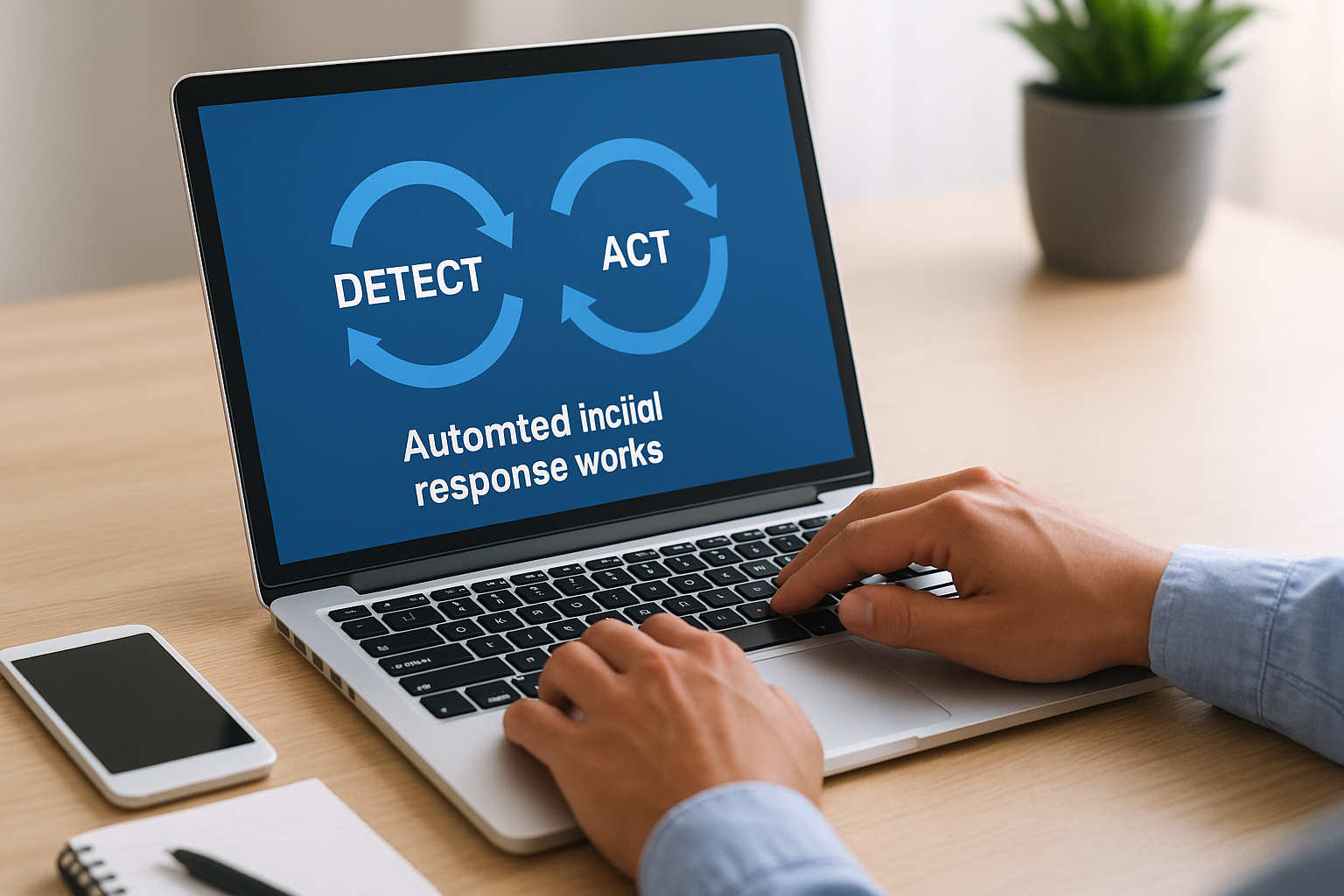
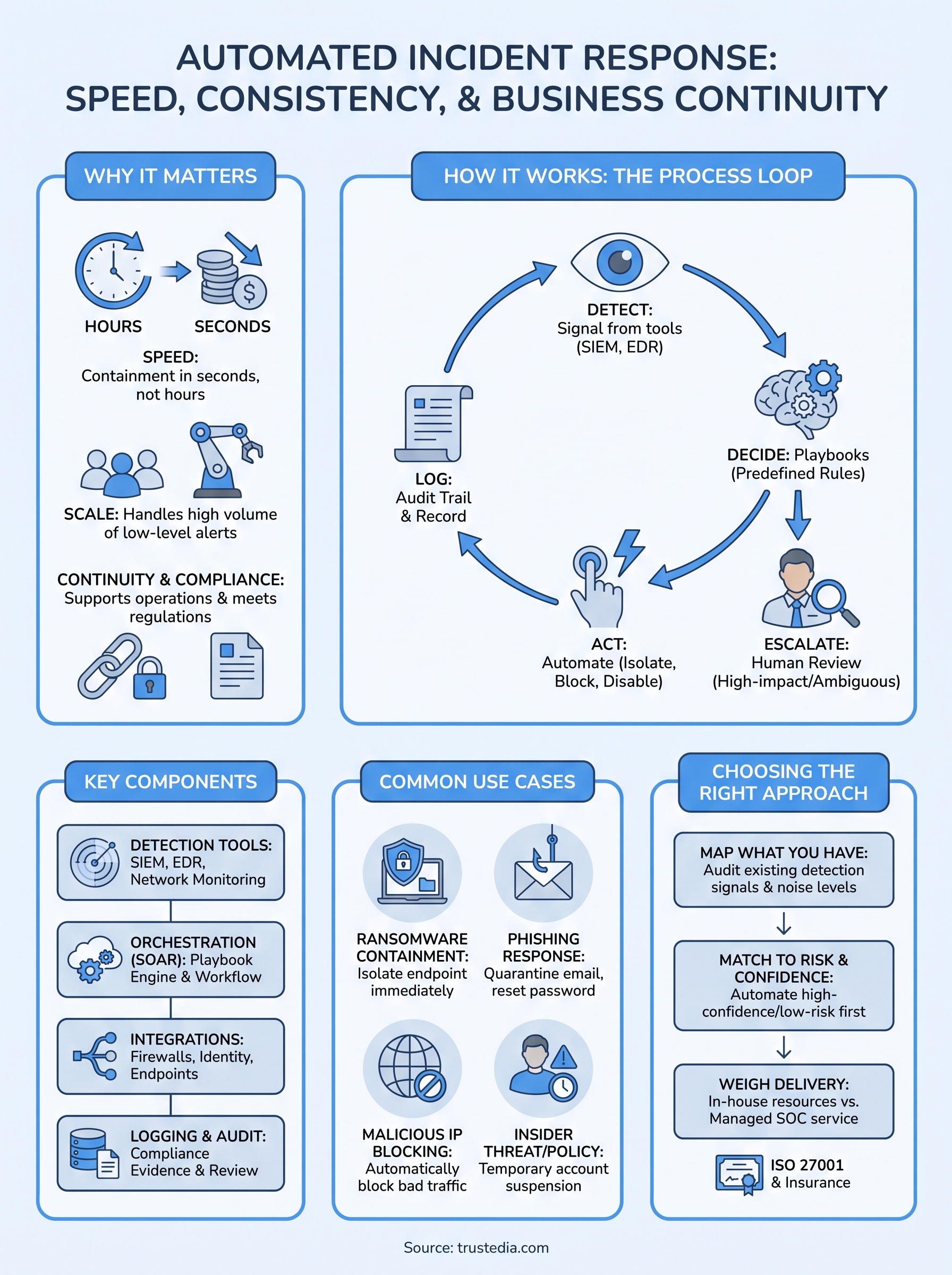
Underneath the automated incident response label sits a fairly simple loop: detect, decide, act, and log. Each stage runs through predefined logic rather than a person reading a screen, which is what makes the whole thing fast enough to matter. Understanding this loop helps you see exactly where automation adds value and where you still need a human making the call.
Detection triggers the workflow
Everything starts with a signal, whether that’s an EDR agent flagging unusual process behaviour, a firewall spotting traffic to a known malicious IP, or a SIEM correlating several smaller events into one alert worth acting on. Detection tooling feeds this signal into an orchestration platform that checks it against rules your team configured in advance. Without reliable detection, automation has nothing to react to, so the quality of your monitoring directly determines how well the rest of the process performs.
Playbooks decide what happens next
Once a signal is confirmed, the system consults a playbook, a predefined set of if-this-then-that instructions built around specific threat types. A ransomware indicator might trigger device isolation and account lockout, while a phishing report might trigger email quarantine and a password reset prompt. Playbooks are where your team’s judgement gets encoded ahead of time, so the system isn’t guessing during an active incident.
Good automation doesn’t think for you during an incident, it executes decisions your team already made calmly, in advance.
Actions execute without waiting for approval
For high-confidence, low-risk actions, the platform executes immediately, isolating the endpoint, blocking the IP, or disabling the account within seconds of detection. This is where incident response automation delivers its real value: containment happens before an analyst has even opened the alert. Lower-confidence signals get routed differently, which brings us to the last piece.
Humans stay in the loop for escalation
Anything ambiguous, high-impact, or outside the defined rules gets escalated to an analyst rather than acted on blindly. This escalation path matters because full automation without oversight risks locking out legitimate users or shutting down systems unnecessarily. Analyst review at this stage keeps automation accountable, giving your team the final say on anything the playbooks weren’t built to handle alone.
Key components of an automated incident response system
Building a working automated incident response setup means bringing several distinct pieces together, not just buying one product and switching it on. Each component handles a specific job in the detect-decide-act-log loop, and missing any one of them creates a gap an attacker can exploit.
Detection and monitoring tools
Every automated system starts with visibility. SIEM platforms, endpoint detection tools, and network monitoring feed the raw signals that trigger everything downstream. Without accurate, well-tuned detection, your automation either misses real threats or fires on noise, which erodes trust in the system fast.
Orchestration and playbook engine
This is the brain of the operation, often called a SOAR platform (Security Orchestration, Automation and Response). It receives alerts, matches them against playbooks, and triggers the correct action without a person deciding in the moment. Playbooks themselves need regular review, since a threat landscape that shifts monthly makes a static playbook stale within a year.
A system is only as good as the playbooks behind it, so review them as often as you review the threats they’re built to stop.
Integration across your security stack
Automation only works if it can actually talk to your other tools. Integration points with firewalls, identity providers, endpoint agents, and email gateways determine whether the system can isolate a device, revoke a session, or quarantine a message on its own. Gaps here force manual steps back into the process, defeating the point of automating in the first place.
Logging and audit trails
Every automated action needs a record, both for post-incident review and for compliance evidence. This matters for ISO 27001 audits and cyber insurance claims alike, where a documented trail of what happened and when carries real weight.
| Component | Role in the system |
|---|---|
| Detection tools (SIEM, EDR) | Generate the initial signal |
| Orchestration/SOAR platform | Matches signals to playbooks and triggers actions |
| Integrations | Allow actions to reach firewalls, identity systems, endpoints |
| Logging and audit trail | Records every action for review and compliance |
Getting these four pieces working together, rather than treating them as separate purchases, is what turns automated incident response from a checklist item into something that actually reduces risk day to day.
Common use cases and examples
Abstract explanations only go so far, so let’s look at where automated incident response actually earns its keep in a working SOC. These aren’t hypothetical scenarios; they’re the everyday triggers that show up in most security operations, and each one demonstrates a different playbook doing exactly what it was built for.

Ransomware containment
When an EDR agent flags encryption behaviour on an endpoint, an automated playbook isolates that device from the network within seconds, cutting off its ability to spread laterally or reach a file server. This single action often makes the difference between one infected laptop and an encrypted domain, because ransomware doesn’t pause while someone reads an alert.
Phishing and credential compromise
A reported phishing email or an unusual login from an unfamiliar country triggers a different response: quarantining the message across every inbox that received it, forcing a password reset, and revoking active sessions tied to that account. Phishing simulation results feed directly into tuning these rules, since you learn which lures your staff actually click and adjust detection thresholds accordingly.
Malicious IP and command-and-control traffic
Firewall and network monitoring tools that spot traffic to a known bad IP or domain can block that address automatically at the perimeter, stopping data exfiltration or command-and-control communication before it completes. This is one of the simplest, highest-confidence use cases, which is why it’s usually the first playbook most organisations automate.
Insider threat and policy violations
Unusual data access patterns, such as a user downloading far more files than their role justifies, can trigger a temporary account suspension pending review rather than an outright block. This keeps the response proportionate while still limiting damage if the activity turns out to be malicious.
The best playbooks target the threats that happen most often and matter most when they do, not every edge case you can imagine.
Vulnerability exploitation attempts
When a vulnerability assessment or intrusion detection system flags an exploit attempt against a known unpatched system, automation can isolate that host and alert the patching team simultaneously, buying time before a full fix ships.
Each of these examples shares the same shape: a clear signal, a predefined action, and a human kept informed throughout. That consistency is what makes automated incident response reliable rather than risky.
Choosing the right approach for your organisation
Not every business needs the same level of automated incident response, and buying the most advanced SOAR platform on the market won’t help if your detection tooling underneath it is weak. Automation maturity should match your actual risk profile, your existing team’s capacity, and the systems you’re trying to protect, not whatever a vendor demo made look impressive.
Start by mapping what you already have
Before adding automation, work out what’s already generating usable signals. If your detection tools throw thousands of unfiltered alerts a day, automating on top of that noise just means automating bad decisions faster. Incident response automation works best when it’s layered onto detection that’s already reasonably well tuned, so audit your current alert quality first rather than assuming more tooling fixes a visibility problem.
Match automation to risk and confidence
High-confidence, low-risk actions like blocking a known malicious IP are safe to automate fully from day one. Higher-stakes actions, such as disabling a senior executive’s account or isolating a production server, deserve a human checkpoint until you’ve built enough trust in the playbook’s accuracy. A sensible rollout looks like this:
- Automate the highest-confidence, lowest-risk playbooks first (known bad IPs, confirmed malware signatures).
- Add human approval steps for anything touching critical systems or senior accounts.
- Review false positive rates monthly and only expand automation once accuracy holds steady.
- Revisit every playbook quarterly, since threats and your own infrastructure both change.
Automate what you’re confident about, review what you’re not, and never let a tool make a decision your team wouldn’t stand behind.
Weigh in-house versus managed delivery
Building and maintaining a SOAR platform in-house demands specialist staff, ongoing playbook tuning, and 24/7 monitoring capacity that most SMBs simply don’t have. A managed SOC service gives you the same detect-decide-act loop without the hiring burden, which is often the more realistic path for organisations without a dedicated security team already in place.
Consider compliance requirements from the outset
If ISO 27001 certification or cyber insurance renewal is on your roadmap, factor those documentation requirements into your automation design now rather than retrofitting logging later. Auditors and underwriters want to see evidence of tested response processes, and building that trail from the start saves considerable rework further down the line.
Staying ahead of cyber threats
Attackers don’t wait for your team to log on, and increasingly, neither should your defences. Automated incident response gives you the speed to contain threats before they spread, the consistency to handle routine alerts without burning out analysts, and the audit trail regulators and insurers now expect. None of this replaces good people or good judgement; it just makes sure both are used where they matter most, on the decisions machines shouldn’t make alone.
Getting there means honest groundwork: tuning your detection, building playbooks around real risk, and choosing between in-house and managed delivery based on what your team can actually sustain. Incident response automation rewards businesses that treat it as an ongoing process rather than a one-off purchase.
If you’re weighing up whether your current setup can support this level of response, or you’d rather have a dedicated SOC handling it for you, talk to TrustedIA about building your incident response capability.