When a security incident hits your AWS environment, the difference between a contained event and a full-blown crisis comes down to preparation. An aws incident response guide isn’t just documentation for the sake of compliance, it’s the operational backbone that tells your team exactly what to do when things go wrong. Yet many organisations running workloads on AWS still lack structured playbooks, clearly defined response steps, and the right tooling to act quickly under pressure.
AWS provides a shared responsibility model, which means your cloud provider secures the infrastructure, but you own the security of everything you put in it. That includes your data, your configurations, your identity policies, and your incident response plans. Without a tailored approach to cloud-based incidents, teams often default to on-premise thinking, and that’s where critical gaps appear. At TrustedIA, our Cyber Incident Response (CyberSOS) service and decades of hands-on experience in managed security have shown us exactly where those gaps tend to surface.
This guide walks you through the core phases of AWS incident response, from preparation and detection through to containment, eradication, and recovery. You’ll find practical playbook templates, recommended AWS-native tools, and step-by-step procedures you can adapt to your own environment. Whether you’re building your first response plan or tightening an existing one, everything here is designed to be actionable, not theoretical.
What this guide covers and who owns what
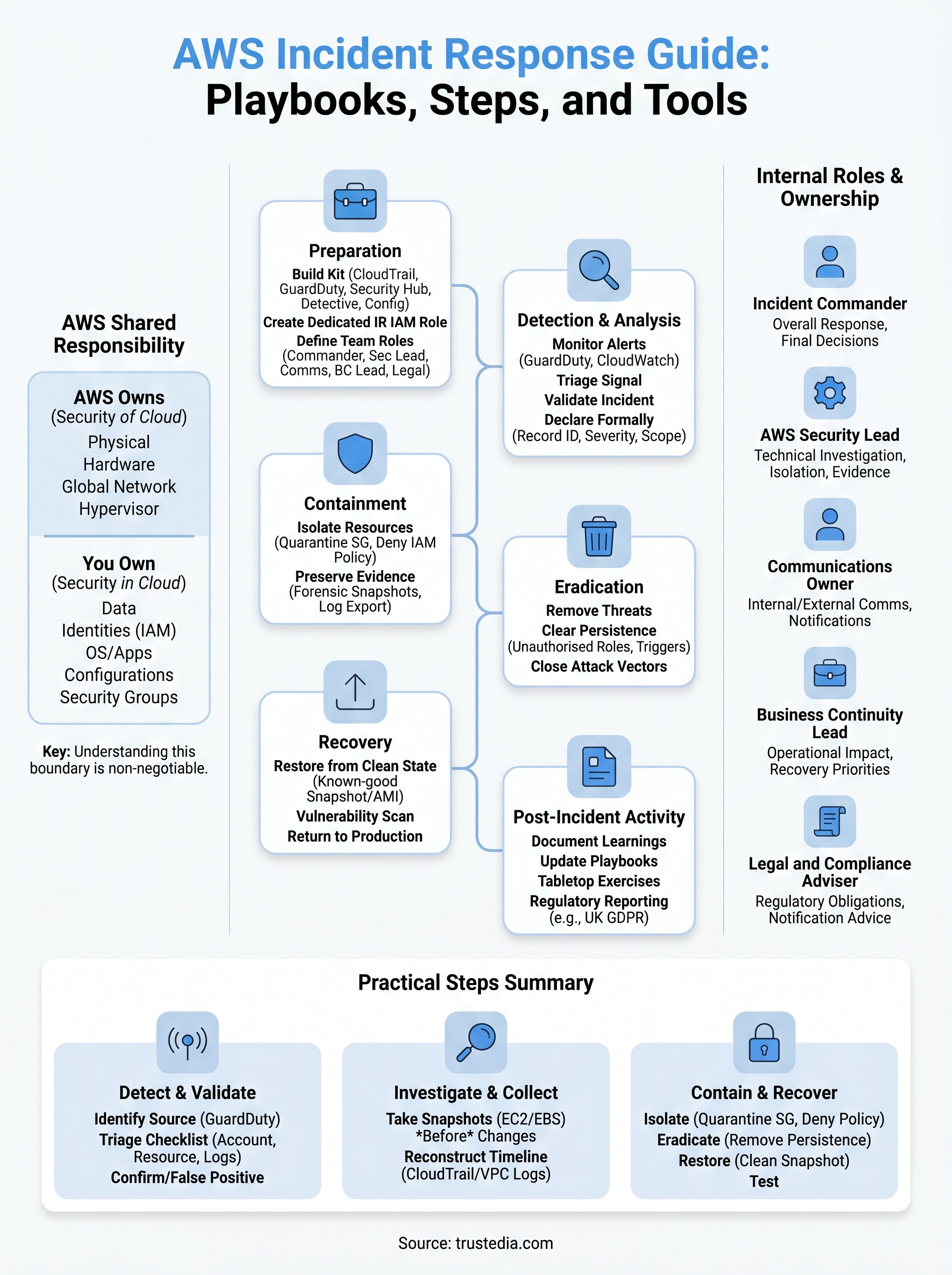
This guide follows the six phases of the NIST Computer Security Incident Handling Guide (SP 800-61), adapted specifically for AWS workloads. Those phases are: preparation, detection and analysis, containment, eradication, recovery, and post-incident activity. Each step in this aws incident response guide maps to one or more of those phases, giving you a structured path from "something looks wrong" through to "we’ve recovered and documented everything." You’ll also find playbook templates and tool recommendations that you can slot directly into your own runbooks.
The AWS shared responsibility model explained
Before you build any response plan, you need to understand exactly where AWS’s responsibility ends and yours begins. AWS operates under a shared responsibility model, which divides security obligations into two distinct layers. AWS is responsible for the security of the cloud, covering the physical hardware, global network infrastructure, and the hypervisor layer. You are responsible for security in the cloud, meaning everything you deploy on top of that infrastructure, including your data, identities, operating systems, applications, and configurations.
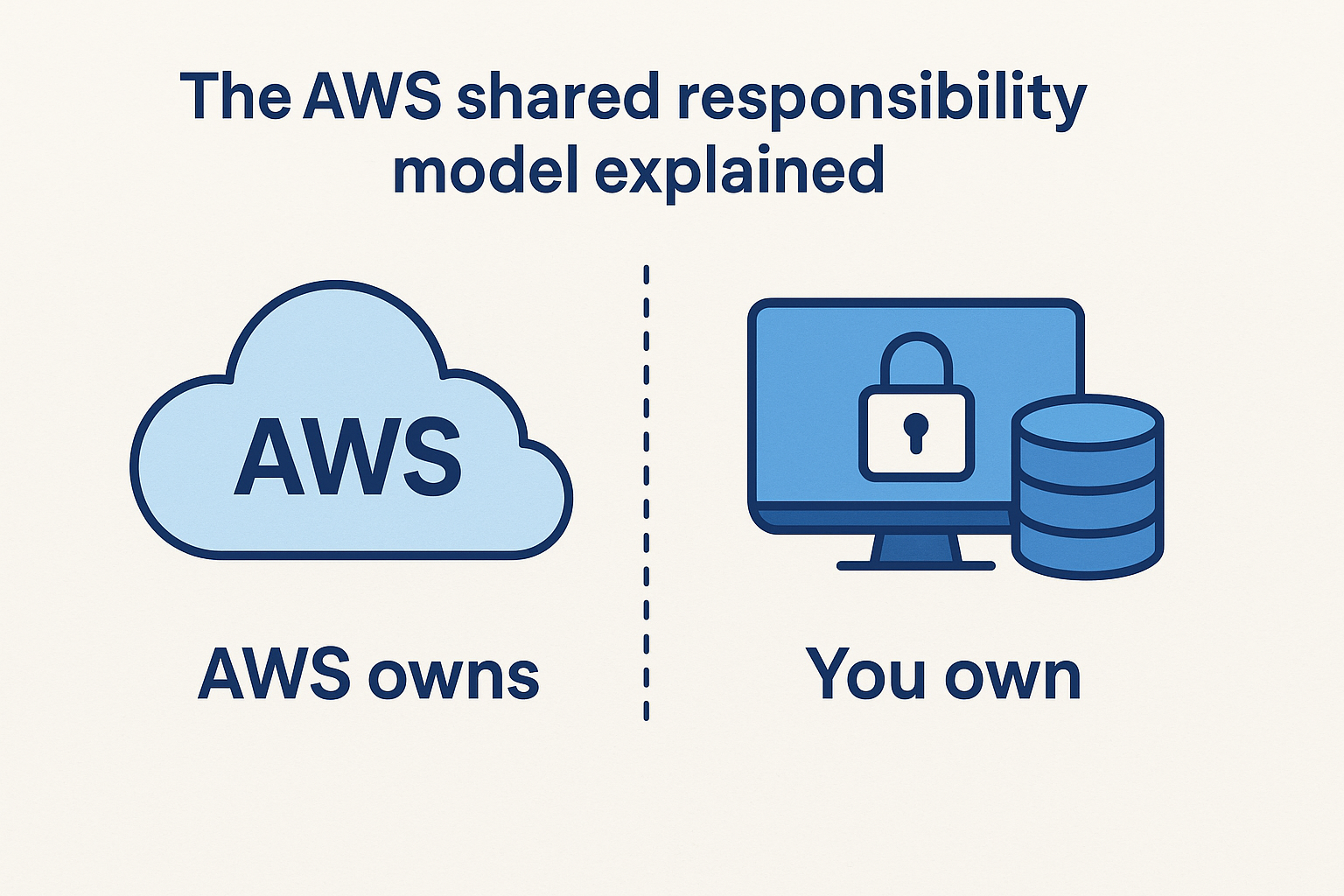
AWS’s responsibility covers the physical and network layer. Your responsibility covers your data, your identities, your operating systems, your applications, and your configurations.
In practical terms, this means that if an attacker compromises an EC2 instance through a misconfigured security group, that is your problem to detect, contain, and remediate, not AWS’s. Similarly, if credentials are leaked through a poorly managed IAM policy, the incident response falls entirely to your team. Understanding this boundary is non-negotiable before you write a single playbook.
Here is a quick reference for where that line sits:
| Layer | AWS owns | You own |
|---|---|---|
| Physical infrastructure | Yes | No |
| Network hardware | Yes | No |
| Hypervisor | Yes | No |
| Operating system (EC2) | No | Yes |
| Application code | No | Yes |
| IAM policies and credentials | No | Yes |
| Data encryption and storage | No | Yes |
| Security group configuration | No | Yes |
Roles and ownership inside your team
Even with a solid understanding of the shared responsibility model, incidents fail to get contained quickly when internal ownership is unclear. Every organisation running workloads on AWS needs to define, in advance, who does what during an incident. Waiting until an alert fires to have that conversation costs you critical response time you cannot recover.
The roles below represent the minimum structure your team should document before an incident occurs:
- Incident Commander: Owns the overall response, makes final decisions on escalation and communication.
- AWS Security Lead: Handles technical investigation, isolation actions, and evidence collection within AWS.
- Communications Owner: Manages internal and external communication, including regulatory notifications.
- Business Continuity Lead: Tracks operational impact and coordinates recovery priorities.
- Legal and Compliance Adviser: Advises on notification obligations, particularly under UK GDPR and any sector-specific regulations.
Your team does not need to be large to cover these roles. In smaller organisations, one person may carry two roles, but you still need to document who that person is and what decisions they are authorised to make independently. Ambiguity during an active incident creates delays, and delays translate directly into wider damage, higher recovery costs, and greater regulatory exposure.
Step 1. Build your AWS incident response kit
Your response capability is only as strong as what you’ve enabled before an incident begins. Most teams discover critical gaps mid-crisis, which is precisely the wrong moment to realise you’re missing CloudTrail logs in a secondary region or that your forensic IAM role was never created. This step covers the services, permissions, and pre-built resources your team needs so you can act immediately rather than scramble to set things up under pressure.
AWS services to enable across every account
AWS provides several native services that form the monitoring and investigation backbone of any practical aws incident response guide. You should have all of the following active, configured, and tested in every account and region where you run workloads, not just your primary production environment.
- AWS CloudTrail: Logs all API calls across your account. Enable it with log file integrity validation turned on, and store logs in a dedicated S3 bucket with Object Lock enabled to prevent tampering or deletion.
- Amazon GuardDuty: Delivers continuous threat detection using machine learning and threat intelligence. Enable it in all regions, including ones you consider inactive.
- AWS Security Hub: Aggregates findings from GuardDuty, Inspector, and Macie into one place, making triage significantly faster.
- Amazon Detective: Helps you visualise and investigate suspicious activity after GuardDuty raises a finding.
- AWS Config: Tracks configuration changes to your resources, which is essential for reconstructing how a misconfiguration or breach occurred.
Attackers regularly target inactive regions because they assume your monitoring doesn’t reach there. Enabling GuardDuty in every region, without exception, closes that gap.
Create a dedicated incident response IAM role
One of the most overlooked preparation steps is building a pre-scoped IAM role that your responders can assume the moment an incident is declared. Creating this role under pressure leads to either excessive permissions granted in a rush, or time wasted debating what access is actually needed. Neither outcome is acceptable.
Here is a minimal policy template to start from:
{
  "Version": "2012-10-17",
  "Statement": [
    {
      "Effect": "Allow",
      "Action": [
        "ec2:DescribeInstances",
        "ec2:StopInstances",
        "ec2:CreateSnapshot",
        "ec2:ModifyInstanceAttribute",
        "cloudtrail:LookupEvents",
        "guardduty:GetFindings",
        "s3:GetObject",
        "logs:GetLogEvents"
      ],
      "Resource": "*"
    }
  ]
}
Store this role definition in your Infrastructure as Code repository so it deploys consistently across all accounts. Review and test the permissions at least quarterly to confirm they still reflect what your responders actually need.
Step 2. Detect, validate, and declare an incident
With your monitoring stack in place, your next job is to act on the signals it produces. AWS surfaces potential incidents through GuardDuty findings, Security Hub alerts, CloudWatch alarms, and sometimes direct reports from users noticing unusual behaviour. Not every alert represents a genuine incident, so your process needs two distinct gates: triage and validation. Moving to full incident response on a false positive wastes time and erodes confidence in your team’s judgement.
Identify the signal source
Every alert that reaches your team needs to be traced back to its origin before you take any action. GuardDuty findings follow a standardised severity scale (Low, Medium, High, Critical), and each finding type carries a unique identifier that tells you exactly what behaviour was detected. For example, a finding of type UnauthorizedAccess:IAMUser/ConsoleLoginSuccess.B means a user logged into the console from an unusual location, which warrants immediate investigation regardless of what the account owner claims.
Use the following triage checklist to process any incoming signal:
- Confirm which account and region the finding relates to
- Identify the affected resource (IAM principal, EC2 instance, S3 bucket)
- Check CloudTrail for API calls associated with the finding within the preceding 30 minutes
- Determine whether the activity matches a known change window or scheduled deployment
- Assign an initial severity based on data exposure risk, not just the tool’s default rating
Validate and formally declare
Once triage is complete, you need to make a binary decision: confirmed incident or false positive. Your AWS Security Lead should make this call, with input from the Incident Commander where severity is genuinely unclear. Document your reasoning either way, because a well-recorded false positive still has value if the same pattern surfaces again.
Declaring an incident too late costs more than declaring one that turns out to be benign. When data exposure is a possibility, err on the side of declaration.
When you confirm a genuine incident, log the following in your aws incident response guide tracking tool straight away:
- Incident ID and timestamp of declaration
- Initial severity classification
- Affected AWS accounts, regions, and resource identifiers
- Names of the Incident Commander and AWS Security Lead assigned
This record becomes the foundation of your post-incident report and any regulatory notification you may need to file under UK GDPR.
Step 3. Investigate and collect AWS evidence
Once you’ve declared an incident, your priority shifts to understanding what happened without accidentally destroying the evidence you need to prove it. Cloud environments change rapidly, and resources get terminated, logs get overwritten, and configurations drift within minutes. Every action you take during investigation must preserve the chain of evidence, because that record will matter for both your post-incident report and any regulatory obligation you face under UK GDPR.
Take forensic snapshots before making changes
Before you modify, stop, or terminate any compromised resource, capture its current state immediately. For EC2 instances, create an EBS snapshot. For Lambda functions, export the current configuration and environment variables. For IAM principals, export the full policy set attached at the time of the incident. Acting on a live resource without preserving it first is one of the most common investigation mistakes this aws incident response guide is designed to help you avoid.
Never modify a running instance before you have a snapshot. Forensic analysis depends on the resource state at the time of compromise, not after your team has touched it.
Use these CLI commands to capture an EC2 instance snapshot before any isolation action:
# Get the volume ID attached to your compromised instance
aws ec2 describe-instances --instance-ids i-XXXXXXXX \
  --query "Reservations[].Instances[].BlockDeviceMappings[].Ebs.VolumeId"

# Create a forensic snapshot with a clear incident reference
aws ec2 create-snapshot \
  --volume-id vol-XXXXXXXX \
  --description "Forensic snapshot - Incident ID IR-2026-001"
Reconstruct the attack timeline using CloudTrail
With your snapshots secured, pull CloudTrail logs for the affected account and region, covering at least 72 hours before the incident was declared. Use Amazon Detective to visualise relationships between IAM principals, API calls, and affected resources. Cross-reference VPC Flow Logs to identify lateral movement or data exfiltration attempts across the network.
Build your timeline in a structured log, recording each event with its timestamp and IAM principal, the API action taken, and the source IP address. A clear timeline lets your team identify the initial access vector, track attacker movement, and determine the full scope of the compromise before you move to containment.
Step 4. Contain, eradicate, and recover safely
With a clear timeline in hand, you are ready to act. This phase is where most teams either recover cleanly or make the situation worse by moving too fast. Every action you take must be deliberate and documented, because uncoordinated changes can overwrite evidence, disrupt recovery dependencies, or push an attacker further into your environment before you have the full picture. Your Incident Commander must approve containment actions before your AWS Security Lead executes them.
Isolate compromised resources
Your first containment goal is to cut the attacker’s access without shutting down services you still need for investigation. For EC2 instances, move them into a dedicated quarantine security group that blocks all inbound and outbound traffic except from your forensic workstation. For compromised IAM principals, attach an explicit deny policy immediately rather than deleting the principal outright, as deletion can destroy the audit trail you still need.
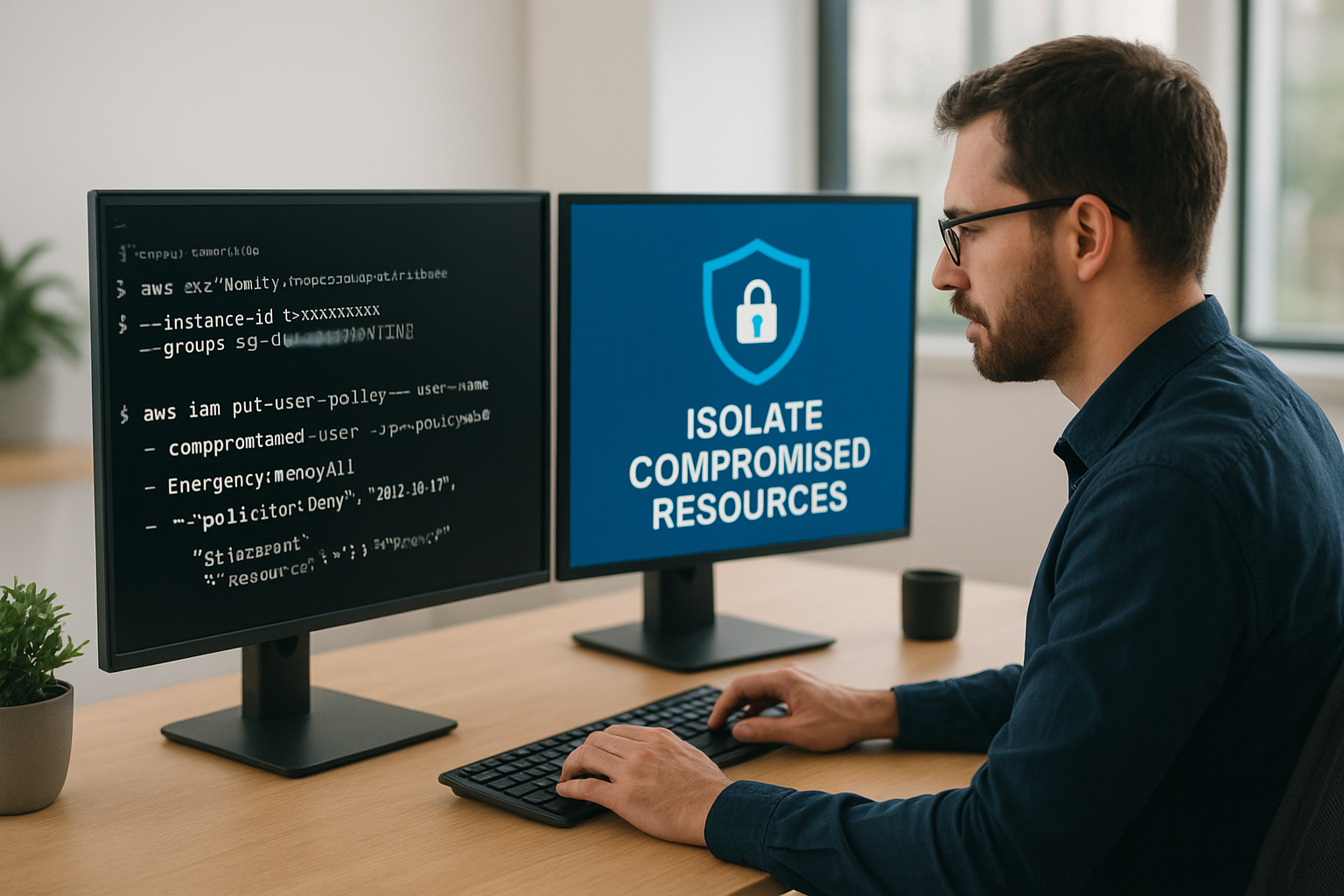
Use these commands to quarantine an EC2 instance and lock down a compromised IAM user in sequence:
# Replace the instance's security group with a quarantine group
aws ec2 modify-instance-attribute \
  --instance-id i-XXXXXXXX \
  --groups sg-QUARANTINE

# Attach an explicit deny policy to a compromised IAM user
aws iam put-user-policy \
  --user-name compromised-user \
  --policy-name EmergencyDenyAll \
  --policy-document '{"Version":"2012-10-17","Statement":[{"Effect":"Deny","Action":"*","Resource":"*"}]}'
Never delete a compromised IAM user during active containment. Denial policies preserve the audit trail while blocking further access.
Eradicate the threat and restore from a clean state
Once the resource is isolated, your eradication work begins. This means removing any persistence mechanisms the attacker established, including unauthorised IAM roles, unexpected Lambda triggers, scheduled tasks, or EC2 user data scripts. Check CloudTrail for CreateRole, AttachRolePolicy, and PutUserPolicy events made during the compromise window, as these are the most common persistence techniques in AWS environments.
Restoration should always use a known-good baseline, whether that is a pre-incident AMI, a Terraform-managed infrastructure rebuild, or an RDS snapshot taken before the incident was declared. Refer back to your aws incident response guide documentation to confirm which snapshot or backup predates the confirmed initial access timestamp in your timeline. Before you return any restored resource to production, run a fresh vulnerability scan and confirm that the original attack vector has been closed.
Next steps
This aws incident response guide gives you a working framework, but the most important step is turning it into something your team has actually tested. Run a tabletop exercise using a simulated scenario, such as a leaked IAM key or a compromised EC2 instance, and walk your team through each phase from detection to recovery. Gaps you find during a drill cost you nothing to fix. Gaps you find during a real incident are a different story.
Your documentation needs to stay current as your AWS environment evolves. Review your playbooks, IAM roles, and logging configurations every quarter and after any significant infrastructure change. A response plan built around last year’s architecture will slow you down when you need speed most.
If you need expert support building or testing your incident response capability, TrustedIA’s managed security and cyber incident response services can help you close those gaps before an attacker finds them.