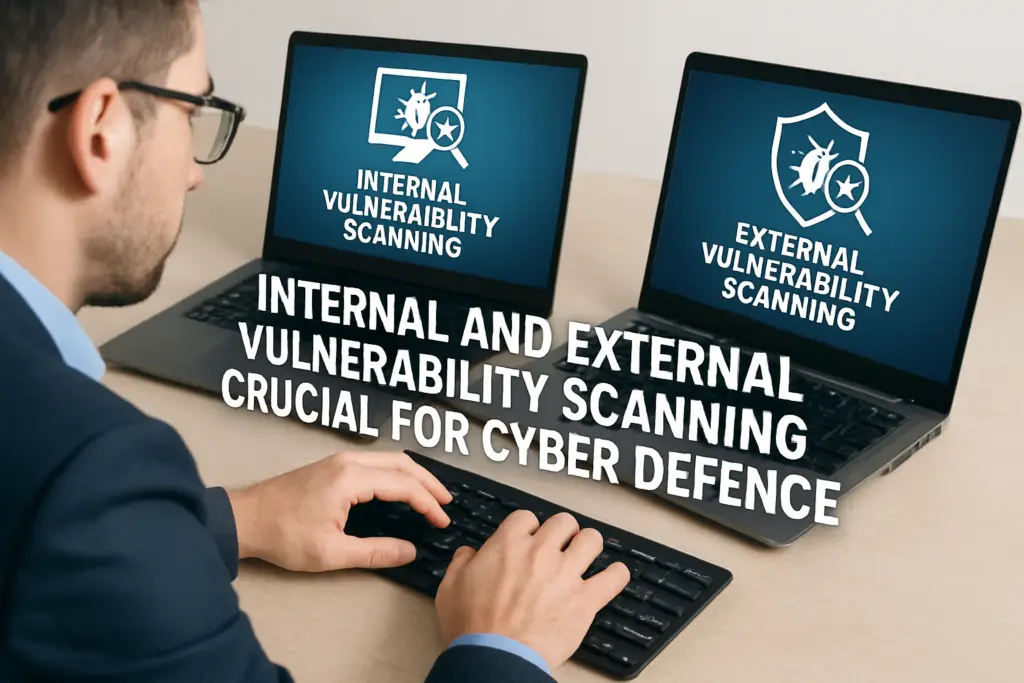
Most organisations run vulnerability scans, but many only scan from one direction, usually the outside. That leaves an entire attack surface unexamined. Understanding internal vs external vulnerability scanning is essential because each type targets a fundamentally different set of risks, and skipping either one creates blind spots that attackers are happy to exploit.
External scans assess what an attacker sees from the internet: public-facing IPs, web applications, and open ports. Internal scans look at what’s already inside your network, misconfigured servers, unpatched endpoints, and excessive user privileges. Both are necessary, not interchangeable. Compliance frameworks such as ISO 27001 and PCI DSS recognise this distinction as well, often requiring evidence of both scan types.
At TrustedIA, vulnerability assessments are a core part of our managed security services. With over 30 years of experience delivering cyber security solutions to UK businesses, we help organisations understand where they’re exposed, inside and out. This article breaks down the key differences between internal and external vulnerability scanning, explains when and why you need each, and shows how they fit together into a practical security strategy.
Why do both internal and external scans matter
When you think about cyber threats, it’s tempting to picture someone trying to break in from outside. That mental model is incomplete. Threats originate from both directions: an attacker probing your public infrastructure from the internet, and a compromised insider, a malicious employee, or malware already operating within your network. If your vulnerability scanning only covers one side, you’re making security decisions based on half the picture.
Two attack surfaces, two sets of risks
External vulnerabilities are what an unauthenticated attacker encounters before gaining access: exposed services, outdated software on public-facing systems, misconfigured firewalls, and web application weaknesses. These are real and dangerous, but they’re only part of your risk. Internal vulnerabilities represent what an attacker can reach once they’re inside, whether through a phishing email, a stolen credential, or a compromised third-party connection. Lateral movement, privilege escalation, and access to sensitive data all happen internally. The distinction matters because the controls you apply to each surface differ, and so do the tools and techniques used to assess them.
Running only an external scan gives you a perimeter check, not a security assessment.
What happens when one scan type is missing
Many breaches follow a predictable path. The attacker gains initial access through an external weakness, then moves laterally across internal systems to reach their actual target, whether that’s financial data, customer records, or operational infrastructure. If you scan externally but not internally, you may catch the entry point but remain blind to the damage an attacker can do once inside. If you scan internally but not externally, you understand your internal hygiene but leave your public-facing attack surface completely unassessed.
Understanding internal vs external vulnerability scanning as complementary, rather than alternatives, is what separates a reactive security posture from a proactive one. Both scans feed different parts of your risk picture. External scans highlight exposure, while internal scans reveal what an attacker could do with that exposure. Together, they give your team the information needed to prioritise remediation effectively and allocate resources where the actual risk is highest.
Treating vulnerability management as a one-dimensional exercise also creates problems in demonstrating due diligence. Regulators and auditors increasingly expect evidence that organisations have assessed their full attack surface, not just the parts visible from the internet. Frameworks such as ISO 27001 and PCI DSS reflect this expectation directly, and we will cover them in more detail later in this article.
What an external vulnerability scan covers
An external vulnerability scan examines your organisation from the perspective of an attacker with no prior access to your systems. The scanner probes your public-facing infrastructure across the internet, identifying weaknesses that could be exploited before any credentials or network access are required. This is the starting point for most vulnerability programmes, but as the internal vs external vulnerability scanning distinction makes clear, it is only one part of the picture.
What the scanner actually tests
External scanners target anything reachable from the public internet. That includes open ports and exposed services, web application entry points, SSL/TLS certificate configurations, and software versions running on internet-facing systems. The scanner looks for known vulnerabilities in these components by comparing its findings against databases of published CVEs (Common Vulnerabilities and Exposures), flagging any matches as risks requiring attention.
A typical external scan will assess:
- Public IP addresses and associated services
- Web applications, login pages, and APIs
- Email infrastructure (SPF, DKIM, DMARC configuration)
- Firewall rules and unintended port exposure
- Outdated or unpatched software on perimeter systems
An external scan can only find what is visible from the internet. It cannot assess what lies behind your perimeter.
Authenticated vs unauthenticated external scans
Most external scans run unauthenticated, meaning the scanner has no credentials and tests only what an anonymous attacker would see. This is the baseline and covers a significant portion of your external attack surface. Some programmes also run authenticated external scans, in which the scanner is given limited credentials to test the next layer, such as a customer-facing portal or a partner access point.
Choosing between the two depends on your scope and risk tolerance. Unauthenticated scanning is standard for routine assessments and compliance checks. Authenticated scanning adds depth for specific applications or access tiers that carry a higher risk and require a more thorough review.
What an internal vulnerability scan covers
An internal vulnerability scan operates within your network perimeter, simulating the position of an attacker who has already gained access. Rather than testing what is visible from the internet, it examines the systems, services, and configurations that are only reachable from within your environment. This is where the internal vs external vulnerability-scanning distinction becomes especially important, because internal scans often uncover a far larger number of vulnerabilities than their external counterparts.
What the scanner tests inside your network
Internal scanners connect directly to your network and probe every reachable host: servers, workstations, network devices, printers, and IoT endpoints. They check for unpatched operating systems, weak or default credentials, misconfigured services, and unnecessary open ports on internal interfaces. Because the scanner operates with network-level access, it sees far more than any external scan could.
A typical internal scan will cover:
- Unpatched software and outdated operating systems across endpoints
- Misconfigured services and unnecessary open ports on internal hosts
- Weak or default credentials on network devices and applications
- Excessive user privileges and access control misconfigurations
- Insecure protocols still active on internal infrastructure (for example, Telnet or SNMPv1)
The majority of high-severity vulnerabilities in most environments sit inside the network, not at the perimeter.
Authenticated scanning inside the network
Internal scans typically run authenticated, meaning the scanner uses domain credentials or local accounts to log into systems and inspect them at a deeper level. This produces far more accurate results than unauthenticated scanning because it can read installed software inventories, registry settings, and local configuration files directly.
Without credentials, an internal scan still finds open ports and reachable services, but it misses the patch-level and configuration detail that makes remediation planning meaningful. For most organisations, authenticated internal scanning is the standard approach, and auditors reviewing your vulnerability management programme will expect to see it.
How to run both scans in a real programme
Running internal vs external vulnerability scanning effectively requires more than pointing a tool at your network. You need a structured programme that defines scope, frequency, and remediation ownership; scans become a tick-box activity rather than a genuine security control. Building that programme is straightforward once you separate the two scan types and treat each with the attention it deserves.
Setting your scan frequency
External scans should run at least monthly, and more frequently if you regularly push changes to public-facing infrastructure. Every new application deployment, web server update, or firewall rule change creates potential for new exposure. Internal scans can run at least quarterly, but organisations with dynamic environments or high compliance requirements typically run them monthly as well. Consistency matters more than frequency: a scan run once and forgotten provides a snapshot, not ongoing assurance.
Scheduling both scan types on a fixed calendar removes the risk of scans slipping when teams are under pressure. Assign a named owner for each scan type, document the schedule in your security plan, and make sure results are reviewed within a defined window after each run. Without clear ownership, even well-designed programmes stall at the reporting stage.
Coordinating your scan outputs
Scan results are only valuable if someone acts on them. After each cycle, triage findings by severity, assign remediation ownership to specific teams or system owners, and set deadlines based on risk level. Critical vulnerabilities on external-facing systems typically warrant action within 24 to 72 hours. Lower-severity internal findings should still be tracked and closed within a defined window, not left to accumulate.
Treat your scan schedule as a standing operational task, not a one-off project.
Linking results to a centralised asset inventory lets you track remediation progress across both scan types in one place. If you lack the internal resource to manage this consistently, working with a managed security provider gives you the tooling and expertise to keep your programme running without gaps.
Compliance and reporting: PCI DSS and ISO 27001
Both PCI DSS and ISO 27001 treat vulnerability scanning as a core control, not an optional activity. If your organisation handles payment card data or holds ISO 27001 certification, you need documented evidence that your scanning programme covers both sides of the internal vs external vulnerability-scanning divide. Gaps in either area can result in failed audits, non-compliance findings, or worse, a breach that your insurer argues you should have caught.
PCI DSS scanning obligations
PCI DSS version 4.0 requires organisations to run external vulnerability scans at least quarterly using an Approved Scanning Vendor (ASV), and after any significant network change. Internal scans must also run quarterly, and the standard requires that high-risk vulnerabilities be remediated and rescanned to confirm resolution. These are minimum requirements, not recommendations. Auditors reviewing your PCI DSS compliance will ask to see scan reports, remediation records, and evidence that both scan types were completed on schedule.
Failing to demonstrate quarterly internal and external scans is one of the most common reasons organisations fail PCI DSS assessments.
Your scan reports need to show clean or resolved results before a Qualified Security Assessor will sign off. That means fixing identified vulnerabilities, not just logging them. Build your remediation deadlines around the assessment calendar so you are not scrambling to close findings in the days leading up to an audit.
ISO 27001 and vulnerability management
ISO 27001 Annex A, Control 8.8, requires organisations to manage technical vulnerabilities in a timely and systematic manner. While the standard does not prescribe a specific scanning tool or vendor, it expects you to maintain an asset inventory, assess vulnerabilities against that inventory, and document how you prioritise and address findings. Both internal and external scanning contribute directly to meeting this control.
Auditors reviewing your ISO 27001 Statement of Applicability will look for evidence that your vulnerability management process is defined, implemented, and consistently followed. Scan logs, remediation tickets, and programme documentation all count as evidence.
Final thoughts
Internal vs external vulnerability scanning are not two versions of the same thing. They target different attack surfaces, use different methods, and close different gaps. Running only one means you’re making security decisions with incomplete information, and that has real consequences when attackers exploit the side you haven’t checked. A complete vulnerability management programme treats both scan types as permanent fixtures rather than periodic activities.
You don’t need a large security team to run this well. Clear ownership, consistent scheduling, and a disciplined remediation process are what separate organisations that find and fix vulnerabilities from those that collect reports and do nothing with them. Whether you’re working towards PCI DSS compliance, ISO 27001 certification, or reducing your exposure, both scan types belong in your programme from the start.
If you want help building or improving your vulnerability scanning approach, TrustedIA’s managed security services give you the expertise and tooling to do it properly.