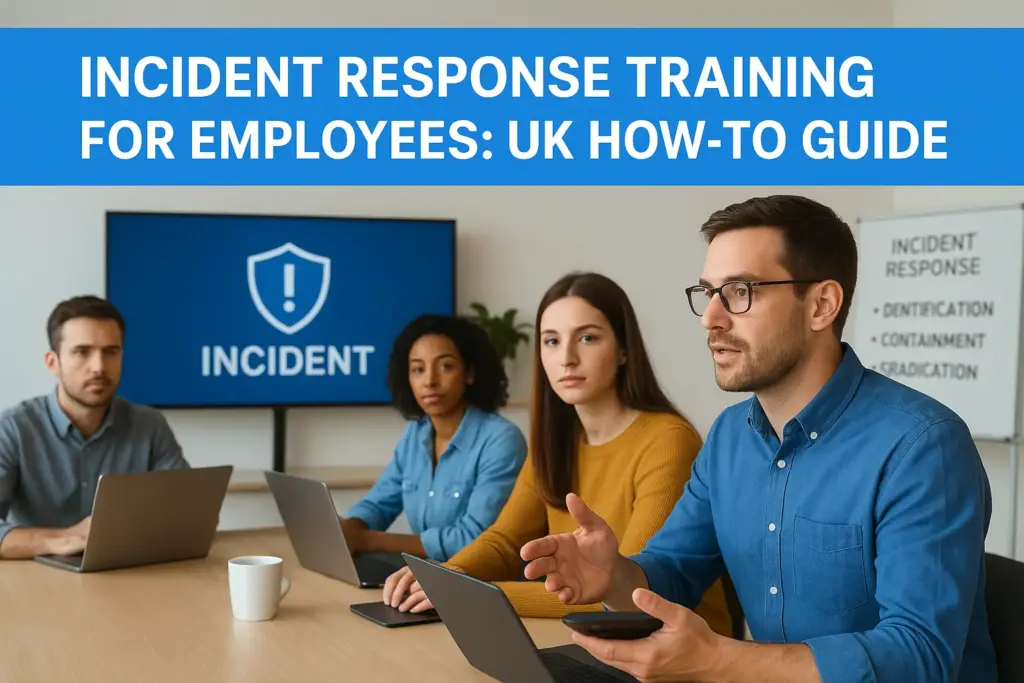
Most UK businesses don’t discover gaps in their cyber incident response until something goes wrong. By then, the cost, financial, operational, and reputational costs have already started climbing. The reality is that incident response training for employees isn’t a nice-to-have checkbox; it’s the difference between a contained security event and a full-blown crisis. And yet, many organisations either skip it entirely or deliver it once and forget about it, leaving their teams unprepared when it matters most.
Knowing you need training is one thing. Knowing how to plan it, deliver it, and make it stick across your organisation is another. That’s exactly what this guide covers: a practical, step-by-step approach to building incident response training that actually works, from identifying the right skills and scenarios to running exercises that reflect real-world threats targeting UK businesses.
At TrustedIA, we’ve spent over 30 years helping organisations strengthen their cyber security posture, including hands-on incident response through our CyberSOS service and training programmes built around frameworks like ISO 27001. We’ve seen first-hand what separates companies that recover quickly from those that don’t, and it almost always comes down to how well their people were prepared before the incident hit.
This guide walks you through everything you need to build, run, and improve an employee incident response training programme, whether you’re starting from scratch or tightening up what you already have.
What to include in UK incident response training
Effective incident response training for employees needs to go beyond basic security awareness. Your programme should build practical knowledge and repeatable skills that employees can apply under the pressure of a real incident. If you don’t define what “good” looks like before you start, you’ll end up with training that feels comprehensive but leaves critical gaps when something actually happens. Getting the content right from the start is what separates a programme that builds genuine readiness from one that ticks a box.
The content of your training determines the quality of every decision your team makes under pressure, so treat it with the same rigour you would apply to your technical defences.
Core knowledge every employee needs
Every employee, regardless of their role or technical background, needs a shared baseline before you add role-specific content. This means understanding what an incident is, how to recognise early warning signs, and who to contact first. Without this foundation, your more advanced training layers won’t land properly, and employees will default to guessing when it matters most.
At a minimum, your baseline content should cover:
- The definition of a security incident and relevant examples for your sector, such as phishing, ransomware, unauthorised access, or accidental data exposure
- Who sits on the incident response team and how to reach them, including out-of-hours contact details
- The correct reporting route: whether that’s a line manager, an IT helpdesk, or a directly nominated security contact
- What not to do immediately after spotting an incident, including attempting to fix it yourself or deleting files
- Basic evidence preservation principles, such as keeping affected devices on and avoiding further use until instructed otherwise
UK-specific legal and regulatory requirements
Your training content must reflect the legal obligations your business operates under. In the UK, the UK GDPR and the Data Protection Act 2018 require organisations to report certain personal data breaches to the Information Commissioner’s Office (ICO) within 72 hours of becoming aware of them. Employees who don’t understand this timeline can unintentionally expose your business to regulatory penalties through slow or incomplete reporting.
Beyond data protection law, if your organisation operates in regulated sectors such as financial services, you may also face reporting obligations under Financial Conduct Authority (FCA) guidance. Training your employees to understand that fast, accurate notification is a legal requirement, not just a process preference, removes ambiguity and significantly reduces the risk of delayed escalation during an incident.
Skills that go beyond theory
Knowledge alone doesn’t prepare your team for a real incident. Your training also needs to develop decision-making under stress, clear communication habits, and procedural discipline. These are skills, not facts, which means employees need to practise them in realistic conditions rather than read about them.
Your training should help employees build the ability to:
- Work through triage decisions quickly: how serious is this, and what needs to happen in the next 30 minutes
- Communicate accurately to managers and technical teams without overcomplicating or downplaying the situation
- Document what they observed and when, using consistent and factual language
- Escalate effectively when an incident is beyond their immediate control
- Follow the established process calmly, even when systems or data appear to be actively at risk
Step 1. Define incidents, roles, and reporting routes
Before you can train your team to respond, you need to give them clear definitions to work from. Ambiguity is one of the most common reasons incident response breaks down in practice: employees hesitate, second-guess themselves, or route information to the wrong person because nobody has defined what an incident looks like or who handles it. Start your programme here, and everything that follows will land more effectively.
Classify what counts as an incident
Your employees need to know exactly what qualifies as a security incident before they can report one. Write a short, plain-language definition your whole organisation can work from, and back it up with concrete examples relevant to your sector.
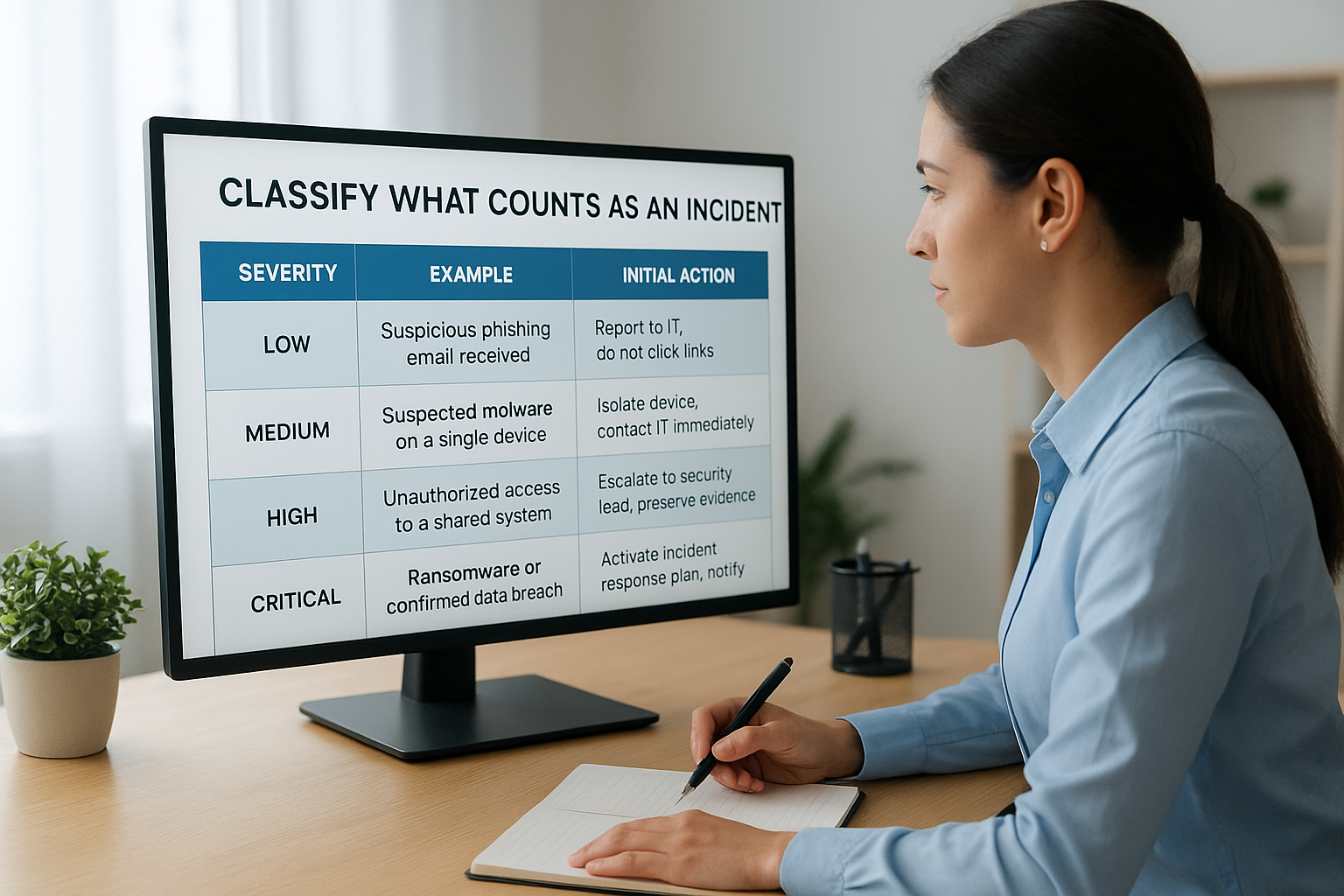
A practical incident classification might look like this:
| Severity | Example | Initial action |
|---|---|---|
| Low | Suspicious phishing email received | Report to IT, do not click links |
| Medium | Suspected malware on a single device | Isolate the device, contact IT immediately |
| High | Unauthorised access to a shared system | Escalate to the security lead, preserve evidence |
| Critical | Ransomware or confirmed data breach | Activate the incident response plan, notify management |
Assign roles before training begins
Every person in your employee incident response training programme should know their specific role before the first exercise runs. Define who acts as the incident coordinator, who handles technical containment, who manages communications, and who owns regulatory notifications. Write these assignments down in a document that sits alongside your incident response plan, rather than burying them in a policy nobody reads.
If employees don’t know who owns what during an incident, your response will slow down at exactly the moment speed matters most.
Map your reporting routes
Clear reporting routes prevent the delays that cost you time, money, and regulatory standing. Document the exact steps an employee should take from the moment they suspect something is wrong, and make those steps visible rather than locked inside an intranet page nobody visits.
Your reporting route should include:
- The name and direct contact details of the primary security contact
- An out-of-hours escalation path for incidents that happen outside business hours
- The IT helpdesk number or ticket system for lower-severity events
- A direct line to the incident coordinator for high or critical events
Step 2. Build a role-based training plan by department
One-size-fits-all training rarely works in incident response. A finance team member needs to recognise invoice fraud and business email compromise, while a developer needs to understand code repository exposure and access control failures. Building a role-based training plan ensures each department gets content that reflects the threats they actually face and the responsibilities they carry when something goes wrong.
Map training content to job function
Start by grouping your workforce into functional clusters based on how they interact with systems, data, and customers. You don’t need a separate programme for every job title, but you do need to distinguish between roles with meaningfully different exposure. A typical UK SMB might split training across four clusters:
| Role cluster | Key training focus |
|---|---|
| All staff | Phishing recognition, reporting routes, and basic evidence handling |
| IT and technical teams | Containment, forensic preservation, system isolation procedures |
| Finance and HR | Business email compromise, data handling, and regulatory notification triggers. |
| Management and leadership | Decision-making authority, media handling, and ICO reporting obligations |
Set clear learning objectives for each group
Each cluster in your employee incident response training programme needs defined learning objectives before you build any content. Without these, you will end up training people on things they don’t need while skipping the skills they rely on under pressure.
Write learning objectives as actions your employees should be able to perform, not topics they should simply be familiar with.
For the IT cluster, a well-written objective might read: “Isolate an affected endpoint from the network within 10 minutes of receiving an escalation.” For all-staff training, it might read: “Report a suspected phishing email to the security contact within 15 minutes of receiving it.” Specific, time-bound objectives give you something measurable to test against in later exercises and make it far easier to identify gaps in your programme when you review results after each exercise cycle.
Step 3. Run tabletop exercises that test decisions
Tabletop exercises are the most practical, low-risk way to test whether your employees’ incident response training is actually working. Rather than waiting for a real incident to expose gaps, tabletop exercises give your team a structured, discussion-based environment to work through a scenario, make decisions, and reveal exactly where their response breaks down. The goal is not to pass or fail; it is to surface problems while the stakes are still low enough to fix them.
What makes a tabletop exercise effective
Not every tabletop exercise delivers useful results. The ones that do share a few consistent qualities: they start with a realistic, sector-relevant scenario; they force participants to make actual decisions rather than describe what they would do in theory; and they are run by a facilitator who challenges assumptions and pushes the group when answers come too easily.
The best tabletop exercises are uncomfortable at the right moments; if everyone feels confident throughout, the scenario probably was not hard enough.
Keep your group size manageable, between five and ten people, and include representatives from IT, management, and at least one operational function. Invite your legal or compliance lead if you have one, since notification decisions almost always surface during the exercise.
A sample tabletop scenario to run
Use the scenario below as a starting point, then adapt the details to match your organisation’s size, sector, and systems.
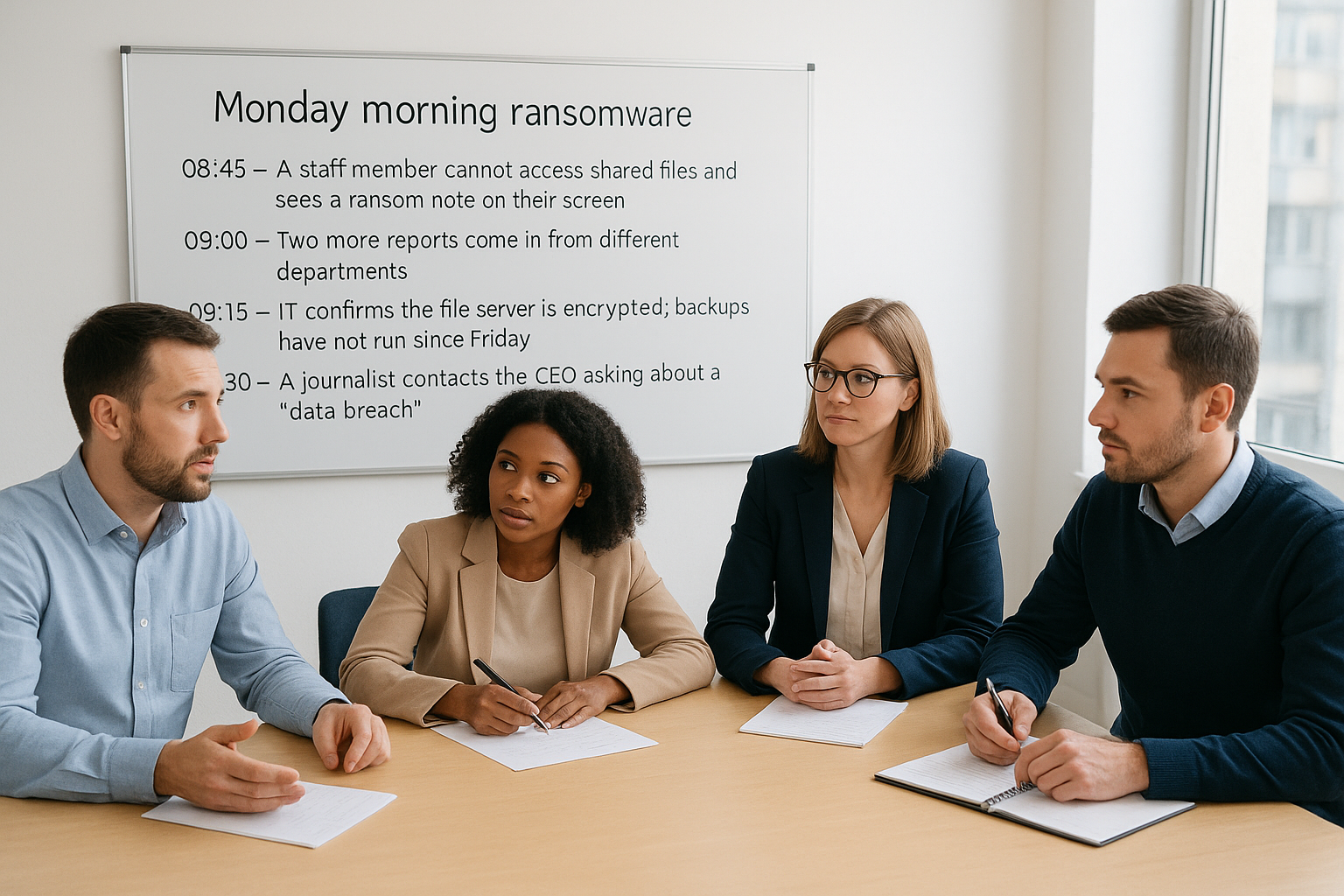
Scenario: Monday morning ransomware
- 08:45 – A staff member cannot access shared files and sees a ransom note on their screen
- 09:00 – Two more reports come in from different departments
- 09:15 – IT confirms the file server is encrypted; backups have not run since Friday
- 09:30 – A journalist contacts the CEO asking about a “data breach”
- 10:00 – Legal asks whether you need to notify the ICO
For each stage, ask your group: Who makes this decision? What information do you need before acting? What could go wrong if you wait another 30 minutes? Document every answer and note where the group stalls or disagrees, because those are the specific gaps your next training cycle needs to close.
Step 4. Practise hands-on response without risking production
Tabletop exercises test decision-making, but they don’t build the procedural muscle memory your technical staff need to act quickly and correctly during a live incident. Hands-on practice closes that gap, and the key is building an environment where your team can make mistakes, correct them, and repeat the process without touching anything connected to your production systems.
Set up an isolated training environment
Your IT and security staff need a dedicated space to practise containment, isolation, and forensic preservation without risking disruption to live services. A sandboxed virtual environment is the most practical way to do this: spin up cloned or representative virtual machines that closely mirror your real infrastructure, yet sit completely outside your production network.
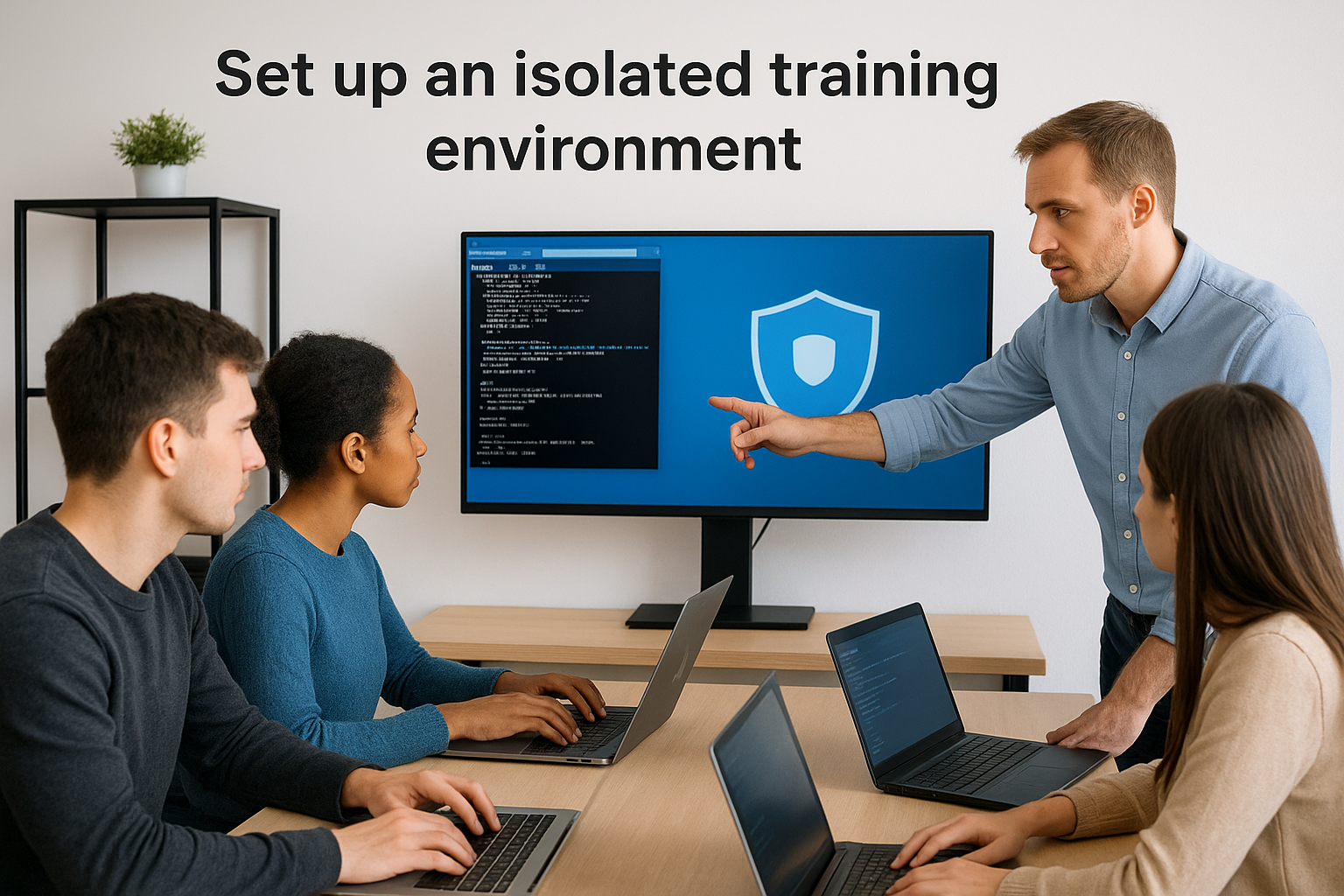
The closer your training environment resembles your actual systems, the more transferable the skills your team develops under pressure.
You don’t need an expensive dedicated lab. Tools such as Microsoft Hyper-V or a cloud-based isolated tenant provide sufficient fidelity for most incident response drills, and you can reset the environment after each session, so your next group starts from a clean baseline.
Run drills that simulate real attack conditions
Once your environment is in place, design drills around the specific attack scenarios most likely to affect your organisation. For a UK SMB, that typically means simulated ransomware deployment, a phishing-triggered credential compromise, or an insider data exfiltration attempt. Each drill should require your team to complete a defined sequence of actions rather than observe.
A well-structured drill for your technical team might look like this:
| Stage | Task | Success criterion |
|---|---|---|
| Detection | Identify the compromised endpoint from the alert | Under 10 minutes |
| Containment | Isolate the device from the network | No further lateral movement |
| Preservation | Capture volatile memory before shutdown | Full memory image saved |
| Recovery | Restore a clean image from a verified backup | System back online within the defined RTO |
Running incident response training for employees this way, with defined tasks and measurable success criteria, gives you clear data on where your team performs well and where they need additional practice before a real incident puts that knowledge to the test.
Step 5. Train communications, evidence, and escalation
Technical containment skills mean nothing if your team communicates poorly or destroys evidence while trying to help. This step covers the three disciplines that most often break down during a real incident: getting the right information to the right people quickly, handling digital evidence correctly from the first moment, and knowing exactly when to escalate beyond your internal team.
Communicate clearly under pressure
During an incident, unclear or incomplete communication causes delays that compound the damage. Train your team to use structured, factual messages rather than informal descriptions that leave the recipient guessing. A simple message template removes the ambiguity and ensures every update contains the information your incident coordinator needs to act.
The quality of your communication during an incident directly shapes the speed and accuracy of every decision that follows.
Use a template like this for internal incident updates:
- Time of report: [HH:MM]
- Reported by: [Name and role]
- What was observed: [Factual description, no interpretation]
- Systems or data affected: [Specific names, not general descriptions]
- Immediate actions taken: [Steps already completed]
- Next action required: [What you need from the recipient]
Preserve evidence from the first moment
Your employees’ first instinct is often to fix the problem. That instinct can destroy the forensic evidence your technical team needs to understand what happened and prove it to insurers or regulators. Train all staff to treat an affected device like a crime scene: leave it on, step away, and report immediately without attempting repairs.
Include these non-negotiable evidence rules in your incident response training for employees:
- Do not shut down or restart a compromised device
- Do not delete files, emails, or logs, even if they appear malicious
- Screenshot any visible error messages or ransom notes before reporting
- Note the exact time you first observed the issue
Know when and how to escalate
Escalation decisions stall when nobody has a clear threshold to work from. Build a short escalation matrix into your training so employees know which event types require immediate senior involvement rather than a standard IT helpdesk ticket.
| Trigger | Escalate to | Within |
|---|---|---|
| Confirmed ransomware | Incident coordinator and senior management | 15 minutes |
| Suspected personal data breach | Legal or compliance lead | 30 minutes |
| An external party reports that your data is exposed | CEO and legal simultaneously | Immediately |
Step 6. Measure readiness and keep the programme current
Running training once and moving on leaves your organisation exposed to the same gaps year after year. Measuring how your team actually performs, rather than simply recording who attended a session, gives you the data you need to prioritise improvements and demonstrate to auditors, insurers, and leadership that your incident response training for employees is genuinely working.
Track metrics that reveal real gaps
Your measurement approach should focus on behaviour and performance, not just completion rates. Attendance figures tell you who sat through a session; they tell you nothing about whether your team can act correctly when an incident starts. Define a small set of metrics that reflect the skills you have trained, and review them after every exercise cycle.
The gap between knowing what to do and doing it correctly under pressure is exactly what your metrics need to expose.
Use a tracking table like this to record results after each exercise or drill:
| Metric | Target | How to measure |
|---|---|---|
| Time to first report | Under 15 minutes | Recorded in drill debrief |
| Correct escalation path used | 100% of participants | Facilitator observation |
| Evidence preserved correctly | No devices shut down incorrectly | Post-drill review |
| ICO notification threshold identified | 90% accuracy | Written exercise assessment |
Review and update on a fixed schedule
Threats change, and so should your training. Set a formal review cycle, at a minimum annually, and align it with any significant changes to your infrastructure, team structure, or regulatory environment. When UK GDPR guidance is updated, or your organisation adopts new systems, your training content needs to reflect those changes before the next exercise cycle runs.
Build your review process around three inputs: results from your last exercise, any real incidents your organisation experienced during the period, and updated threat intelligence relevant to your sector. If your most recent drill showed that finance staff consistently missed the ICO notification trigger, that becomes a priority item in your next training build. Continuous improvement works best when evidence rather than assumptions drives it.
Templates and checklists to run training consistently
Without a consistent structure, incident response training for employees tends to drift over time: scenarios get reused, debrief notes disappear, and improvement actions fall through the gaps. The two tools below provide a repeatable framework for preparing for training sessions and extracting useful insights from every exercise you run.
Consistent structure across every training cycle is what turns individual exercises into an improving programme rather than a series of isolated events.
Pre-training session checklist
Run through this checklist before every training session or exercise, whether you are running a full tabletop, a department drill, or a new-starter induction. It takes under ten minutes and ensures nothing critical is missing when your session starts.
- Scenario reviewed and updated to reflect current threats or recent incidents.
- Roles and attendees confirmed, with backfills identified for absent participants.
- Reporting routes and escalation contacts verified as still current
- Training environment (if applicable) reset and confirmed as isolated from production
- Learning objectives shared with the facilitator in writing before the session begins
- The attendance and participation record sheet was prepared
- Post-session debrief time is blocked in the calendar before the session runs
Post-exercise debrief template
Your debrief is where the real learning happens. Complete this template within 24 hours of every exercise while observations are still fresh. Store each completed template in a central location so you can track progress across cycles.
| Field | Notes |
|---|---|
| Exercise date and scenario used | |
| Participants (name and role) | |
| Objectives met (list each) | |
| Gaps identified (specific behaviours, not general impressions) | |
| Evidence handling: any incorrect actions observed | |
| Escalation path: correct route followed? | Yes / No / Partial |
| ICO notification threshold: correctly identified? | Yes / No / Partial |
| Priority improvement actions (maximum three) | 1. 2. 3. |
| Owner for each action | |
| Review date for this debrief |
Keeping completed debriefs on file also gives you documented evidence of your programme’s maturity, which auditors, insurers, and senior leadership will ask for when assessing your organisation’s overall security posture.
Next steps for a ready team
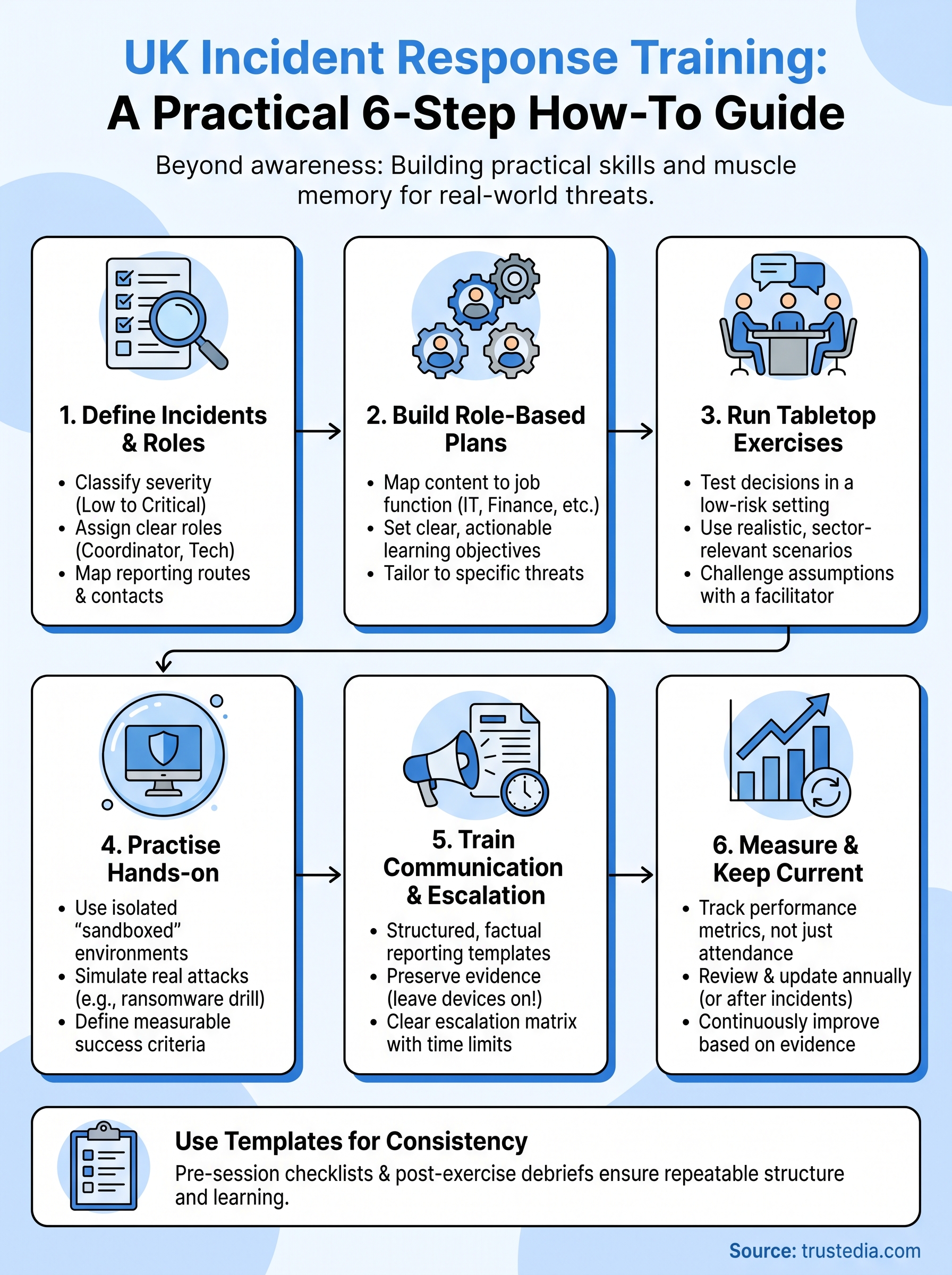
You now have everything you need to build incident response training for employees that goes beyond compliance and actually prepares your team to act. The steps in this guide work best when you treat them as a cycle rather than a one-time project: define, train, exercise, measure, and improve on a fixed schedule so your programme stays current as threats and your business evolve.
Start small if you need to. Pick one department, run your first tabletop using the scenario in Step 3, and complete the debrief template within 24 hours. That single exercise will reveal more actionable gaps than a year of awareness campaigns, and it gives you a documented baseline to build from.
If you want expert support designing or running your programme, the team at TrustedIA has the experience to help. Contact us to find out how TrustedIA’s managed cyber security services can strengthen your organisation’s incident readiness from the ground up.